Why Your Fridge Won't Cool: A Practical Troubleshooting Guide
Urgent, step-by-step troubleshooting for homeowners: identify why your fridge won t cool and learn fast fixes, safety notes, and prevention tips to get cooling back quickly.


Most common reasons your fridge won’t cool are dirty condenser coils, a failed evaporator fan, or a defrost issue. Start with the basics: verify the outlet is live, ensure the thermostat is set correctly, and check for unobstructed airflow with coils clean. If there’s no improvement after cleaning coils and unblocking vents, unplug and call a professional for a safe inspection.
Why the fridge won t cool
If you’re asking why fridge won t cool, you’re not alone. When a refrigerator stops removing heat, the issue almost always points to airflow problems, blocked vents, dirty coils, or a failed cooling component. According to How To Refrigerator, the most common culprits are restricted airflow and dirty condenser coils, which prevent heat from escaping and space from reaching the set temperature. The How To Refrigerator team emphasizes that starting with simple checks can save time and money. Before assuming a catastrophic failure, inspect the basics: is the outlet working, is the unit plugged in, and is the door sealing properly? A small misalignment or a disconnected vent can be enough to derail cooling. In many homes, these issues are easy to fix and do not require a service call. Recognize that not cooling can also stem from a faulty defrost timer or a malfunctioning evaporator fan; these components are integral to the cooling cycle and are worth checking if the basics don’t restore chill. This guide is designed to help homeowners approach the problem methodically and safely, with clear steps to test hypotheses and determine when a professional is needed.
Quick checks you can perform safely
Before you dive into more complex diagnostics, perform a few quick, safe checks that account for the most common causes of not cooling. First, verify that the fridge is receiving power: check the outlet by plugging in a small device or using a voltmeter, and inspect your circuit breaker for any tripped switches. Next, confirm the thermostat is set to a cold enough level for your environment; in hot kitchens, you may need to lower the temperature by a couple of degrees. Inspect the door gasket for gaps or tears and ensure the door shuts fully—air leaks dramatically raise the load on the compressor. Make sure vents inside the fridge/freezer aren’t blocked by groceries, which can disrupt airflow. Finally, examine the condenser coils (usually behind a rear panel or at the grill). If they look dusty or clogged, a gentle cleaning with a brush or vacuum can improve heat transfer. If you have a frost-covered evaporator or frost buildup in the freezer, do not ignore it; frost can indicate a defrost issue that prevents proper cooling. If these checks don’t restore cooling, you’ll need to proceed to more thorough diagnosis or call a professional.
Airflow, coils, and the cooling cycle
Airflow is the heartbeat of a properly cooling fridge. When vents are blocked or coils become dirty, heat cannot be removed efficiently, and the temperature rises inside. Dirty condenser coils act like a blanket over the system, forcing the compressor to work harder and potentially overheat. If you can access the coils safely, clean them carefully with a soft brush or a microfiber cloth, and vacuum away dust and lint from the surrounding area. Allow a few hours for the system to stabilize after cleaning; in some cases, you may hear the fan or compressor operate more steadily once clean air can circulate. Additionally, confirm that the evaporator fan inside the freezer is turning when the door switch is engaged; a non-running fan means heat transfer is interrupted and cooling will fail. If you detect buzzing or unusual noises, there could be a motor or fan fault that warrants professional attention. These steps address the most frequent causes and set the stage for a reliable diagnosis.
Electrical components: defrost, thermostat, and compressor
Beyond airflow, several electrical components control when and how the fridge cools. A faulty defrost timer or heater can allow frost to accumulate on the evaporator, blocking airflow and reducing cooling efficiency. A malfunctioning thermostat or temperature sensor can misreport the interior temperature, causing the compressor to stay off or cycle improperly. The compressor is the heart of the cooling system; if it starts but doesn’t maintain cooling, there may be an issue with start relays, overload protectors, or the compressor itself. If you suspect electrical faults, you should rely on a professional, especially since high-voltage components can pose shock risks. In all cases, safety comes first: unplug the unit before removing panels, and avoid touching exposed wiring. This section outlines the most plausible electrical culprits and how they affect cooling, so you can communicate clearly with a technician if needed.
Safety-first and when to call a professional
Safety is non-negotiable when diagnosing not-cooling issues. If you observe exposed wires, burning smells, or the unit is hot to the touch, unplug it immediately and contact a qualified appliance technician. Do not attempt refrigerant handling or component replacement unless you are trained for those tasks. For routine not-cooling situations, start with the non-invasive checks described above; if the problem persists after cleaning coils, unblocking vents, and verifying power and thermostat settings, it’s time to schedule a professional inspection. A technician can test defrost systems, measure current draw, and diagnose compressor health with specialized tools. The goal is to restore safe operation and prevent further damage to your food or the appliance. Remember: not all cooling problems require a full replacement—many fixable issues can be resolved with a targeted repair.
Prevention: keep your fridge cooling efficiently
Prevention is easier than emergency repair. Clean condenser coils every 6 to 12 months, depending on your environment and usage, and keep the surrounding area free of dust and debris. Use a fan to improve airflow in cramped kitchens, and avoid placing hot food directly into the fridge, which can raise internal temperatures and stress the compressor. Inspect door seals regularly for cracks or gaps and replace worn gaskets to maintain an airtight seal. Keep the fridge away from heat sources like ovens and direct sunlight, and ensure adequate clearance around the unit for optimal airflow. By performing these routine checks and cleanings, you can reduce the likelihood of not-cooling scenarios and extend the life of your appliance.
Troubleshooting flow you can follow
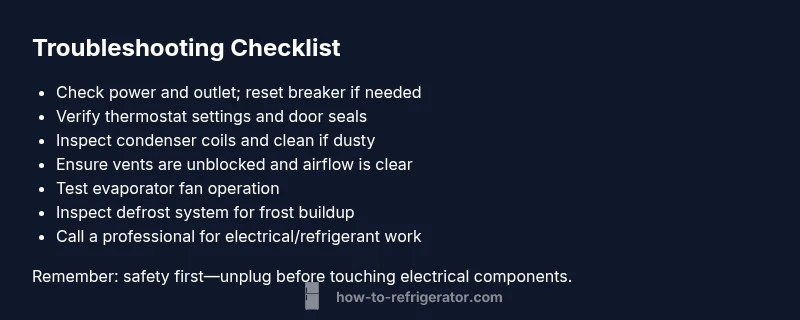
If you’re still unsure about why your fridge won t cool, follow a simple troubleshooting flow: confirm power and thermostat settings, check door seals and airflow, inspect condenser coils, test the evaporator fan, and assess the defrost system. If any step reveals a fault you don’t feel confident repairing (defrost timer, heater, or compressor components), stop and contact a professional. Remember to document the symptoms you observe (noise, frost buildup, cycling patterns) to share with the technician. This methodical approach minimizes guesswork and helps you identify the precise cause more quickly.
Steps
Estimated time: 60-90 minutes
- 1
Power down and safety check
Unplug the unit and remove groceries from the vicinity. If you must move items, do so carefully to avoid damaging shelves or the interior. This initial step reduces risk as you begin diagnostics.
Tip: Always start with basic safety: unplug before touching electrical components. - 2
Access and inspect condenser coils
Locate the coils (back of the unit or under the toe-kick). If dusty, use a vacuum with a brush attachment or a coil cleaning brush to remove dust and debris. Ensure you have good lighting to see into crevices.
Tip: Be gentle to avoid bending delicate fins; work in short passes. - 3
Check evaporator fan operation
Remove interior shelves and locate the freezer compartment to listen for the evaporator fan when you open the door switch. If you don’t hear the fan, it may be faulty or blocked by frost.
Tip: A running fan usually sounds like a low, consistent whir. - 4
Inspect door seals and airflow vents
Examine gaskets for cracks and ensure the doors seal fully when closed. Clear any obstructions blocking vents inside the cabinet to restore airflow.
Tip: Even small gaps can increase energy use and reduce cooling. - 5
Evaluate the defrost system
If you notice frost buildup on the evaporator coils, the defrost system may be failing. Look for frost on the back wall of the freezer or an ice curtain at the inside. This step might require a professional diagnosis.
Tip: Defrost issues can masquerade as compressor problems. - 6
Test the thermostat and sensors
Check that the thermostat knob or digital setting is responsive. If you suspect a faulty sensor, a professional can test resistance values and confirm replacement needs.
Tip: Temperature readings should align with the thermostat setting. - 7
Power up and monitor operation
Plug the unit back in, reload food, and monitor for stabilization. If the fridge returns to temperature but later drifts, note the pattern and prepare to discuss it with a technician.
Tip: Provide the service technician with a recent symptom log.
Diagnosis: Fridge won t cool but lights and display are on
Possible Causes
- highDirty condenser coils
- mediumDefrost timer/defrost heater failure
- mediumFaulty evaporator fan
- lowThermostat/temperature control issue
Fixes
- easyClean condenser coils and ensure proper airflow around the unit
- mediumInspect/repair defrost timer or heater if frost buildup is present
- mediumTest evaporator fan for operation and replace if silent or intermittent
- mediumCheck and/or replace thermostat or temperature sensor
FAQ
Why won’t my fridge cool even though the light is on?
A functioning light doesn’t guarantee cooling. The issue is usually airflow, a dirty condenser coil, a door seal leak, or a faulty defrost/thermostat component. Start with power and thermostat checks, then inspect the coils and seals.
If the light is on but it won’t cool, it’s usually an airflow or coil issue rather than the electrical supply.
Is it safe to clean condenser coils myself?
Yes, as long as you unplug the fridge first and use a gentle brush or vacuum. Avoid bending the fins and never use water to wash the coils directly. If you’re unsure, consult a professional.
You can clean coils safely if you power down first and use proper tools.
What does a buzzing noise from the fridge mean?
A buzzing or humming sound can indicate the compressor or evaporator fan is operating. If the noise changes or is accompanied by frost, there may be a mechanical fault requiring service.
Buzzing often means the fan or compressor is active, but changes in sound can signal a problem.
How long should a fridge take to cool after a power outage?
Cooling time varies by model and size, but you should monitor for several hours. If the temperature doesn’t drop after a full day, professional diagnosis is advised.
It can take several hours; if it hasn’t cooled after a day, set up a repair check.
Can a bad door seal cause not-cooling?
Yes. A damaged or dirty door seal lets warm air in, raising the compressor load and preventing proper cooling. Replace worn gaskets and ensure a tight seal.
A leaky door seal lets warm air in, which makes cooling harder.
When should I call a professional?
Call a professional if you’ve performed safe basic checks, cleaned coils, checked vents and seals, and the fridge still won’t cool. They can test defrost systems, sensors, and compressor health.
If basic checks don’t fix it, a professional should diagnose defrost and compressor issues.
Watch Video
Top Takeaways
- Identify not-cooling causes starting from power and airflow
- Clean condenser coils to restore proper heat transfer
- Check defrost system and thermostat before replacing major parts
- Always unplug before service and call a pro for electrical or refrigerant tasks
- Preventive maintenance saves energy and keeps food safe