What Is Wrong With My Refrigerator? Quick Fix Guide Now
Learn how to diagnose why your refrigerator isn’t cooling and get practical steps to fix common issues fast. From power checks to defrost drain care, How To Refrigerator guides homeowners through urgent fridge repairs.


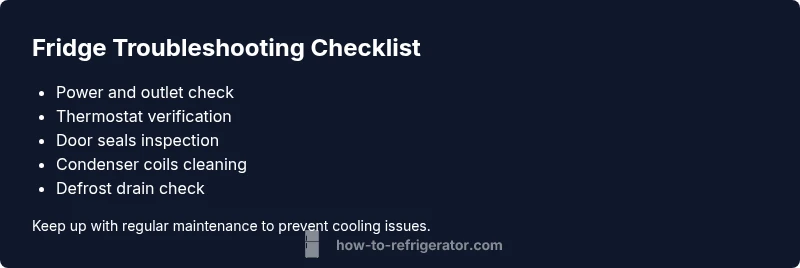
If your refrigerator isn’t cooling, start with quick, practical checks. The most common culprits are a tripped outlet or blown fuse, an incorrect thermostat setting, or door seals that aren’t sealing properly. Ensure the unit has power, verify the thermostat is set to mid or colder, and inspect door gaskets for gaps. If these don’t fix it, move on to airflow, defrost drain, and coils.
Why Refrigerators Lose Cooling Quickly
When homeowners ask what is wrong with my refrigerator, they’re often surprised at how simple the answer can be. In many cases the problem isn’t a blown compressor or a broken seal, but a string of small causes that are easy to fix. According to How To Refrigerator, the most common culprits are power issues, thermostat mis-sets, and door seals that aren’t sealing properly. Start with the basics: confirm the unit is plugged in, verify the outlet has power, and check that any convenience switches or power strips aren’t cutting the power to the fridge. Next, check the temperature setting; many models use a mid-to-cold range. Then inspect the door gasket for cracks, warping, or debris that could let warm air seep in. If the basics check out, you’ll need to examine airflow and cooling components in more detail as described in later sections. Remember: safety first—unplug if you need to touch electrical parts.
what is wrong with my refrigerator? Quick Checks You Can Do Now
Before you tear the fridge apart, run through a rapid checklist. First, ensure the fridge is receiving power: test the outlet with a lamp or phone charger. Second, confirm the thermostat is set correctly; consult your user manual for the ideal temperature range and adjust as needed. Third, inspect door gaskets for gaps or cracks; clean the seals with warm, soapy water and look for stiffness or deformation. Fourth, listen for the compressor: if it runs and then stops, there may be a control or airflow issue rather than a complete failure. Fifth, make sure there’s adequate clearance around the back and sides so air can circulate. Finally, check for frost or ice around the evaporator if you have a frost-free model, as excessive ice can block airflow. If you’re not sure, leave the complex checks for later.
Airflow and Defrost Drain: The Hidden Culprits
Even when the power and thermostat are fine, poor airflow can leave food warm and shelves damp. Blockages in the defrost drain or frost around the evaporator can silently reduce cooling. Look for frost buildup on the back wall of the freezer and listen for a whirring sound that indicates airflow is restricted. On frost-free models, a blocked defrost drain can cause water to pool inside the fridge and lead to lower cooling efficiency. Cleaning the defrost drain and ensuring proper drainage can restore airflow. If you’re comfortable, remove the back panel inside the freezer to inspect the evaporator and drain tube. Do not force components; consult the manual if you’re unsure. Regularly clearing debris and wiping away moisture can prevent this issue from returning.
Condenser Coils, Fans, and the Evaporator: What to Inspect
Condenser coils shed heat from the fridge and must stay free of dust and lint. When coils are dirty or airflow is blocked by clutter, the compressor works harder and the interior won’t cool reliably. Inspect the condenser coils located behind a grille on the back or bottom of the unit and clean with a brush or vacuum. Listen for the condenser fan; a dying fan can starve the evaporator of air, reducing cooling. If you hear abnormal noises or detect a burning smell, stop and unplug the appliance. Check the evaporator fan inside the freezer section for proper operation; if it doesn’t spin when the door is open, it’s a sign of a fault. Regular cleaning and proper clearance around the unit help prevent most coil-related issues.
Thermostat, Seals, and Door Alignment
The thermostat, door seals, and door alignment all influence how cold your refrigerator actually gets. An out-of-whack thermostat can make the interior hover above the desired temperature; a miscalibrated dial is easy to fix with a replacement or recalibration per the manual. Door gaskets should seal evenly around the entire perimeter; misalignment lets warm room air drift in every time the door is opened. If you have adjustable doors (French doors, side-by-side), ensure the alignment pins are seated and the doors close flush. After adjusting, give the unit a few hours to stabilize and test the food temperature with a thermometer placed near the center shelf.
When to Perform More Advanced Diagnostics and Call a Pro
If you’ve completed the basic checks and still don’t have reliable cooling, it’s time to step up diagnostics. Use a thermometer to verify interior temps and compare them to the model’s spec. Run the fridge with the door open briefly to check airflow and listen for the evaporator fan. Inspect for frost buildup that might indicate a defrost system fault. If the compressor repeatedly runs without delivering cold air, or you notice burning smells, buzzing noises, or heat at the back of the cabinet, these are signs of a more serious fault that requires a licensed technician. A professional can diagnose refrigerant leaks, sealed system failures, or compressor faults, which require specialized tools and training.
Safety and Prevention: How To Stay Ready
Always unplug the refrigerator before performing any internal inspection. Use insulated gloves when handling sharp metal edges inside the compartment. Keep the area around the appliance clear of clutter to maximize airflow and reduce heat buildup. Schedule regular maintenance like coil cleaning every 6-12 months and prompt seal replacement when gaskets fail. Document the date of any fixes you perform so you know when to repeat them. By keeping up with routine care, you reduce the likelihood of unexpected outages and extend the life of your refrigerator.
Steps
Estimated time: 45-90 minutes
- 1
Verify power and outlet
Unplug the fridge, plug back in, and test the outlet with another device to confirm power. Reset any GFCIs or breakers if needed.
Tip: Never touch live components; unplug before inspecting cords. - 2
Check thermostat settings
Confirm the thermostat is set to cold, usually around mid-range. If temperature remains high, adjust gradually and monitor for improvement.
Tip: Use the built-in thermometer if available. - 3
Inspect door seals and alignment
Look for cracks or gaps in gaskets; wipe clean and ensure doors seal evenly. Realign doors if they don’t close flush.
Tip: Gently push on doors to test for air leaks. - 4
Clean condenser coils
Access coils (back or bottom). Use a brush or vacuum to remove dust; ensure space around the unit for airflow.
Tip: Do not use water jets; disconnect power first. - 5
Check defrost drain and frost buildup
Inspect for ice around the evaporator; clear any defrost drain obstructions following manufacturer guidelines.
Tip: Avoid chiseling ice; use warm, safe methods as directed. - 6
Test airflow and monitor temps
After fixes, monitor interior temps for a few hours. Ensure fans run when the door is open and there’s steady airflow.
Tip: Keep doors closed to accelerate stabilization.
Diagnosis: Refrigerator not cooling properly (warm interior, spoiled food)
Possible Causes
- highPower issue (outlet, switch, breaker)
- mediumDirty condenser coils or blocked airflow
- mediumFaulty thermostat or miscalibrated settings
- lowDoor seals leaking warm air
- lowBlocked defrost drain causing frost buildup
Fixes
- easyCheck outlet power, reset breakers, ensure fridge is plugged in
- easyClean condenser coils and ensure unobstructed airflow around unit
- mediumTest and adjust thermostat or replace faulty unit
- easyInspect and replace damaged door gaskets
- easyInspect defrost drain and clear blockages or ice
FAQ
What is the most common reason a refrigerator stops cooling?
Power issues, thermostat problems, or door seals are frequent culprits. Begin with basic checks before deeper diagnostics.
Most fridge cooling problems are power, thermostat, or door seal related. Start with basics.
Why is there frost buildup in my freezer?
Frost often indicates a defrost system issue or door seal leakage. Check the defrost heater and door gaskets.
Frost points to defrost or seal problems. Check the heater and seals.
Can a fridge restart itself after a power outage?
Yes, many fridges reboot automatically when power returns, but temperatures may take hours to stabilize.
Most fridges restart on their own after power comes back; temps take a few hours.
Should I unplug the fridge for maintenance?
Yes, unplug before internal inspections and keep water away from electrical parts.
Unplug before working inside and avoid contact with water.
When should I call a professional?
If you smell burning, suspect a refrigerant leak, or see coolant-related issues, contact a licensed technician.
If you smell burning or suspect leaks, call a pro.
How often should I clean condenser coils?
Clean coils every 6-12 months, or more often in dusty or pet-heavy homes.
Clean coils every 6 to 12 months, more with dust or pets.
Watch Video
Top Takeaways
- Start with simple power and thermostat checks
- Inspect door seals and airflow first
- Clean condenser coils regularly
- Call a pro for refrigerant or sealed-system issues