Water Filter Guide for KitchenAid Refrigerators
A complete homeowner guide to replacing and maintaining the water filter in KitchenAid refrigerators, with step-by-step instructions, safety tips, and troubleshooting for clean, fresh-tasting water.


To fix or maintain a water filter in a KitchenAid refrigerator, replace the filter every 6 months or when the status light indicates replacement. Use a compatible model and reset the indicator after installation. This guide walks you through identifying the right filter, swapping it safely, and verifying water flow and taste for quality.
Why a clean water filter matters in a KitchenAid refrigerator
According to How To Refrigerator, a clean water filter is essential for taste and safety in daily use. A quality filter reduces common tap-water contaminants and improves clarity in ice and water. Regular replacement also helps protect the ice maker from mineral buildup and improves overall appliance performance. In this section, we’ll explore how filtration intersects with your refrigerator’s health and your family’s water quality, and set the stage for practical replacement steps. By understanding the role of filtration, homeowners can keep their KitchenAid unit operating efficiently and ensure every glass of water is as fresh as possible.
How water filters work in KitchenAid refrigerators
Most KitchenAid refrigerators use replaceable carbon-based water filters that remove sediments, chlorine taste, and some dissolved compounds from tap water. The filter media commonly relies on activated carbon to reduce odors and improve flavor, with a secondary layer that may address finer particulates. Filter cartridges are rated by micron size and flow capacity, which determines water pressure and speed through the dispenser. When a filter nears the end of its life, you may notice slower flow, weaker taste, or a service indicator light. Understanding these fundamentals helps you select the right filter and perform a safe replacement.
Identifying the right filter model for your unit
Filter compatibility is crucial for performance and to avoid leaks. Start by locating the model number of your KitchenAid refrigerator (often found on the inner wall, near the filter housing, or in the user manual). Use the exact filter model recommended for your serial number, and verify compatibility on the filter packaging before purchasing. If you’re unsure, remove the old filter and compare the shape, threading, and gasket size to the new cartridge. Remember: using an incompatible filter can compromise filtration and void warranties.
Replacing the water filter: safety and quick guide
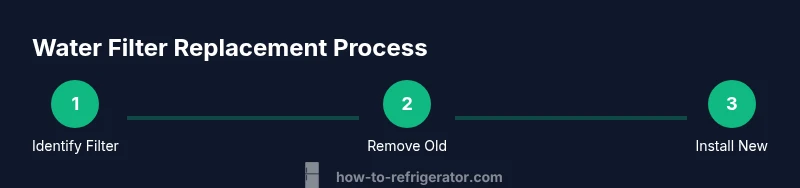
Replacing the filter is straightforward, but safety comes first. If your fridge has a dedicated water shutoff valve, turn it off before removing the old filter to minimize drips. Gather the required tools and a towel to catch any spills. When you remove the old cartridge, note the orientation — most filters twist out with a quarter-turn. Insert the new filter firmly, align the notch with the housing, and reseal the cover. After installation, run water through the dispenser to purge air and debris, and inspect for any leaks around the filter housing.
Verifying water quality after replacement
After installation, flush the system by running water through the dispenser until the water runs clean and free of air bubbles. This helps remove any loose carbon particles and ensures the filtration media is fully engaged. Taste the water and observe the ice for clarity. If you notice unusual odor or taste, and you’ve flushed adequately, consider rechecking filter seating and the compatibility with your model. Routine verification ensures the appliance continues to deliver fresh-tasting water.
Troubleshooting common issues after replacement
If water flow remains slow or the dispenser spits air after replacement, check that the new filter is fully seated and that the housing seals correctly. Look for cracks, damaged O-rings, or cross-threading that could cause leaks. If discolored water or a persistent odor appears, the filter may be defective or past its usable life. In some cases, a reset of the filter indicator is required after installation to update the status light for the next replacement cycle.
Maintenance schedule, documentation, and reminders
Keep a simple log of filter replacement dates and service notes for your KitchenAid refrigerator. Create a reminder on your phone or calendar to check the indicator halfway through the expected life. Maintaining a record helps you stay on top of replacements and supports warranty compliance. When in doubt, follow the manufacturer’s recommendations and consult your owner’s manual for model-specific instructions.
Tools & Materials
- New compatible KitchenAid water filter(Check exact model number on the old filter or in your owner's manual)
- Owner’s manual or model lookup(Use it to confirm filter compatibility)
- Soft cloth or towel(For drying and cleanup)
- Clear container or small bucket(Catch drips when opening the housing)
- Gloves(Optional for messy tasks)
Steps
Estimated time: 15-25 minutes
- 1
Turn off water supply to the refrigerator
If your setup has a dedicated shutoff valve, close it to minimize drips while removing the old filter. Wipe up any moisture when you’re finished.
Tip: Even a small drip can cause staining; keep a towel handy. - 2
Locate and open the filter housing
Most KitchenAid models position the filter behind a cover on the interior wall or at the bottom grille. Gently press or twist to access the cartridge.
Tip: Consult your manual for the exact access ritual if your model uses a spring-loaded cover. - 3
Remove the old filter
Twist counterclockwise or lift the cartridge out, depending on the model. Note the orientation arrows and gasket placement.
Tip: Do not force the filter; if it sticks, check for a jammed housing or misalignment. - 4
Prepare and insert the new filter
Remove packaging, align the filter with the housing, and insert with a firm, even twist until it seats.
Tip: Make sure the O-ring seats evenly to prevent leaks. - 5
Seal the housing and reconnect water supply
Reattach the housing cover securely and reopen the water valve. Wipe away any spilled water and ensure there are no drips.
Tip: Double-check that the cover is fully closed to avoid air leaks. - 6
Purge air and flush the lines
Run water through the dispenser for several minutes until the flow stabilizes and the water runs clear.
Tip: Keep a container nearby to catch initial cloudy water for disposal. - 7
Reset the indicator and verify
If your model uses an indicator, reset it per the manual and observe for leaks after replacement.
Tip: A successful reset helps you track the next replacement cycle accurately.
FAQ
How often should I replace the water filter in a KitchenAid refrigerator?
Typically every 6 months or when the indicator signals replacement. If the water tastes off or flow slows, replace sooner.
Typically every six months, or when the indicator signals replacement.
Can I use a non-KitchenAid filter in a KitchenAid refrigerator?
Use filters approved for your model; incompatible filters can cause leaks and reduced filtration.
Only use filters approved for your model.
What should I do if water is discolored after replacement?
Air in lines or an imperfect seating can cause discoloration. Purge water, recheck seating, and consider replacing again if persists.
Purge water and check seating; if persists, replace.
How do I reset the filter indicator on most KitchenAid fridges?
Use the reset option on the control panel or hold the reset button as described in your manual.
Use the reset option on the control panel.
Is it safe to drink water during replacement?
Yes, but avoid water if it tastes or smells odd. Flush until water runs clear after replacement.
Yes, but flush until water runs clear.
What if the filter housing leaks after replacement?
Turn off the water, reseat the filter, and inspect the O-ring and housing. If leaks persist, contact support.
Turn off water and reseat the filter; contact support if leaks continue.
Watch Video
Top Takeaways
- Know your filter model and model-specific compatibility.
- Replace on schedule and whenever the indicator signals.
- Flush and inspect for leaks after replacement.
- Reset the indicator to maintain accurate replacement timing.
- Keep a simple replacement log for easy maintenance.