How to Replace Refrigerator Water Filter: Step-by-Step Guide
Learn how to replace your refrigerator water filter safely and efficiently with our detailed, homeowner-friendly guide. From choosing the right filter to flushing and testing, get practical tips and a clear checklist for a leak-free install.


With this guide, you’ll learn how to replace a refrigerator water filter quickly and safely in 5 simple steps. Gather a new filter compatible with your model, a towel, and a small container for flushing. The replacement improves water quality, protects your ice maker, and reduces taste and odor issues. Follow along for a clean, leak-free install.
Why Replace the Refrigerator Water Filter Matters
Replacing your refrigerator water filter is more than a maintenance chore; it directly affects the quality of every sip and the safety of the ice supply. A fresh filter helps remove chlorine taste and absorb sediment, delivering crisper water and clearer ice. According to How To Refrigerator, regular filter changes help maintain water quality and protect the ice maker. If you skip a replacement, the filter can become clogged, reducing water flow and forcing the fridge to work harder. That extra effort can lead to higher energy use and quicker wear on the dispenser mechanism. This section sets the stage for choosing the right filter and performing the swap cleanly, with practical tips that apply to most fridge designs.
What Filter Types Are Common and How They Work
Most household refrigerators use activated carbon filters that target chlorine taste and odors, with some models integrating additional filtration stages. The most common replacements are designed to fit specific model families, so compatibility is essential. The wrong filter can cause poor water flow, leaks, or ineffective filtration. When shopping, verify the filter’s part number and ensure it matches your fridge’s model. The How To Refrigerator team emphasizes checking the label near the filter housing or consulting the owner’s manual for the correct series before you buy. This helps prevent mistakes and saves time.
How to Identify and Verify Filter Compatibility
Start by locating your fridge’s model number (usually on a label inside the fresh food compartment or on the door frame). Once you have the model number, cross-check the recommended filter type in the manual or on the manufacturer’s website. If your model badge shows a filter letter or code, use that exact code to search for compatible replacements. If you’re unsure, remove the old filter carefully and compare it to the new one’s shape, size, and threading. The goal is a snug fit with no gaps where water could leak. A quick note from How To Refrigerator: always confirm compatibility before purchase to avoid supply issues during a busy week.
The Ideal Replacement Timeline and Signs It’s Time to Replace
There isn’t a universal calendar for filter replacement; the best practice is to replace when you notice a change in taste, odor, or water flow. Cloudy or discolored ice, reduced water pressure from the dispenser, or a whiff of chlorine are all signals that it’s time for a new filter. Some households replace filters at the start of each season or after a set number of litres of water have passed through. If your fridge has a filter indicator light, follow the manufacturer’s reset procedure after installation to keep accuracy.
A Quick Overview of Safe Replacement Practices
Before you begin, read the model-specific instructions and gather your tools. Don’t rush; take time to inspect the filter housing for signs of wear or cracks. Turn off the water supply if your unit allows it, and place a towel or shallow tray beneath the area to catch drips. Handle the filter by its body, not the cap, to avoid cross-threading. When you install the new filter, hand-tighten until it’s snug, then give a gentle additional turn. Avoid using pliers or tools that could crush the filter housing unless your model explicitly requires them.
Post-Install Flushing, Testing, and Troubleshooting
After installation, flush the new filter by running water through the dispenser for several minutes or until the water runs clear. This helps wash out any loose carbon fines and primes the system for use. Check for leaks around the filter housing for a few minutes; wipe away any drips with a microfiber cloth. If you notice a persistent leak, re-seat the filter, ensure proper alignment, and wipe the seal. If the taste or flow isn’t right after flushing, verify that you installed the correct filter and that the installation steps were followed precisely.
Maintenance Schedule, Records, and Common Pitfalls
Set a simple schedule to monitor when to replace your refrigerator water filter. Keeping a maintenance log—date replaced, filter part number, and any notes about taste or flow—helps you plan ahead and reduces guesswork. Common pitfalls include buying the wrong filter, overtightening, or neglecting to flush the system after installation. If the filter is difficult to remove or install, recheck compatibility and consider replacing the housing gasket if it shows signs of wear. Regular maintenance keeps your water and ice tasting fresh and protects the filtration system.
Troubleshooting: What If Water Still Tastes Bad After Replacement
If after replacement you still notice odd taste or odor, there may be an upstream issue such as mineral deposits, pipe plumbing conditions, or a clogged ice maker. Start by flushing longer—sometimes 5-10 minutes is necessary for stubborn tastes. Inspect the ice maker lines for kinks or blockages and ensure the dispenser tube isn’t obstructed. If issues persist, consult the fridge’s manual for diagnostics or contact a professional technician. In most cases, a properly installed filter with adequate flushing resolves taste concerns.
Tools & Materials
- New refrigerator water filter(Ensure it matches your model (check part number or sticker inside the fridge).)
- Clean towel(Place under the area to catch drips.)
- Small bowl or cup(Use to collect water during flushing.)
- Soft cloth or microfiber towel(Wipe seals and housing surfaces.)
- Gloves (optional)(Use if you prefer extra protection while handling damp components.)
- Owner’s manual or model number reference(Helpful to confirm filter compatibility before purchase.)
Steps
Estimated time: 25-40 minutes
- 1
Locate and identify the filter
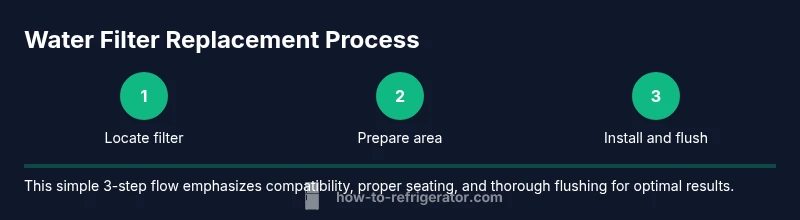
Find the filter compartment on your fridge (often inside the fresh-food section or behind a grille). Confirm the exact filter type or model code by checking the label or manual. This prevents buying the wrong part.
Tip: Take a photo of the current filter and label for easy reference. - 2
Prepare the area
Place a towel beneath the work area, unplug the nearby power if necessary, and have a bowl ready to catch water. Clear space so you can rotate or pull the filter without obstruction.
Tip: Keep your replacement filter within arm’s reach to avoid reopening gaps. - 3
Remove the old filter
Grip the filter housing and turn counterclockwise if it’s a threaded type or gently pull if it’s a push-in style. Be mindful of any spring-loaded parts and avoid forcing the filter out.
Tip: Note the filter orientation so the new one can be installed correctly. - 4
Install the new filter
Insert the new filter into the housing in the correct orientation and rotate or snap into place until it stops. Do not overtighten, as this can damage the housing.
Tip: Hand-tighten firmly, then give a final gentle turn; avoid tools unless specified by your model. - 5
Flush the system
Run water through the dispenser for several minutes, or until the water runs clear. This removes carbon fines and primes the filter for use.
Tip: If your model has a water calibration feature, follow the manual to run it after flushing. - 6
Test for leaks
Observe the filter housing area for a few minutes after installation. If you see a drip, reseat the filter and wipe the seal dry.
Tip: If a leak persists, stop and reassess the filter compatibility and seating. - 7
Reset the indicator (if applicable)
Many units have a filter life indicator. Reset it following the manufacturer’s steps so you know when the next replacement is due.
Tip: If you can’t find a reset option, consult the model’s manual or customer support.
FAQ
How often should I replace my refrigerator water filter?
Most models benefit from a filter replacement when you notice taste changes, odors, or reduced water flow. If you have an indicator, reset it after installation.
Typically, replace when taste or flow changes, or when the indicator prompts you.
Can I reuse an old filter housing?
You should replace the filter and inspect the housing for cracks or wear. Clean the gasket if present and ensure a proper seal.
Don’t reuse old filters; replace and inspect the housing for wear.
What signs indicate I need a new filter?
Weak water flow, unusual taste or odor, or discolored ice signal it’s time to replace the filter.
If taste or flow changes, it’s probably time for a new filter.
Do I need tools to replace the filter?
Many models require only hands to twist the filter. Some designs may need a simple screwdriver or wrench.
Usually no tools are needed, but check your model just in case.
How do I reset the filter indicator light?
Refer to the user manual; most units have a settings menu with a filter reset option.
Look in the manual for the exact reset steps for your model.
What if water isn’t cold after replacement?
Flush longer and check the ice maker lines for blockages. If issues persist, seek professional help.
Flush longer and check the lines; if it persists, call a pro.
Watch Video
Top Takeaways
- Verify compatibility before buying a filter.
- Flush the new filter to remove carbon fines.
- Inspect seals and check for leaks after installation.
- Keep a simple maintenance log for filter changes.