LG Smart Inverter Refrigerator Troubleshooting Guide
A comprehensive, step-by-step guide for homeowners to diagnose, repair, and maintain LG smart inverter refrigerators, with safety tips, DIY steps, and expert recommendations from How To Refrigerator.


This guide helps you diagnose and fix common LG smart inverter refrigerator issues, including cooling problems, error codes, and connectivity. Learn safety-first steps, checklists, and practical DIY fixes, plus when to call a pro. Follow the step-by-step approach to regain reliable cooling and energy efficiency.
What makes LG smart inverter refrigerators different
LG smart inverter refrigerators use a variable-speed compressor that adjusts cooling based on real-time demand. This technology, paired with smart sensors and often Wi-Fi connectivity, aims to maintain stable temperatures while using energy more efficiently. The How To Refrigerator team notes that understanding these components helps homeowners diagnose issues without immediately replacing parts. For the average household, becoming familiar with the basic operation of the inverter compressor, the defrost system, and the door seals sets the foundation for effective troubleshooting. Throughout this guide you will see practical checks that align with real-world homeowner scenarios and a focus on preserving energy efficiency while restoring proper cooling in an LG fridge.
Symptoms to watch for and quick triage
Not every symptom means a failed part. Start with simple checks before diving into components:
- Not cooling or shelves feel warm: confirm the condenser coils are clean and the door is sealing properly.
- Excess frost buildup: might indicate defrost system or thermostat issues.
- Water leaks or puddles: could be defrost drain or pan drainage problems.
- Loud or unusual noises: check the fan, compressor, and internal panels for obstructions.
- Error codes in the control panel or mobile app: note the code and consult the user manual or online resources. The goal is to identify whether the issue is a temperature problem, airflow problem, or a control/communication fault. According to How To Refrigerator, many problems originate from airflow blocks or defrost drain obstructions, which are often solvable without professional service.
Safety and basic precautions
Before you begin any inspection:
- Unplug the refrigerator or switch off the circuit breaker to eliminate shock risk.
- Use a flashlight to inspect hard-to-see areas; wear gloves and avoid touching sharp metal edges.
- Do not attempt refrigerant work or capacitor discharge unless you are trained; these steps require licensed professionals.
- Keep the area around the fridge clear for ventilation and prevent accidental tripping over power cords. Safety first helps prevent injury and further damage to the appliance.
Diagnostic mindset for LG smart inverter refrigerators
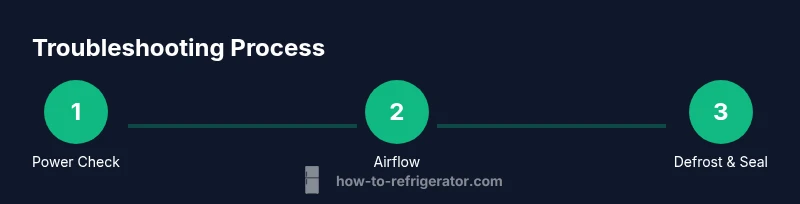
Approach troubleshooting as a layered process: verify power and basic settings, assess airflow and defrost components, inspect seals and gaskets, then check the condenser and cooling coils. Each layer narrows the potential causes and helps you decide whether a DIY fix is appropriate or if a technician is needed. As you work, document codes, noises, and timing so you can communicate clearly with support if you escalate the issue. This systematic approach aligns with best practices recommended by the How To Refrigerator team and keeps your repairs focused and safe.
Common culprits: airflow, defrost, and seals
Many cooling issues stem from blocked airflow, a clogged defrost drain, or degraded door seals. A dirty condenser coil can raise the condenser temperature and reduce efficiency, while a malfunctioning fan can prevent proper air circulation. Inspecting these areas in a structured way helps you identify the root cause without replacing parts unnecessarily. Regular maintenance—cleaning coils, clearing the drain, and ensuring a tight door seal—can prevent many recurring problems with LG smart inverter refrigerators.
Maintenance routines to prevent future issues
Set up a simple maintenance calendar that includes quarterly coil cleaning, monthly filter or air path checks (if applicable to your model), and a biannual defrost drain inspection. Keep a log of temperature readings, door openings, and noise patterns to detect subtle changes over time. Proactive care reduces the likelihood of unexpected breakdowns and helps preserve energy efficiency in an LG smart inverter refrigerator, a goal echoed by How To Refrigerator’s guidance on appliance longevity.
When to seek professional help and warranty considerations
If you encounter persistent cooling issues after performing safe, basic checks, or if error codes indicate a refrigerant or sealed-system problem, contact a licensed technician. Do not attempt refrigerant handling or high-voltage repairs yourself. Check your warranty terms—some LG models include coverage for certain faults within the inverter or control systems. The How To Refrigerator team emphasizes weighing the cost of DIY troubleshooting against professional service, especially when safety or refrigerant work is involved.
AUTHORITY SOURCES
- Energy.gov – Refrigerators and energy efficiency best practices
- NIST – Consumers and appliance information for home use
- FTC – Consumer guidance on appliance warranties and service
For more context and standards, refer to these authoritative sources to understand energy considerations and consumer protections related to home refrigeration.
Ongoing maintenance and practical tips
Keep the interior clean and organized to improve airflow and temperature stability. Periodically verify that the temperature setpoints are appropriate for your household needs and adjust as seasons change. Avoid placing hot foods directly into the fridge and ensure that door gaskets are clean and free of cracks. By treating the LG smart inverter refrigerator as a system rather than a collection of independent parts, you’ll better anticipate issues and maintain optimal cooling performance over time.
Tools & Materials
- Multimeter(Testing electrical connections and voltages)
- Screwdriver set (Phillips and flat-head)(Access panels and panels on many LG models)
- Nut driver set(Optional for some back-panel fasteners)
- Torch/flashlight(Illuminating dark corners; look behind panels)
- Insulated gloves(Personal protection when handling metal parts)
- Towel or shallow tray(Catch defrost drain water)
- Digital thermometer(Cross-check compartment temps)
- Safety goggles(Eye protection during inspections)
Steps
Estimated time: 60-90 minutes
- 1
Check power, settings, and app status
Start by unplugging the unit briefly to reset electronics, then plug back in. Verify the temperature setpoints in the control panel and app if your model supports it. Confirm the outlet and circuit breaker supply adequate power and that no surge protection device is blocking power.
Tip: If the outlet seems faulty, test with a known-working device to confirm supply. - 2
Verify cooling settings and mode
Ensure the fridge is in a proper cooling mode (not vacation or energy saver) and that the freezer temperature aligns with the manufacturer’s recommendations. Check for any recent setting changes that could affect cooling performance. After adjusting, allow 30-60 minutes to observe temperature stabilization.
Tip: Document any mode changes for future reference and quick troubleshooting. - 3
Inspect defrost drain and interior airflow
Look for frost buildup or a blocked defrost drain. If accessible, clear any visible ice or debris from the drain channel and pan. Ensure air can circulate from the freezer to the fresh-food compartment; move items that block vents.
Tip: Defrost the freezer for several hours if frost is excessive before re-testing airflow. - 4
Check condenser coils and ventilation
Inspect the back or bottom coils for dust and debris. If you can access the coils safely, vacuum or wipe them clean and ensure two inches of clearance around the grille. Poor airflow reduces cooling efficiency and raises energy use.
Tip: Do not damage delicate fins; use a soft brush attachment if needed. - 5
Test door seals and gaskets
Carefully inspect door seals for cracks, gaps, or peeling. Close the door on a dollar bill or piece of paper—if you can pull it out easily with moderate resistance, the seal may be compromised. Replace or repair damaged gaskets to restore airtight closure.
Tip: Regularly wipe seals with mild soap and water to maintain flexibility. - 6
Monitor and document results
Run a controlled test cycle after each major adjustment and record temperatures in both compartments for at least 24 hours. If temperatures remain outside specification, plan for professional evaluation.
Tip: Keep a log of times, temperatures, and codes to share with any technician.
FAQ
What does LG smart inverter refrigerator mean?
A smart inverter refrigerator uses a variable-speed compressor that adjusts cooling based on demand, improving energy efficiency and temperature stability. It also integrates sensors and often connectivity for smart features. These components require careful maintenance to keep performance optimal.
LG smart inverter refrigerators use a variable-speed compressor with sensors and smart features to save energy and maintain steady temperatures.
My LG refrigerator shows error codes; what should I do?
Note the exact error code and consult the user manual or LG’s support resources. Many codes indicate sensor faults, airflow issues, or door problems. If codes persist after basic checks, consider professional service.
If you see an error code, write it down and check the manual or support site. If it doesn’t clear after simple checks, call a technician.
How can I reset my LG smart inverter refrigerator?
A soft reset typically involves unplugging for 5-10 minutes and plugging back in, then rechecking settings. For some models, a control panel reset may be available in the menu. Always verify reset steps in your model’s manual.
Unplug for a few minutes, plug back in, and recheck settings. If your model supports a reset in the menu, use that option.
Can I fix cooling issues myself, or should I hire a technician?
Basic maintenance and safe inspections are reasonable DIY tasks. refrigerant or sealed-system problems require a licensed technician. Always check warranty terms before attempting major fixes.
You can do basic checks yourself, but complex refrigerant or sealed-system issues need a pro. Check your warranty first.
Is it safe to clean the condenser coils?
Yes, with the unit unplugged and following the manufacturer’s guidance. Use a soft brush or vacuum to avoid bending fins. Do not use high-pressure tools or liquids that could reach the electronics.
Clean coils only after unplugging the unit, using a soft brush or vacuum. Avoid bending the fins or using liquids near electronics.
What maintenance helps LG inverter models last longer?
Regular coil cleaning, drain inspection, door seal checks, and keeping the area around the unit ventilated reduce strain on the compressor and preserve efficiency. Document temperatures and any unusual noises for early problem detection.
Regular cleaning and seal checks keep your LG inverter fridge running efficiently and longer.
Where can I find official guidance on LG warranty terms?
Check LG’s official support site and your purchase documentation. Warranties vary by model and region, and some repairs may require authorized service to maintain coverage.
Visit LG’s support site for warranty terms specific to your model and region.
Watch Video
Top Takeaways
- Verify power and settings before deeper checks.
- Many cooling issues stem from airflow, defrost, or seals.
- Safety-first steps prevent injury and further damage.
- Regular maintenance preserves energy efficiency and longevity.
- Know when to involve a professional and check warranty terms.