Kenmore Elite Refrigerator Not Cooling: Troubleshooting Guide
If your Kenmore Elite refrigerator not cooling, our urgent, actionable guide walks homeowners through quick checks, a diagnostic flow, and a safe step-by-step fix to restore cooling and prevent repeats.


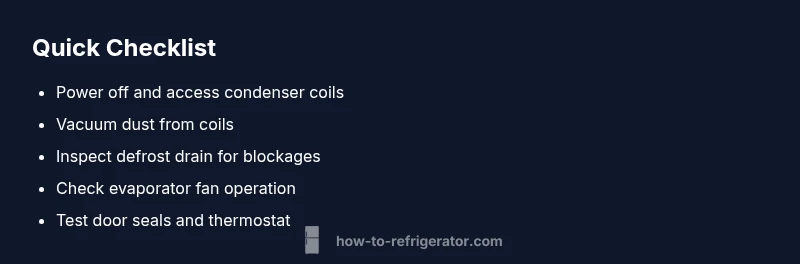
Most likely, your Kenmore Elite refrigerator not cooling is caused by dirty condenser coils, a blocked defrost drain, or a failed evaporator fan. Start with the simplest check: unplug and inspect coils, clean dust, verify door seals, and confirm the thermostat is set correctly. If cooling doesn't resume, move to the diagnostic flow or contact a professional.
Understanding the Symptoms of a Kenmore Elite Refrigerator Not Cooling
When you notice the interior not cooling while the compressor runs, it can be alarming, especially in a busy kitchen. Common signs include warm food, frost on the evaporator coil, a buzzing or humming sound, and ice maker slowdown or stopping entirely. The problem may appear after a power outage, a door left ajar, or a routine defrost cycle that has failed. According to How To Refrigerator, homeowners should adopt a methodical approach to diagnose and fix the issue without unnecessary part replacement. In 2026, many cooling problems are preventable with regular maintenance and timely inspections. The Kenmore Elite lineage is well-regarded for reliability, but cooling issues do crop up if vents are blocked or coils are dirty. The goal of this section is to help you identify whether the symptom is a simple fix or a more involved repair, and to prioritize safety above all else.
Quick Checks You Can Do Safely
Before diving into internal components, perform quick, safe checks that address the most common causes. First, ensure the refrigerator is plugged in and that the outlet is working (test a lamp or another device). Next, examine the door gaskets for cracks or gaps and confirm the door closes fully to prevent warm air intrusion. Check the venting inside the cabinet to ensure air can circulate from the freezer to the fresh food section. Inspect the condenser coils (usually at the back or underneath the unit) for heavy dust with a flashlight, and plan to clean them if they appear dirty. Finally, verify the thermostat setting is within the manufacturer’s recommended range and that frost buildup on the evaporator coils isn’t blocking airflow. If these basic checks don’t restore cooling, move to the diagnostic flow for a structured path forward.
Steps
Estimated time: 45-60 minutes
- 1
Power down and access coils
Unplug the refrigerator and move it enough to access the rear or bottom panel. Remove the cover to expose condenser coils. Look for visible dust or lint, and plan to clean. If you can’t safely pull the unit, skip to a professional.
Tip: Use a flashlight to spot dust you might miss with the naked eye. - 2
Clean condenser coils
Vacuum the coils with a brush attachment, then wipe with a damp cloth. Be gentle around delicate components and avoid dislodging wires. Allow coils to dry before powering back on.
Tip: Never use water directly on electrical components; keep it to the surrounding areas. - 3
Check defrost drain and frost buildup
Inspect the defrost drain path for ice or clogs. If you see ice, carefully melt it with a warm cloth or a hairdryer on low heat while keeping away from any electrical parts. Clear the channel so meltwater can drain.
Tip: Don’t force ice out—melt slowly to avoid damaging the drain. - 4
Test evaporator fan function
Open the freezer and listen for air movement when the compressor runs. If you don’t hear the fan, or it stops, the evaporator fan motor may be failing and need replacement.
Tip: If unsure, don’t attempt fan replacement without disconnecting power. - 5
Check thermostat and temperature controls
Verify the refrigerator and freezer thermostats are set to recommended ranges. If temperatures rise after adjustments, allow several hours to stabilize and monitor performance.
Tip: Avoid extreme cold settings; gradual changes improve stabilization. - 6
Reassemble and test
Replace any panels, reconnect power, and give the unit time to reach the set temperature. Listen for the compressor and fan to confirm ongoing cooling. If not cooling resumes, it’s time to call a professional.
Tip: Document what you checked so you can relay it clearly to the tech.
Diagnosis: Kenmore Elite refrigerator not cooling
Possible Causes
- highDirty condenser coils
- highDefrost system failure (defrost timer or heater)
- mediumFaulty evaporator fan
- lowDoor not sealing properly or blocked airflow
Fixes
- easyUnplug the unit and locate the condenser coils (back or under the fridge).
- easyVacuum or brush away dust from coils; use a damp cloth to wipe away remainder.
- mediumCheck the defrost drain for blockages and clear any ice buildup.
- mediumTest the evaporator fan by opening the freezer and listening for air movement; replace if not running.
- easyInspect door gaskets for leaks and ensure doors seal properly; adjust hinge alignment if needed.
FAQ
What’s the first thing I should check if my Kenmore Elite refrigerator is not cooling?
Check power, confirm the outlet works, inspect door seals, and ensure vents aren’t blocked. These quick checks can resolve many simple cooling problems.
Start by checking power, the outlet, the door seals, and ventilation; these basics fix many not-cooling issues.
Can dirty condenser coils really cause not cooling?
Yes. Dirty coils reduce heat dissipation, causing reduced cooling efficiency. Cleaning them is a common, safe first step.
Dirty condenser coils can choke cooling; cleaning them is a common fix.
How do I know if the evaporator fan is faulty?
If you don’t hear airflow in the freezer or know the fan isn’t spinning when the compressor runs, the evaporator fan motor may be bad and require replacement.
If you can’t hear the fan or it doesn’t spin, it may be faulty.
What about the defrost system—how does that affect cooling?
A failed defrost timer or heater can cause frost buildup that blocks airflow, preventing cooling. Inspect and test the defrost components.
Defrost problems can freeze the evaporator and stop cooling; check those parts.
When should I call a professional?
If you can’t identify or fix the issue after basic checks, if you suspect refrigerant leaks, or if electrical work is required, contact a certified technician.
If the issue persists after checks, it’s best to get a professional diagnose and repair.
Can thermostat settings cause cooling issues?
Yes. If the temperature is set too high or too low, cooling performance can suffer. Reset to recommended ranges and observe.
Thermostat range matters; reset to the recommended setting and watch for improvement.
Watch Video
Top Takeaways
- Inspect and clean condenser coils to restore airflow
- Address defrost drain issues to prevent ice buildup
- Test evaporator fan before replacing components
- Ensure door seals are intact to prevent warm air leaks