Kenmore Fridge Not Cooling: How to Troubleshoot and Fix
If your Kenmore fridge not cooling, this step-by-step guide helps homeowners diagnose common causes, perform safe fixes, and prevent future cooling problems with practical maintenance.


Most Kenmore fridges fail to cool mainly due to dirty condenser coils, a faulty evaporator fan, or a defrost issue. Start by unplugging and clearing dust from the coils, then verify the evaporator fan inside the freezer is turning on. If the fan runs, check the defrost timer or heater for frost buildup.
Quick reality check: Symptoms and immediate safety
If your kenmore fridge not cooling, the first step is safety: unplug the unit, switch off at the wall, and move it away from other appliances. Do not open the doors repeatedly or poke at the cooling system while it’s powered. According to How To Refrigerator, safety-first troubleshooting avoids electrical shocks and refrigerant risks. In most homes, cooling problems come from airflow restrictions, frost buildup, or a failing defrost cycle. Listen for a faint hum from the compressor, check the vents for obstruction, and note any unusual frost near the freezer. If you can identify a simple airflow issue, you may restore cooling without tools. Otherwise proceed with the diagnostic flow below—this guide is designed for homeowners who want quick, reliable fixes without guessing.
Common causes for Kenmore fridge not cooling
There are several frequent culprits behind a non-cooling Kenmore fridge. Dirty condenser coils impede heat rejection, a defective evaporator fan halts cold air circulation, and a faulty defrost timer can cause frost buildup that blocks airflow. A malfunctioning thermostat or temperature sensor may prevent proper cooling, while worn door seals let warm air in. For older units, a stuck compressor relay can stop cooling entirely. Start with the simplest checks: clean the coils, ensure the evaporator fan runs when the freezer is cold, inspect gaskets for gaps, and observe frost levels. If frost exists on the back wall or significant frost in the freezer, defrosting could be necessary. These issues are common enough that homeowners can fix many with basic tools and step-by-step instructions.
Diagnostic flow overview
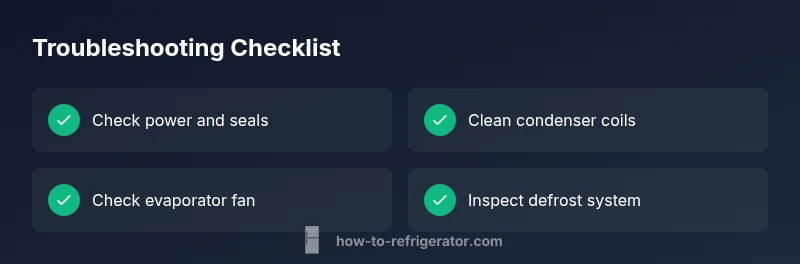
This guide follows a logical diagnostic flow: identify symptoms, narrow down likely causes, and apply targeted fixes. Start with easy checks (power, door seals, coils), then test airflow and fans. If cooling still fails, move to defrost system and thermostat checks, and finally assess the compressor or refrigerant-related concerns. Throughout, document what you observe—the pattern (e.g., frost presence, fan noise, door seal leaks) points to specific fixes. Always revert to safety-first principles and call a professional if you suspect refrigerant leaks, electrical faults beyond your scope, or if the unit is under warranty.
Step-by-step: 1) Reset and basic checks
- Unplug the fridge for 5 minutes, then plug back in to reset the control board. 2) Confirm the outlet is supplying power by testing with a lamp or another appliance. 3) Inspect the door seals for gaps; press along the gasket to ensure a tight seal. 4) Locate condenser coils (rear or bottom) and gently clear dust with a brush or vacuum. 5) Reconnect power and listen for the compressor and fan start. If the fridge still won’t cool, proceed to coil and airflow checks.
Tip: Keep a small flashlight handy to see dust around coils; never poke metal tools near the condenser.
Step-by-step: 2) Check condenser coils and airflow
- With the unit unplugged, remove rear access panel or bottom kickplate to access coils. 2) Brush off dust and debris from fins and around the compressor. 3) Vacuum the coils carefully, ensuring you don’t bend the fins. 4) After cleaning, reassemble access panels, plug in, and monitor for cooling within a few hours. If there’s no improvement, test airflow by placing a hand near the vents and listening for balanced air from the freezer to the fresh-food compartment.
Tip: Regular coil cleaning every 6–12 months reduces buildup and helps sustain cooling performance.
Step-by-step: 3) Evaporator fan and frost check
- Open the freezer and listen for the evaporator fan while the compressor runs. If you don’t hear the fan, or it starts and stops intermittently, the fan motor or wiring may be faulty. 2) Inspect the evaporator coil area for frost buildup; excessive frost can block airflow. 3) If frost is present, a defrost cycle may be stuck; wait 15–20 minutes and listen for fan activity. 4) If frost persists after a defrost cycle, you may need to test the defrost heater or timer.
Tip: Avoid using the fridge aggressively during defrost checks to prevent damaging components.
Step-by-step: 4) Defrost system and thermostat check
- Locate the defrost timer (usually behind the grille or at the back of the fridge) and listen for clicking signals; a stuck timer may halt defrost. 2) Check the defrost heater circuit by inspecting for frost near the evaporator and testing continuity with a multimeter if you have the skills. 3) Confirm the thermostat or thermistor reads correct resistance values; a faulty sensor can cause the system to think the fridge is cold enough while it’s not. 4) If the defrost components fail, the system will not melt frost, further blocking airflow and cooling.
Tip: If you’re unsure about electrical testing, skip to professional service to avoid shock or damage.
Step-by-step: 5) Compressor and refrigerant considerations
- If the above steps haven’t restored cooling, assess the compressor operation: listen for a steady hum or buzzing when powered. 2) A warm, hot, or cycling compressor suggests a deeper issue. 3) Refrigerant leaks require certified technicians; never attempt refrigerant repair yourself. 4) If the unit is old or out of warranty, weigh replacement versus repair costs.
Tip: Refrigerant handling is dangerous; call a pro if you suspect leaks or if the compressor is hot to the touch.
Safety tips and common mistakes
- Always unplug before inspecting electrical components or coils. - Don’t strike or poke at the compressor or condenser fins; you can bend coils or injure yourself. - Avoid placing heavy items on top of the unit or blocking airflow with cardboard or towels. - Don’t ignore warning signs; uneven cooling or ice buildup can indicate a refrigerant issue that requires professional service. - If you’re unsure about any step, pause and call a qualified technician.
Tip: Use insulated gloves when accessing panels or touching metal parts to minimize the risk of cuts or shocks.
Prevention and maintenance to avoid future cooling problems
- Schedule regular coil cleaning and door seal inspection every 6–12 months. - Keep the area around the fridge free of dust, pet hair, and heat sources. - Ensure proper ventilation by not blocking vents or placing the unit in cramped spaces. - Check door gaskets for cracks and replace them if needed to maintain an airtight seal. - Monitor frost levels; frequent frost on the back wall indicates a defrost issue that should be addressed promptly.
Tip: A simple routine can prevent cooling problems; make coil cleaning and seal checks part of your seasonal home maintenance.
Verdict: Final recommendations
The Kenmore fridge not cooling can often be resolved with a systematic approach: start with safety and basic checks, then clean the condenser coils, verify the evaporator fan’s operation, and assess the defrost system and thermostat. If the problem persists beyond these steps, a professional technician should evaluate the compressor or refrigerant system. The How To Refrigerator team recommends following the diagnostic flow and performing routine maintenance to keep cooling stable and extend the appliance’s life.
Steps
Estimated time: 60-150 minutes
- 1
Power cycle and basic checks
Unplug the unit, test the outlet, inspect door seals, and locate condenser coils. Clear visible dust and replug to observe if cooling resumes within a few hours.
Tip: Keep a safety margin and avoid touching hot components after unplugging. - 2
Clean condenser coils and verify airflow
Remove access panels, vacuum dust, and gently brush fins. Reassemble, power on, and feel for even airflow in both compartments.
Tip: Do not bend the coils; work slowly to avoid damage. - 3
Check evaporator fan and frost status
With the freezer open, listen for the evaporator fan. If frost blocks the evaporator, perform a controlled defrost and test the fan again.
Tip: If frost reappears quickly, defrost system components may be failing. - 4
Inspect defrost system and thermostat
Identify the defrost timer and heater circuit; look for frost buildup. Test thermostat resistance and replace if readings are out of spec.
Tip: Handle electrical tests with care; skip if unsure. - 5
Evaluate compressor and refrigerant readiness
Listen for a steady compressor hum; an abnormal noise or no hum suggests deeper issues. If refrigerant concerns arise, call a licensed tech.
Tip: Never attempt refrigerant repair yourself.
Diagnosis: Kenmore fridge not cooling
Possible Causes
- highDirty condenser coils obstruct heat rejection
- highNon-working evaporator fan
- mediumFrost buildup blocking airflow (defrost issue)
- mediumFaulty thermostat or temperature sensor
- lowDoor seals leaking or not closing properly
- lowCompressor or refrigerant problem
Fixes
- easyClean condenser coils and improve airflow
- mediumTest and replace evaporator fan if needed
- mediumAddress frost via manual defrost or defrost system repair
- mediumTest and replace thermostat or sensor if faulty
- easyReplace door seals if worn
- hardCall a pro for compressor or refrigerant issues
FAQ
What are the most common causes of a Kenmore fridge not cooling?
Common causes include dirty condenser coils, a faulty evaporator fan, defrost system issues, and defective temperature sensors. Start with coil cleaning and fan checks to see if cooling returns.
Common causes are dirty coils, a bad evaporator fan, a defrost issue, or a faulty sensor. Start with coil cleaning and fan checks.
How do I reset my Kenmore fridge to troubleshoot cooling problems?
Unplug the fridge for a few minutes, then plug back in and let it run. This resets the control board and can fix minor electronic glitches that affect cooling.
Unplug for a few minutes, plug back in, and let it run to reset the control board.
Can a door seal cause cooling issues in a Kenmore fridge?
Yes. A degraded door seal lets warm air in, forcing the compressor to run longer and reducing cooling efficiency. Inspect and replace worn gaskets as needed.
Door seals can cause cooling issues if they’re worn; replace them if gaps are present.
Is it safe to manually defrost a Kenmore freezer?
Manual defrost is safe if done carefully and with the unit unplugged. Follow manufacturer guidance and avoid using sharp objects on frost buildup.
Manual defrost is safe if you unplug first and follow guidelines; avoid sharp tools.
When should I call a technician for a Kenmore fridge not cooling?
If there’s no improvement after basic checks, or you suspect refrigerant leaks, compressor issues, or a sealed-system fault, contact a technician. Warranty status and age of the unit also influence this decision.
Call a professional if there’s no improvement after checks, or if you suspect refrigerant or compressor issues.
Does Kenmore warranty cover cooling problems?
Warranty coverage varies by model and purchase date. Review your warranty terms to determine if cooling-related repairs are included and whether service is still eligible.
Warranty coverage depends on model and purchase date; check your terms for cooling repairs.
Watch Video
Top Takeaways
- Identify symptoms and safety steps before any inspection.
- Condenser coils and evaporator fan are common culprits.
- Defrost system problems can block airflow and cooling.
- Call a professional for compressor or refrigerant issues.
- Regular maintenance prevents future cooling problems.