How to Check Refrigerator Filter
Learn how to check and replace your refrigerator filter to keep water and ice tasting fresh. Step-by-step guidance, safety tips, and maintenance reminders for common fridge models.


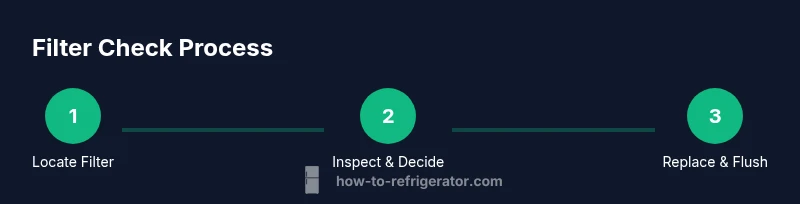
To check your refrigerator filter, locate the filter housing (usually inside the fridge near the ceiling or under the grille) and inspect the activity indicator. If your model lacks an indicator, rely on a standard replacement window (about every 6–12 months, depending on use). When replacement is due, install the correct model and run water for 1 minute to flush; also note any reduced flow or odd taste.
What is a refrigerator filter and why it matters
A refrigerator water filter is designed to remove impurities from the water that feeds your ice maker and drinking water. When you explore how to check refrigerator filter, understanding its role helps you decide when to inspect or replace it. A clean filter improves taste, odor, and overall water quality, and can protect your ice maker and plumbing from sediment buildup. Many filters target chlorine, particulates, and contaminants common in municipal water supplies. The filter life depends on usage, water quality, and your home's water source, so regular checks are essential. In this guide you’ll learn how to check, interpret indicators, and replace the filter when necessary. A practical rule of thumb is to rely on indicators and your senses—tastes and flow can tell you more than any sticker on the filter. By learning how to check refrigerator filter, you can maintain safe, fresh water without guesswork. According to How To Refrigerator, homeowners benefit from a proactive approach to filter maintenance.
Understanding filter types and compatibility
Refrigerator filters come in several styles, most commonly carbon-block charcoal and sediment-filter designs. Some models use reverse-osmosis components or inline filters. The key to an effective check is ensuring you have the right type for your specific refrigerator. Using the wrong filter can reduce flow, degrade water quality, or cause leaks. Always verify compatibility by checking your model number in the owner’s manual or on the manufacturer’s website. When in doubt, contact customer support or a trusted technician. How To Refrigerator emphasizes compatibility as a foundation of a successful maintenance routine. Regularly reviewing your filter type helps you avoid unnecessary replacements and ensures optimal filtration.
Locating the filter in common refrigerator configurations
Fridges place filters in several common locations: inside the refrigerator compartment near the ceiling, under the food drawer, or behind a fixed grille at the bottom of the unit. Side-by-side and bottom-freezer configurations vary in access depth. For top-freezer models, you may find the filter behind a grille near the top of the compartment. Start by consulting the owner’s manual with your model number to confirm the exact location and filter type. If you can't locate it, check for a small label on the filter housing or near the ice maker. A quick search using your model number typically reveals the correct filter model and location. How To Refrigerator recommends bookmarking the location for easy access during routine checks.
Inspecting the filter visually and by performance cues
A quick visual check can reveal obvious dirt or discoloration on the filter cartridge. If you see dark sediment, poor ice quality, or reduced water flow, it’s time to evaluate replacement. Active indicator lights on the control panel are the most direct signal that a change is due; if your model lacks an indicator, rely on a routine maintenance window (e.g., every six to twelve months, depending on use and water quality). After removing the front cover, inspect seals for cracks or gaps. If the filter cartridge is difficult to remove or requires excessive force, stop and consult the manual or a professional. A properly seated filter should click into place with moderate pressure and feel secure. How To Refrigerator notes that visual cues plus performance signals give homeowners confidence when deciding to replace.
Replacing the filter: what to expect
Replacing a fridge filter is a straightforward task when you have the correct model. Begin by turning off the water supply if your unit has a dedicated shutoff. Remove the old cartridge, discard it per local regulations, and prepare the new cartridge by removing any protective caps. Install the new filter so that it lines up with the housing and clicks into position. Wipe away any drips and reseal the housing as needed. After installation, run cold water through the dispenser for 1–2 minutes to flush out any loose carbon particles and to remove air from the line. Some models require a specific reset sequence for indicator lights—check your manual. How To Refrigerator highlights following model-specific instructions to ensure a proper seal and accurate indicator reset.
After replacement: resetting indicators and testing
Once the filter is replaced, reset any maintenance indicators if your model supports it. Run water through the dispenser to purge air and verify normal flow. Check for leaks around the filter housing within the first 24 hours of operation. If you detect a leak, power down the unit, reseat the filter, and recheck seals. Some fridges require you to run through a brief diagnostic cycle to confirm filtration is functioning correctly. Maintaining a quick habit of testing after replacement can prevent unnoticed contamination or poor filtration.
Troubleshooting: common issues and fixes
If you notice slow water flow after replacement, verify the filter is fully seated and not cross-threaded. A stubborn filter may need gentle tightening until it seats properly. If the ice tastes off or the water has an odd smell, flush a larger volume of water (2–4 minutes) to remove any residual carbon fines and recheck flow. For indicator lights that stay on or don’t reset, consult the manual for the correct reset procedure. In some cases, a malfunction may require replacing the indicator module or contacting the manufacturer’s support line. How To Refrigerator encourages following the device’s exact reset instructions to avoid false readings.
Maintenance scheduling and best practices
Create a simple maintenance calendar for filter checks: plan to inspect every 3 months and replace on a six to twelve month cycle, adjusting for water quality and household usage. Keep spare filters on hand to avoid delays. When you replace, document the date in a home maintenance log and set reminders for the next replacement. If your water quality changes (for example, after a local water outage), consider inspecting earlier. Always use the correct filter for your model and avoid attempting to force-fit a cartridge into an incompatible housing. These practices help sustain filtration efficiency and ensure safe drinking water. How To Refrigerator recommends a proactive, systemized approach to maintenance.
Common mistakes to avoid
Avoid using the wrong filter type or applying excessive force when seating the cartridge. Don’t neglect to flush the line after replacement, as unflushed carbon fines can affect taste and quality. Never bypass the filter or operate the appliance with a loose or damaged housing. Finally, don’t forget to reset indicators if your model has them; failure to reset can mislead you into thinking a filter is still new. These pitfalls are easily avoided by following the model-specific manual and sticking to a consistent replacement schedule.
Tools & Materials
- Replacement refrigerator filter(Must match your fridge model and serial number; verify via manual or label on the old filter.)
- Owner's manual or model number(Needed to identify correct filter type and access location.)
- Flashlight(Helpful for dark access panels.)
- Clean cloth or towel(Wipe spills and clean the housing area.)
- Small container or cup(Catch water when removing the old filter.)
- Screwdriver or small tool(Optional for some panel covers.)
Steps
Estimated time: 30-45 minutes
- 1
Locate the filter location and confirm compatibility
Power down or set aside any ice-dispenser operation per manual. Find the filter housing by model location (top, bottom, or behind a grille) and verify the filter type matches your replacement. If you’re unsure, double‑check the model number and consult the manual before removing anything.
Tip: Having the manual or model number handy reduces guesswork and speeds up the process. - 2
Shut off water and prepare area
If your fridge has a water supply valve, shut it off to prevent leaks. Place a towel underneath the housing to catch drips and ensure you have good lighting. Clear the area so you can comfortably rotate or remove the cap without banging other components.
Tip: A dry, well-lit workspace minimizes slips and spills. - 3
Remove old filter
Open the release mechanism if present and slowly twist or pull the old cartridge out. Be prepared for a little water to come out—have your towel ready. If the filter resists, don’t force it; recheck alignment or consult the manual.
Tip: Take a quick photo of the old filter orientation to aid correct placement of the new one. - 4
Install new filter
Align the new cartridge with the housing and push in until it clicks or threads in smoothly. Ensure the gasket is seated evenly to avoid leaks. Wipe away any drips and secure the housing cap as required by your model.
Tip: Avoid overtightening, which can damage the housing or gasket. - 5
Flush and test
Turn the water back on and run cold water through the dispenser for 1–2 minutes to purge air and carbon fines. Check for leaks around the housing and verify normal flow. Document replacement date for future maintenance.
Tip: Flushing helps prevent taste issues and ensures the new filter is properly conditioned.
FAQ
How often should I check my refrigerator filter?
Most manufacturers recommend replacing every 6–12 months, but you should also consider taste, odor, and water flow. If you notice changes, inspect sooner.
Most people replace about once a year, but you should check sooner if the water tastes off or flow slows down.
What if the status indicator doesn’t work?
Consult your manual for the correct reset procedure and filter type. If the indicator still fails, you may need service or a component replacement.
If the indicator doesn’t work, check the manual for the reset steps and consider professional help if it still won’t reset.
Can I clean a used filter instead of replacing it?
No. Cleaning cannot restore filtration efficiency. Replace with a new cartridge to maintain safety and taste.
No—filters should be replaced, not cleaned, to ensure safe water.
Are there differences between fridge filters and faucet filters?
Yes. Refrigerator filters are designed to fit specific models and may have different flow rates and filtration targets than faucet filters.
Fridge filters are model-specific and usually not interchangeable with faucet filters.
What should I do if water flow remains slow after replacement?
Check seating, purge air by flushing more water, and inspect for leaks. If problems persist, verify filter compatibility.
If flow is still slow after replacement, reseat the filter and flush longer, then check for leaks.
Is it safe to run the dispenser without a filter for a short period?
It’s not recommended; unfiltered water may contain contaminants. Only run without a filter if the manual explicitly allows it and for a limited time.
It’s generally not advised to run without a filter for long, unless the manual says it’s okay for a short test.
Watch Video
Top Takeaways
- Check filter location first, then confirm model compatibility.
- Replace with the correct filter and flush the line.
- Reset indicators if required by your model.
- Maintain a regular replacement schedule to preserve water quality.