How to Change Filter in Refrigerator
Learn to change your refrigerator filter safely and correctly. This guide covers filter types, identification, and a clear step-by-step process to keep water and ice fresh, plus tips and troubleshooting for homeowners.


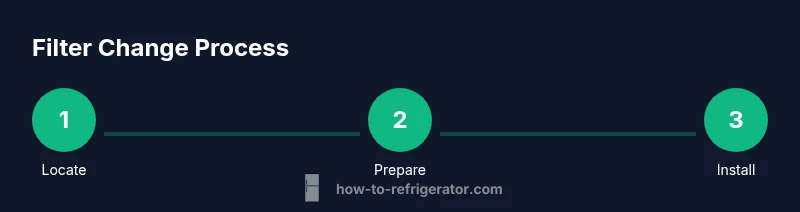
To change a refrigerator filter, locate the filter housing, identify the filter type, and install a compatible replacement. Gather a replacement filter, a towel, and a clean cloth, then run water through the dispenser to purge air. Following manufacturer guidelines helps maintain water quality and fridge efficiency.
Why changing the filter in your refrigerator matters
According to How To Refrigerator, keeping the filter fresh is essential for ensuring clean drinking water, protecting your ice maker, and maintaining overall fridge efficiency. A clogged or old filter can reduce water flow, degrade water quality, and even contribute to odors inside the refrigerator. This section explains the core reasons homeowners should proactively replace filters and how regular maintenance saves money in the long run. When you ask how to change filter in refrigerator, you are taking a simple, impactful step toward safer hydration and better appliance performance. By understanding filter function removing particulates, reducing tastes and odors, and preserving sensor accuracy you will see why replacement timing matters and how even a small maintenance task can improve long term reliability.
Types of refrigerator filters and where to find them
Most modern refrigerators use either a water filter cartridge or an air filter inside a dedicated housing. Water filters remove chlorine sediment and other particulates from drinking water; air filters reduce odors and improve air quality inside the refrigerator. Filter housing locations vary by model, but common places include behind a pull down grille inside the crisper or near the back wall. To determine if your unit uses a replaceable cartridge or a different style, consult the user manual or check the label on the inside of the fridge door frame. When you consider how to change filter in refrigerator you will encounter two main compatibility considerations the filter type and model compatibility list. Always verify the model number and purchase a filter designed for your exact refrigerator series. Using the wrong filter can impair performance or void the warranty. How To Refrigerator analysis shows that compatibility checks prevent waste and frustration.
Identifying the exact filter model for compatibility
Before buying, locate the model information to ensure you purchase the correct filter. Look for a label on the filter housing or the door jam, or find the model number in the owner manual. Some brands print the filter type on the dispenser panel. Once you have identified the type water versus air and compatible series, check the replacement interval recommended by the manufacturer. If unsure, take a photo of the filter housing and bring it to the store or compare it to images on the official site to avoid buying the wrong part.
Preparation steps before changing the filter
Begin by gathering your supplies and clearing the area around the fridge to prevent spills. If your model has a water line consider temporarily shutting off the valve to minimize drips. Place a towel or shallow tray on the floor and have a clean cloth ready to wipe condensation. If the unit has a pull out water filter check for a safety lock or release button before removal. Reading the owners manual for model specific details will save you from surprises.
What to do during and after the replacement
Remove the old filter carefully and inspect the housing for any residue or mineral buildup. Clean the housing with a damp cloth and mild soap if needed, then dry thoroughly before inserting the new filter. Align the new filter with arrows or markings and insert until it clicks into place. Run a full glassful of water through the dispenser to purge air and check for leaks. If you use an indicator, reset it per the manual.
Common issues and troubleshooting after changing the filter
If you notice cloudy water unusual taste or reduced flow after replacement recheck the filter installation orientation and ensure the seal is intact. A loose housing or misaligned cartridge can cause leaks reseat the filter and wipe away drips. If leaks persist turn off the water supply and seek professional help. Finally dispose of the old filter according to local guidelines and replace the cap or cover if required by your model.
Tools & Materials
- Replacement refrigerator filter(Ensure compatibility with your model; check packaging for model numbers and compatibility)
- Clean cloth or microfiber towel(Used to wipe housing and seal)
- Damp cloth or bowl of warm water(For cleaning the housing and removing residue)
- Mild dish soap(Use only for cleaning the housing; rinse away soap residue)
- Towels or tray to catch drips(Protect floor and keep area clean during replacement)
- Gloves (optional)(Protect hands if you prefer)
- Old filter disposal bag(Dispose of old filter according to local guidelines)
Steps
Estimated time: 8-12 minutes
- 1
Find the filter location and type
Locate where your filter sits using the model manual or manufacturer site. Identify if it is a water or air filter and confirm the correct replacement model before touching the unit.
Tip: If the area is tight, use a flashlight to inspect the housing from different angles. - 2
Prepare the area
Clear the area around the fridge and lay down towels to catch any drips. If your unit uses a water line, decide whether to shut off the valve to prevent leaks.
Tip: Have a shallow tray ready to collect water during removal. - 3
Remove the old filter
Open the filter housing, twist or pull the old cartridge out based on the design, and set it aside for disposal. Do not use excessive force.
Tip: If stuck, rotate gently back and forth to loosen without damage. - 4
Clean the housing
Wipe the filter housing with a damp cloth and a tiny amount of mild soap if there is residue. Rinse and dry the area completely to prevent soap residue from entering the new filter.
Tip: Dry thoroughly to ensure a good seal with the new filter. - 5
Install the new filter
Insert the new filter in the correct orientation and push or twist until it clicks into place. Check for a secure seal and inspect the surrounding area for any gaps.
Tip: Follow directional arrows and avoid forcing the filter. - 6
Purify the system
Run water through the dispenser for several minutes to purge air and any initial sediment. Collect the water in a glass and inspect for leaks around the housing.
Tip: If you see leaks, reseat the filter and wipe away drips before continuing. - 7
Reset indicators and record keeping
If your fridge has a filter indicator, reset it according to the manual. Note the replacement date for future reference and schedule the next change.
Tip: Use a labeled reminder on your calendar to avoid missing future changes.
FAQ
Do I need to turn off the water supply when changing the filter?
If your fridge has a dedicated water line, shut off the valve to prevent leaks during replacement. In many cases you can change the filter without turning off power, but expect a few drips.
If your fridge has a water line, turn off the valve first to prevent leaks. Otherwise you can replace and expect some drips.
Where is the filter located on my fridge?
Locations vary by model. Look behind a grille, inside a crisper, or near the back panel. If in doubt, consult the owner manual or manufacturer site for exact placement.
Locations vary. Check the grille, crisper area, or back panel and verify with the manual.
How can I tell if a filter is compatible with my unit?
Check the model number and match it with the replacement filter packaging or manufacturer site. If you are unsure, contact support or bring the old filter to the store for an exact match.
Match the model number on the filter packaging with your fridge and ask for help if unsure.
Why is the water still cloudy after replacement?
Air in the lines can cause cloudiness. Run water through the dispenser for a few minutes until it clears and the taste returns to normal. If it persists, recheck orientation and seal.
Air can cause cloudiness; run water for a few minutes and verify the filter is seated properly.
How often should I replace fridge filters?
Follow the manufacturers guideline on the filter packaging and fridge manual. Frequency depends on usage and water quality rather than a fixed schedule.
Follow the manual for timing; it depends on how you use the water and the water quality.
What should I do with the old filter?
Dispose of the old filter according to local guidelines. Some filters are recyclable; otherwise, place it in the regular trash with the lid closed.
Dispose of the old filter as directed locally, keeping the area clean.
Watch Video
Top Takeaways
- Know your filter type and model before buying
- Prepare the area to avoid spills
- Install with correct orientation and seal
- Purge air by running water after installation