Filter Replacement for GE Refrigerator: A Homeowner's Step-by-Step Guide
Learn how to perform a filter replacement for GE refrigerator, including timely replacement, choosing the right filter, and resetting indicators for clean water and ice.


This guide shows how to replace a GE refrigerator filter, including when to change it, which filter type to use, and how to reset the indicator. You’ll need basic tools and the correct GE filter model.
Why filter replacement for GE refrigerator matters
Regular filter replacement for GE refrigerator units is essential for maintaining clean, safe drinking water and icy products. A clogged or overdue filter can reduce water flow, introduce taste and odor issues, and place extra stress on the filtration system. By adhering to a routine filter replacement for GE refrigerator processes, homeowners protect household health and prolong appliance life. As you plan maintenance, remember that the filter is the first line of defense against particulates, chlorine taste, and sediment. According to How To Refrigerator, staying on top of this task reduces the likelihood of costly repairs and ensures consistent performance from your dispenser. When you replace the filter, you also set a baseline for future maintenance and establish a simple calendar cue to remind you when it’s time for the next change. A well-timed replacement keeps ice clear and water tasting fresh for your family.
How to identify the right filter model for GE refrigerator
Identifying the correct GE filter for your refrigerator is the foundation of a successful replacement. Start by checking the owner’s manual or the label inside the fresh-water reservoir or around the filter housing. GE typically uses model-specific filters that are designed to fit a particular series; using the wrong model can cause leaks, improper filtration, and blockages. If you can’t locate documentation, visit GE Appliances’ official site and search for your fridge’s model number. Compare the filter part number with the cartridge you remove—these numbers must match exactly for a proper seal and reliable filtration. Remember to consider compatibility with your dispenser, as some filters support both water and ice features in certain models. If you’re unsure, contact GE customer support for confirmation before purchasing a new filter.
When to replace your GE refrigerator filter
Timing a filter replacement for GE refrigerator depends on usage, water quality, and how much cold water your household consumes. Signs you should replace include a noticeable change in water taste or odor, reduced water flow from the dispenser, or the presence of mineral buildup in the filter area. Many homeowners use a practical rule of thumb: replace once the indicator light signals it, or at least every few months if you have hard water. If you rely heavily on the ice maker, you may notice the need to replace slightly sooner. Adhere to your appliance’s guidelines and tailor the schedule to your family’s consumption. Regular replacement also helps maintain filtration efficiency and keeps contaminants at bay.
Tools and safety before you start
Before you begin, gather the essential tools and safety gear to minimize spills and ensure a smooth change. You’ll want a clean towel or small tray to catch drips, the correct GE refrigerator filter, a soft cloth for wiping, and, if needed, a pair of gloves to keep hands dry and clean. Some GE filters require priming or pre-wetting, so read the product instructions that come with the new cartridge. Always shut off the water supply to the fridge at the valve prior to removal to prevent leaks. Clear the area around the fridge to avoid clutter and make room for the old filter and packaging. Keep the replacement filter within reach and verify the model matches your fridge’s specifications.
Step-by-step overview of the process
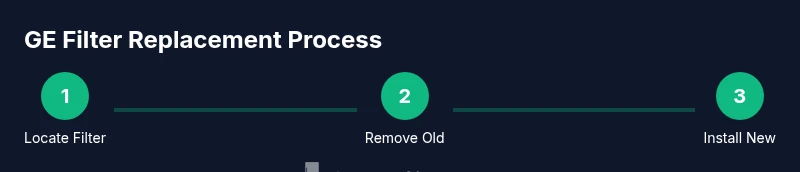
Below is an overview of the standard steps involved in a GE refrigerator filter replacement. This overview prepares you for the detailed steps in the dedicated section, ensuring you understand the sequence and rationale behind each action. Identify the filter housing location, release or unscrew the existing cartridge, inspect gaskets for wear, and prepare the new filter by removing its packaging and inspecting the O-rings. Align and insert the new filter fully, then lock it into place. Finally, restore water supply and run water through the dispenser to purge air and debris. If your model uses a reset procedure for the status indicator, complete it as directed by GE.
Common issues and troubleshooting
Despite careful preparation, you may encounter minor issues when replacing a GE refrigerator filter. Leaks at the housing typically indicate an improper seal or a misaligned gasket; reseat the filter and ensure the threads are clean and intact. If water flow seems slow, purge air by running water through the dispenser for several minutes, then recheck the connection. A non-sealed replacement can allow air pockets to form, which affects performance. If you notice persistent leaks after reseating, inspect the housing for cracks or damage and consider replacing the seal or housing if needed. For stubborn problems, consult GE support or a licensed appliance technician. Always handle filters with dry hands and dispose of old cartridges according to local regulations.
How to reset the GE filter indicator after replacement
Resetting the filter indicator is an important final step that signals you’ve completed the replacement. The exact method varies by model, but many GE units use a dedicated reset button or a touchscreen option to clear the light. Hold or press the reset control for several seconds until the indicator resets. In some models, you may need to navigate through the control panel to find a ‘Reset’ or ‘Filter’ option and confirm your choice. If you can’t locate the reset function, consult the user manual or GE’s online support page for model-specific instructions. After resetting, observe the dispenser for any leaks and recheck flow over the next 24 hours.
Maintenance beyond replacement: keeping water quality high
Ongoing maintenance contributes to consistently high water quality and longer filter life. Regularly inspect water lines for signs of wear or leakage, especially where the line connects to the filter housing. Clean the exterior surfaces around the filter area with a damp cloth to remove any mineral residue. Consider pairing filter replacement with a broader maintenance schedule for your refrigerator, including door seals, ice maker performance, and overall airflow. If your area’s water quality changes (for example, after a major plumbing project), you may need to adjust replacement frequency. Staying proactive helps ensure safe, clean water and ice without surprises.
Cost considerations and where to buy GE filters
Prices for GE refrigerator filters vary by model, retailer, and location, but most homeowners find options across GE’s official store, major retailers, and online marketplaces. When evaluating value, compare the filter’s efficiency, lifespan, and compatibility with your specific refrigerator. It’s usually more reliable to purchase a genuine GE filter designed for your model rather than a generic option, since compatibility and performance are better guaranteed. Keep an eye out for bulk purchase savings or subscription services that deliver filters on a schedule, which can help you avoid expired filters. Always verify the exact model number and filtration spec before purchasing.
Quick tips for taste, safety, and efficiency
To maximize taste and safety between replacements, run cold water from the dispenser for a few minutes after installation to purge any air and loose carbon fines. Store replacement filters in their original packaging until use to prevent contamination. Keep a simple maintenance calendar and set reminders for filter changes based on your household’s use and local water quality. Regular checks of dispenser flow and ice maker performance help catch issues early. By integrating these steps into a routine, you’ll achieve consistent water quality and appliance reliability.
Authoritative sources and further reading
For additional guidance on water filtration and appliance maintenance, consult credible sources. The U.S. Environmental Protection Agency (EPA) provides general information about drinking water safety and filtration. The Centers for Disease Control and Prevention (CDC) offers guidelines on water safety and public health. GE Appliances also provides model-specific support for filter replacements and maintenance. These resources can help you understand best practices and ensure your GE refrigerator operates optimally over time.
Tools & Materials
- New GE refrigerator filter (model-specific)(Choose the exact filter model that fits your GE refrigerator.)
- Bucket or shallow tray(Place under the filter housing to catch drips.)
- Soft cloth or towel(For drying surfaces and wiping up spills.)
- Gloves (optional)(Keep hands dry and clean.)
- Screwdriver or pliers (optional)(Only for models with a twist-lock or unusual housing.)
Steps
Estimated time: 15-25 minutes
- 1
Shut off water supply
Turn off the water supply to the fridge at the shutoff valve to prevent leaks during filter replacement. This step protects you from accidental sprays and minimizes spills when removing the old cartridge.
Tip: Have a towel nearby for any residual drips; this saves cleanup time. - 2
Locate and remove old filter
Find the filter housing usually at the base grille or inside the refrigerator’s fresh water compartment. Depending on your model, twist counter-clockwise or press a release to remove the cartridge entirely.
Tip: Note the orientation of the old filter to ensure correct placement of the new one. - 3
Inspect and prep the new filter
Unpack the new filter, inspect the O-rings for damage, and if required, pre-wet or prime the filter per the manufacturer’s instructions. Avoid touching the filter media if possible.
Tip: Do not reuse the old filter or seal if it’s worn or degraded. - 4
Install the new filter
Insert the new filter into the housing and rotate or snap it into place until you hear a click or it’s firmly seated. Ensure the alignment matches the housing’s grooves or tabs.
Tip: If you feel resistance, stop and re-check alignment; forcing can damage the housing. - 5
Restore water and purge air
Turn the water supply back on and run water through the dispenser for 2-3 minutes to purge air and any carbon fines from the new filter.
Tip: Keep a cup under the dispenser during the purging to catch initial bursts. - 6
Reset the filter indicator
Reset your GE model’s indicator following the on-screen prompts or button sequence described in the user manual. This confirms the new filter is in place and helps track next replacement.
Tip: If a reset option isn’t obvious, note the replacement date on the fridge or with your calendar.
FAQ
Do I need to replace GE refrigerator filters on a fixed schedule?
Yes. Replace when the water tastes off or smells odd, or when the indicator signals replacement. Regular changes support water quality and dispenser performance.
Yes. Replace when the water tastes off or the indicator signals it, to keep the water and ice clean.
Can I use a third-party filter in GE refrigerators?
GE recommends using GE-approved filters to ensure proper fit and filtration performance. Non-approved filters may leak or fail to filter adequately.
GE recommends using only approved filters for your model.
What should I do if water flow is slow after replacement?
Run the dispenser to purge air for several minutes. If flow remains slow, double-check that the filter is fully seated and not cross-threaded.
Run water for a few minutes to purge air, then confirm the filter is seated correctly.
How do I reset the filter indicator on GE models?
Most models use a dedicated reset button or a menu option. Hold the button or follow on-screen prompts to reset after installation.
Hold the reset button for a few seconds until the light goes off.
Is the water safe to drink immediately after replacing the filter?
Yes, once the filter is seated correctly and the air is purged, the water is safe to drink. Discard the first few cups if you’re concerned about taste.
Yes—after purging air, the water is safe to drink.
Where can I buy GE filters?
GE filters are available from GE Appliances, major retailers, and online marketplaces. Verify you choose the correct model for your fridge.
You can buy GE filters from GE’s site or retailers; match your model.
Watch Video
Top Takeaways
- Replace with model-specific GE filters
- Prime and seat filter correctly to prevent leaks
- Purge air by running water for a few minutes
- Reset the indicator after replacement
- Check for leaks before finishing