Will Refrigerator Work Without Light Bulb? A Quick Troubleshooting Guide
Can a refrigerator run when the interior light bulb is burned out? Learn quick checks, safety steps, and common causes of cooling issues with practical repair guidance from How To Refrigerator.


Refrigerators will run without a functioning interior bulb. The bulb is for visibility, not cooling. If the light is out, check the door switch and wiring; ignore this issue if the appliance cycles and maintains temperature. The real problems are door seals, thermostat, compressor, or condenser cleanliness.
Will the refrigerator work without light bulb?
If you’re asking will refrigerator work without light bulb, the answer is generally yes. The interior light is a convenience feature, not part of the cooling cycle. The compressor, evaporator, thermostat, and defrost components operate independently of the bulb to keep food at safe temperatures. If the light is out, you can still rely on the fridge to chill, as long as other systems are functioning. This distinction matters because many calls to service centers involve bulb failures that mask a real cooling problem. By separating lighting from cooling, you can prioritize issues that truly affect performance and avoid unnecessary repairs.
Throughout this guide you’ll see practical steps to verify lighting issues without assuming cooling trouble. Remember: the phrase will refrigerator work without light bulb is a common homeowner question, and the answer hinges on understanding what the light does—and doesn’t—do for operation.
Common myths about bulb vs cooling
There’s a persistent myth that a burnt-out interior bulb will cause the fridge to stop cooling. In reality, interior illumination does not power the compressor or the cooling cycle. Some models even have separate fuses or dedicated power rails for the light, so the light can fail while cooling remains normal. Another myth is that replacing a bulb automatically fixes a cooling problem; this is rarely true. The bulb may be a symptom of a broader electrical issue, such as a faulty door switch or damaged wiring, which could impact safety or performance if left unchecked. Always test the light, door switch, and power supply independently to avoid confusion between cosmetic faults and real mechanical faults.
Safety and immediate steps you can take
Safety first: never touch live electrical components with wet hands, and always unplug the appliance before inspecting the interior light assembly. Start by confirming the bulb is burned out by replacing it with a known-good bulb of the correct type. If the light works after replacement, the issue was the bulb. If not, proceed to test the door switch and wiring. Ensure the fridge is not in a defrost cycle and that no water or ice is obstructing electrical connections. If you smell burning plastic, observe sparking, or notice buzzing, disconnect power immediately and call a professional. Lighting issues can indicate more serious electrical problems that require expertise.
Basic diagnostic checks you can perform
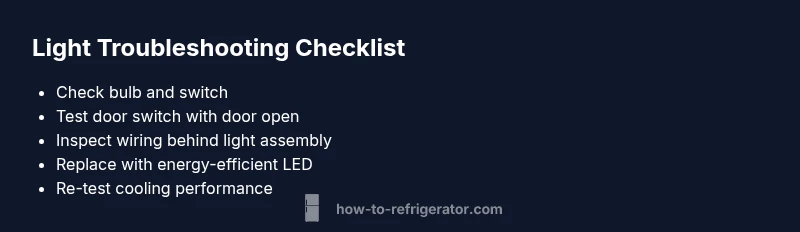
Before calling for service, run through these checks: 1) Confirm the outlet has power by plugging in a lamp. 2) Inspect the light bulb for fatigue or damage and replace with an LED bulb rated for appliances. 3) Locate and test the door switch (often near the light housing) by pressing it with the door open to see if the light triggers. 4) Check the light socket for corrosion or looseness. 5) Inspect the wiring harness behind the light cover for loose connectors. 6) Check that the door seals are intact and the fridge is level to prevent warm air intrusion. 7) Listen for the compressor and verify it runs at an expected rhythm.
Diagnostic flow in practice: symptom → diagnosis → solution
When a symptom arises—such as the interior light failing to illuminate—start with the simplest explanation: a bulb or switch. If replacement does not restore light, the diagnosis shifts to the door switch or wiring. If there is still no cooling or erratic temperatures, broaden the focus to seals, thermostat calibration, condenser cleanliness, and defrost system. Solutions progress from easy to hard: bulb replacement, then switch replacement, then wiring repairs, and finally professional service for refrigerant or compressor issues. Following a logical flow reduces unnecessary part replacements and keeps you safe.
Step-by-step: Replacing the bulb and testing the door switch
- Power down and unplug the fridge, then move it away from the wall to access the light assembly. 2) Remove the light cover and inspect the bulb type and socket for damage. 3) Replace with a compatible LED appliance bulb and re-seat. 4) Reconnect power and test by opening the door. 5) If the light still fails, test or replace the door switch. 6) Reassemble the cover and monitor for at least one hour to confirm consistent cooling. 7) Document any recurring issues for future reference.
Prevention and maintenance tips
To reduce future lighting and cooling issues, schedule routine checks of door seals and condenser coils. Clean coils every 6–12 months to optimize efficiency. Use LED bulbs with low heat output, and avoid touching hot bulbs or sockets with bare skin. Keep the interior dry and free of moisture around electrical components. If your fridge is in a high-humidity area, consider dehumidifying the space or relocating if exposure is excessive. Regularly test the door switch during routine maintenance to catch failures early.
When to call a professional
If you’ve ruled out the bulb and door switch, and the unit still shows cooling problems—such as warm compartments, ice buildup, or unusual noises—call a licensed technician. Refrigeration systems involve sealed refrigerant networks and high-voltage components; DIY fixes beyond bulb and switch changes can be dangerous and lead to further damage.
Steps
Estimated time: 25-40 minutes
- 1
Power down and prepare
Unplug the fridge and move it away from the wall to access the light assembly safely. Gather a flashlight and the correct bulb type before starting.
Tip: Keep screws in a labeled container to avoid losing small parts. - 2
Access the light and bulb
Remove the light cover, identify the socket, and check for any signs of corrosion or looseness. If the bulb looks damaged, replace it with the recommended LED appliance bulb.
Tip: Use a glove to handle the new bulb to avoid skin oils on the glass. - 3
Test the door switch
With the door open, press the switch manually to see if the light comes on. If it doesn’t, the switch is likely faulty and needs replacement.
Tip: If available, use a multimeter to confirm continuity. - 4
Replace the bulb or switch
Install the new bulb or door switch according to manufacturer instructions. Ensure all connectors are snug and aligned.
Tip: Check the wiring harness for any signs of wear or damage that might affect the switch. - 5
Restore power and confirm
Plug the fridge back in, close the door, and observe the light behavior. Verify cooling performance remains stable over the next hour.
Tip: Record the results and any anomalies for future reference.
Diagnosis: Interior light not functioning while fridge cools
Possible Causes
- lowBurnt-out light bulb
- highDoor switch malfunction
- mediumLoose or damaged wiring to the light
- mediumPower supply issue to the light circuit
Fixes
- easyReplace the bulb and test the light
- easyTest and replace the door switch
- mediumInspect and reseat light-wiring connectors
- hardCheck dedicated power supply to the light circuit and repair as needed
FAQ
Will the fridge run if the light bulb is burnt out?
Yes. A burnt-out bulb does not affect cooling. If temperatures rise, check the door seals, thermostat, and condenser.
Yes, the fridge will run even if the light is out. Check cooling-related parts if temps rise.
Where is the door switch typically located?
Most models place the switch near the door frame, at the top or side where the door presses. You may need to remove a light cover.
Usually at the door frame, near the light housing.
How do I test the door switch?
Open the door and press the switch manually to see if the light turns on. A multimeter can confirm continuity.
Press the switch and look for light; use a meter if available.
Can a defective light bulb cause not-cold conditions?
No. Cooling relies on the compressor, evaporator, and thermostat. If temperature is wrong, focus on seals and condenser cleanliness.
A bad bulb won’t stop cooling. Look at the cooling system components.
Is DIY bulb replacement safe?
Yes, if you unplug first and use the correct bulb type. If unsure, seek professional help.
Yes, with power off and the right bulb, it’s typically safe.
When should I call a professional?
If cooling persists to fail after bulb and switch checks or you see electrical damage, contact a technician promptly.
If cooling is still off after checks, get professional help.
Watch Video
Top Takeaways
- Bulb failure does not stop cooling
- Test door switch early in the process
- Isolate lighting from cooling problems
- Use LED bulbs to minimize heat
- Call a pro if cooling remains unstable