When Refrigerator Light Not Working: Quick Troubleshooting
If your refrigerator light won’t turn on, this urgent How To Refrigerator guide covers the most likely causes, quick fixes, and safety steps to restore illumination and protect your appliance.


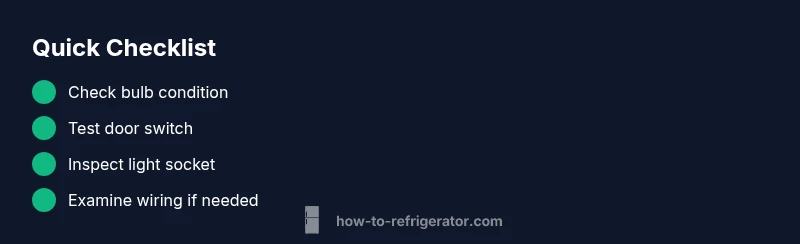
The most likely causes are a blown bulb or a faulty door switch. Start by replacing the bulb and testing the door switch—if the light still won’t come on, inspect the socket and wiring. If you’re uncomfortable with electrical work, turn off power and call a repair professional.
Why the fridge light not working matters
When the interior light of your refrigerator fails, it can make locating items harder and may hint at a larger electrical or wiring issue inside the unit. According to How To Refrigerator, the most frequent culprits are a burnt-out bulb or a faulty door switch. Both issues are common on aging fridges and are often straightforward to fix with basic tools. This section explains why the light stops working and what it signals about the appliance’s overall health, so you can decide whether a quick fix or a professional visit is appropriate.
Quick checks you can safely perform
Before you dive into parts replacement, perform these safe, non-invasive checks. Ensure the fridge is unplugged or powered down at the breaker before touching any components. Confirm the door is fully closed; a misaligned door can prevent the switch from activating the light. Inspect the bulb: is it burnt out or discolored? Replace with a standard refrigerator bulb of the same size. Check the light socket for loose connections or corrosion. If more than one light or display is affected, the issue could be at the power supply or control board. If you’re unsure, consider calling a technician sourced from How To Refrigerator’s repair network.
Diagnostic flow: symptom to diagnosis to solution
To narrow down the cause, follow a simple diagnostic path. Start with the bulb: does replacing it resolve the issue? If the new bulb still doesn’t light up, test the door switch by manually pressing it with the door open and seeing if the light comes on when you simulate closing the door. If the bulb and switch test fail, inspect the light socket for damage or corrosion, and check the wiring harness behind the light assembly for looseness. If you still don’t have illumination, the fault may lie with the power supply, fuse, or control electronics, which typically require a professional assessment.
Step-by-step: replace bulb and validate switch
- Power down the fridge safely by unplugging or switching off the dedicated circuit. 2) Remove the interior light cover with a screwdriver; keep track of screws. 3) Inspect the bulb; if damaged, replace with a like-for-like bulb. 4) Reinstall the cover and power the fridge back on. 5) Open the door to test the light. If it does not illuminate, 6) press the door switch manually to check for a responsive light. 7) If the light still won’t come on, proceed to test or replace the door switch and inspect wiring.
How to test and safely replace the bulb
If you’ve confirmed the door switch and power are functioning, replace the bulb by removing the old one from the socket and inserting a new bulb with the correct base. Ensure the bulb is snug but not overtightened. After replacement, reassemble the light cover, restore power, and gently reopen the door to verify illumination. Always handle bulbs with dry hands to avoid electric shock or damage to the socket. If the light flickers, check for poor contacts or a loose socket.
When to seek professional help
If you replaced the bulb and tested the switch but the light remains dead, you may have a damaged wiring harness, a compromised light socket, or a problem in the fridge’s control board. Electrical components inside a fridge can carry risk; if you’re not confident with wiring or you notice burnt smells, call a trained appliance technician. Early professional intervention can prevent further damage and ensure safe operation.
Prevention tips to avoid future issues
Maintain a regular quick inspection of the light assembly, door switch, and sockets. Clean any dust from the light cover to prevent overheating and ensure the switch moves freely. Replace aging bulbs promptly and avoid using higher-wattage bulbs not rated for the fixture. Periodic checks help catch loose connections before they cause more serious problems.
Steps
Estimated time: 25-40 minutes
- 1
Power down safely
Unplug the fridge or switch off the circuit at the breaker to prevent any electric shock while you inspect internal components.
Tip: Use a flashlight to avoid touching live parts with a hurried handheld lamp. - 2
Access the light assembly
Remove the interior light cover by loosening screws or prying gently with a non-marring tool. Support the cover to avoid dropping the bulb.
Tip: Keep track of screws in a labeled container so you don’t lose them. - 3
Inspect or replace the bulb
Remove the old bulb and inspect the base for discoloration or damage. If needed, install a like-for-like bulb and secure the housing.
Tip: Handle the bulb with a clean cloth to avoid skin oils on the glass. - 4
Test the bulb
Reconnect power and open the door to verify the light comes on. If it does, you’re finished.
Tip: If the light flickers, reseat the bulb and check contact points. - 5
Check the door switch
If the bulb still won’t light, press the door switch manually to test responsiveness. If it doesn’t click or the light remains off, the switch may need replacement.
Tip: Compare the switch movement with a functioning unit if possible. - 6
Inspect wiring and seek help if needed
Look for loose wires or damaged insulation near the light assembly. If you notice any, or you suspect a control-board issue, contact a professional.
Tip: Do not attempt to repair wiring beyond basic connections.
Diagnosis: Light inside fridge does not turn on when door opens
Possible Causes
- highBlown or burnt-out bulb
- highFaulty door switch
- mediumLoose or corroded light socket
- lowDamaged wiring or control board
Fixes
- easyReplace the bulb with a like-for-like bulb and test
- easyInspect and test the door switch; replace if it doesn’t engage
- mediumCheck the light socket for corrosion or looseness; reseat or replace as needed
- hardIf wiring or control board is suspected, contact a professional
FAQ
What is the most common cause of a fridge light not working?
The most common causes are a burnt-out bulb or a faulty door switch. Replacing the bulb or testing the switch usually resolves the issue quickly.
Most often it's the bulb or the switch. Replacing the bulb or testing the switch fixes it.
How do I test the fridge door switch?
Open the door and manually press the switch to see if the light activates. If it does, the switch works; if not, it may be faulty and need replacement.
Press the door switch by hand to see if the light comes on. If not, the switch may be bad.
Do I need to unplug the fridge to change the bulb?
Yes. Turn off power at the breaker or unplug the unit before removing the light cover and replacing the bulb.
Yes, power down the fridge before changing the bulb.
If the bulb is fine but the light won’t come on, what next?
Inspect the door switch and wiring harness. A damaged switch or loose wiring can prevent the light from working even with a good bulb.
If the bulb is fine, check the switch and wiring harness.
Can I fix this myself, or is a professional required?
You can handle bulb and switch replacement yourself. For wiring or control-board concerns, consult a professional to avoid safety risks.
You can DIY bulb and switch, but for wiring or boards, call a pro.
Is there a safety risk with fridge electrical work?
Yes. Always disconnect power and follow proper safety steps. If you smell burning or hear buzzing, stop and seek professional help.
Yes. Disconnect power first and stop if you smell burning.
Watch Video
Top Takeaways
- Start with the bulb and door switch checks
- Follow a structured diagnostic flow
- Replace only with like-for-like parts
- Call a professional for wiring or control-board issues
- Maintain the light assembly to prevent future failures