Whirlpool Refrigerator Service Repair: A Homeowner's Step-by-Step Guide
Learn how to diagnose and repair common Whirlpool refrigerator issues at home with step-by-step instructions, safety tips, and practical maintenance guidance from How To Refrigerator.


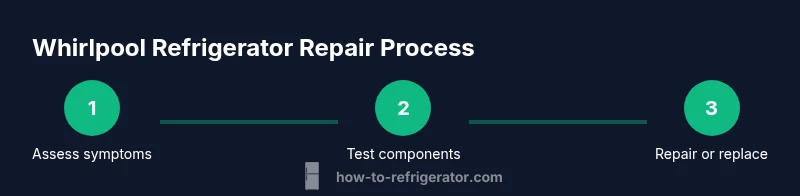
You can diagnose and service a Whirlpool refrigerator at home by safely testing the compressor, defrost system, and thermostat, then replacing faulty components. Start by unplugging the unit, locating the service panels, and checking for obvious blockages or frost. For complex issues, consult How To Refrigerator's step-by-step guide for hands-on instructions and safety tips.
Overview of Whirlpool Refrigerator Service Repair
Whirlpool refrigerators are known for reliability, but like any appliance they require periodic service when cooling performance degrades. This guide walks homeowners through safe, practical steps to diagnose and repair common Whirlpool issues, focusing on not-cooling, frost buildup, and energy inefficiency. According to How To Refrigerator, a systematic approach reduces unnecessary replacements and speeds up home repairs. The How To Refrigerator Team emphasizes documenting symptoms and using a repair-first mindset to prevent further damage.
Why this matters
A well-executed repair plan minimizes food spoilage, reduces energy use, and extends the life of your appliance. By following a structured diagnostic flow, homeowners can avoid costly service calls for simple fixes. How To Refrigerator provides practical, model-agnostic approaches that apply to most Whirlpool configurations, including top-freezer and French-door designs.
Common Whirlpool Not Cooling Issues
Most Whirlpool not cooling problems fall into a few root causes: frost buildup blocking the evaporator, dirty condenser coils, a faulty defrost system, a malfunctioning thermostat, or door seals that leak air. Less common but important causes include variable-speed compressor faults and control-board glitches. This section helps you triage safely and logically. According to How To Refrigerator analyses, the most efficient first steps are visual checks and controlled testing rather than random part swapping. The team recommends documenting symptoms and testing in a repeatable sequence to confirm a fault before ordering replacements.
Quick checklist
- Frost or ice accumulation on the evaporator: look behind the rear panel; excessive frost often signals defrost issues or blocked airflow.
- Dirty condenser coils: visually inspect the back or bottom of the unit; dirty coils reduce cooling efficiency.
- Gasket integrity: a loose or cracked door seal lets warm air in and disrupts temperature stability.
- Thermostat setpoint: ensure the temperatureDial is within the recommended range for your model.
- Defrost system: listen for a humming sound from the defrost heater or timer; abnormal sounds can indicate failure.
- Electrical supply: confirm the unit is receiving stable power and that your home circuit hasn’t tripped.
Safety First: Preparation and Safety Checks
Before you touch any components, empty the immediate area and unplug the refrigerator. Use a flashlight to inspect for obvious hazards and wear rubber-soled shoes. Keep a spill kit or towels handy to manage any condensate or melted frost that might occur during defrost checks. If you must lift the unit, get help to avoid injury. How To Refrigerator emphasizes that safety is the foundation of any DIY repair, and professional help should be sought for refrigerant handling or high-voltage work.
Personal safety checklist
- Unplug the unit and disconnect power at the wall outlet.
- Do not poke or cut refrigerant lines. Refrigerants can be harmful and require licensed handling.
- Wear safety glasses and gloves when grinding or brushing coil debris.
- Keep children and pets away from the work area.
Diagnostic Framework: How to Isolate the Problem
A structured diagnostic approach saves time and money. Start with an external inspection, then verify airflow and temperature readings. Use a multimeter to check continuity on critical components like the thermostat while observing safe testing practices. If the evaporator fan runs when the door is open, but cooling is inconsistent, the issue may lie with defrost or condenser airflow. How To Refrigerator recommends a repeatable diagnostic script so you can compare steps across tests.
Stepwise logic
- Confirm power and alarm codes (if any).
- Check door seals and airflow paths.
- Inspect the evaporator for frost buildup.
- Test the thermostat and defrost system.
- Inspect condenser coils and fan operation.
- Assess compressor and start components only if you have training.
Step-by-Step: Quick Fixes You Can Try
This section offers safe, non-destructive fixes you can perform in small, clear actions. Each step is designed to be performed quickly and with minimal tools, reducing the chance of introducing new problems. Remember to log observations and reset the unit after each fix to verify results. How To Refrigerator notes that many not-cooling cases resolve with one or two targeted actions rather than wholesale replacements.
Steps
- Power down and access the service panel. Description: Unplug the unit and move it away from the wall to access the back panel or interior service panels. Tip: Photograph wire routes before disconnecting anything.
- Clear frost and debris. Description: If frost blocks the evaporator, perform a careful defrost; remove ice with a plastic scraper and ensure proper drainage. Tip: Avoid metal tools that can damage coils.
- Clean condenser coils and verify fan operation. Description: Vacuum dirt from coils and ensure the fan spins freely; restricted airflow reduces cooling efficiency. Tip: Do this with the unit unplugged; use a gentle brush to protect fins.
- Check the door gasket integrity. Description: A damaged seal lets warm air in; replace or reseal as needed. Tip: Test by placing a dollar bill in the door closure and closing the door; if it slides out easily, the seal needs attention.
- Test thermostat and defrost components with a meter. Description: Confirm continuity and condition of the thermostat, defrost heater, and timer. Tip: Use the model’s wiring diagram to locate components precisely.
- Reassemble and verify cooling. Description: Reconnect power, slide the unit back, and wait 1-2 hours to see if the temperature stabilizes. Tip: Keep doors closed to expedite cooling verification.
- Document results and plan next steps. Description: Record readings, symptoms, and any parts replaced to guide future maintenance. Tip: Store this log with model information for future reference.
When to Replace Components vs. Call a Technician
Not every malfunction is DIY-friendly. If tests indicate a refrigerant leak, a faulty compressor, or a defective sealed system, professional service is required. In these cases, you should prepare your model number, service history, and the observed fault codes before contacting a technician. How To Refrigerator stresses that certain repairs, especially those involving refrigerants or sealed systems, must be performed by licensed technicians to ensure safety and compliance.
Long-Term Maintenance to Extend Life
Proactive maintenance pays off. Regular coil cleaning, door seal inspection, and thermostat calibration help prevent common failures. Schedule periodic checks every 6-12 months, especially if you notice temperature fluctuations or increased energy use. How To Refrigerator recommends setting a stable temperature in the mid-30s Fahrenheit for most Whirlpool models to balance energy efficiency and food safety.
Common Whirlpool Parts and Failure Modes
Key components to monitor include the evaporator fan, condenser fan, defrost thermostat, defrost heater, temperature sensor, and the main control board. Failures typically manifest as frost buildup, inconsistent temps, or odd noises. By understanding these parts, homeowners can triage more effectively and communicate clearly with technicians. Avoid replacing multiple parts on a hunch; verify failure with measurements where possible.
Troubleshooting Flowchart and Quick Reference
A concise flowchart helps you quickly navigate between potential causes. Start with power, then airflow, then the defrost system, and finally the control circuitry. If in doubt, pause and consult service documentation rather than continuing to swap parts. This block provides a practical, human-centered guide to keep you moving toward a solution.
Tools & Materials
- Screwdriver set (Phillips and flathead)(Phillips #2 and flathead for most Whirlpool screws)
- Nut driver set(Common sizes like 3/16" and 1/4")
- Torx driver set(T20/T25 typically cover most panels)
- Multimeter(For testing voltage and continuity on controls and sensors)
- Safety gear(Safety glasses, insulated gloves, non-slip shoes)
- Flashlight(Bright, focused light for panel areas)
- Buckets, towels, rags(Contain condensate and melt water during defrost checks)
- Replacement parts kit (optional)(Thermostat, defrost heater, door seals, or small control components as needed)
Steps
Estimated time: 120-180 minutes
- 1
Power down and access the service panel
Unplug the refrigerator and move it slightly away from the wall to access the back or interior service panel. This prevents shock and makes screw removal safer. Note where each wire connects and keep track of screws so you can reassemble correctly.
Tip: Take clear photos of wiring before disconnecting anything. - 2
Inspect exterior and interior for obvious issues
Look for frost buildup, cracked gaskets, or signs of water leaks around doors. A quick visual scan can reveal blocked airflow paths or compromised seals that are easy to fix without parts.
Tip: Document any frost lines or gasket damage for reference. - 3
Test thermostat and temperature controls
With the unit powered down, access the thermostat and connect a multimeter to check continuity and verify the thermostat’s setpoint aligns with manufacturer specs. This confirms whether the control thermostat is the root cause of improper cooling.
Tip: Use the model schematic to locate the exact thermostat terminals. - 4
Check defrost system and drain
Inspect the defrost heater, timer, and evaporator drain for blockages or failure. Clear any frost buildup and ensure the drain is free-flowing to prevent recurring ice. A blocked drain can create cooling problems across the system.
Tip: If frost is present, perform a controlled defrost cycle and re-evaluate. - 5
Assess condenser coils and fan operation
Inspect the condenser coils for dust and debris and confirm the condenser fan runs smoothly when the compressor is on. Dirty coils or a stuck fan reduce cooling efficiency and can cause overheating.
Tip: Clean coils gently with a brush; never use metal tools that could bend fins. - 6
Test electrical components and replace faulty parts
Use the multimeter and visual checks to evaluate the compressor relay, start capacitor, and control board where accessible. Replace components only after confirming failure with consistent measurements.
Tip: Avoid replacing multiple parts at once; confirm which component truly failed. - 7
Reassemble, power up, and verify cooling
Reconnect service panels, move the fridge back into position, and plug it back in. Allow 1-2 hours to observe stable temperature, then check after a full cycle to ensure cooling has resumed.
Tip: Keep doors closed to help the system reach target temperatures faster. - 8
Document findings and plan next steps
Record symptoms, tests, and any parts replaced to guide future maintenance or professional service. Having a documented history helps techs diagnose faster if you need to call for repair.
Tip: Store this log with your model number for quick reference.
FAQ
Why is my Whirlpool refrigerator not cooling even after a defrost cycle?
Not cooling after defrost can indicate a blocked defrost drain, failed defrost heater, or an airflow issue. Start by defrosting the evaporator and checking the defrost components, then verify the fan and condenser for proper operation.
If cooling doesn’t resume after a deliberate defrost, check the defrost heater and drain, then inspect airflow from the evaporator to the condenser.
Can I repair a Whirlpool fridge compressor myself?
Compressors are a sealed, high-stress component; DIY repair is not recommended unless you are trained. If testing suggests a compressor or start relay failure, contact a licensed technician to avoid safety risks.
Compressors involve refrigerant and high voltages; it’s best to leave compressor work to a professional.
What safety steps should I take before starting repairs?
Unplug the unit, keep liquids away, wear eye protection, and work on a stable surface. Avoid opening sealed components and never work with refrigerant lines.
Always unplug first and wear safety gear before you start any inspection or repair.
Is replacing the defrost drain necessary if I see frost buildup?
Defrost drain issues commonly cause frost buildup; start with clearing the drain and testing the defrost cycle. Replacement is only needed if the drain remains clogged or the heater is failed.
If the drain is blocked and defrost doesn’t work, replacement parts may be required after testing.
When should I call a professional appliance technician?
Call a professional if you detect refrigerant leaks, suspect a sealed system issue, hear unusual noises from the compressor, or cannot safely isolate the fault with basic tools.
If you’re unsure about measurements or the system holds a refrigerant leak, it’s time to call a technician.
How long should it take to regain cooling after a DIY check?
Most simple checks won’t cause full reset times, but it can take 1-4 hours for temps to stabilize after reassembly. Monitor the unit and avoid opening doors frequently during this period.
Allow 1-4 hours for cooling to stabilize after you complete checks and reassemble.
Watch Video
Top Takeaways
- Disconnect power before starting any repair.
- Inspect frost, leaks, and gaskets to identify issues.
- Test thermostat, defrost, and compressor circuits with proper tools.
- Avoid unnecessary part replacements by confirming failures with measurements.
- Document symptoms and results for faster future service.