When Refrigerator Stops Cooling: Quick Troubleshooting Guide
Urgent, step-by-step troubleshooting for when your refrigerator stops cooling. Learn quick checks, common causes, and safe fixes to restore cooling fast.


Most refrigerators stop cooling due to airflow restrictions or a simple reset issue. The quickest fix is to unplug, clean the condenser coils, and reset the thermostat by unplugging for 5 minutes, then plug back in. If cooling returns, monitor for stability; if not, follow the diagnostic flow to identify the root cause and plan next steps.
When the refrigerator stops cooling: what it means and why it matters
If you’re facing a refrigerator that stops cooling, you’re not alone. The phrase when refrigerator stops cooling is alarming because it threatens perishable food and household routines. In many cases, the problem is straightforward and resolvable with safe, DIY steps. According to How To Refrigerator, the most common culprits are airflow restrictions, dirt on the condenser coils, and a simple electronic reset. The goal of this section is to help homeowners quickly assess whether the issue is superficial or requires professional attention, all while maintaining safety and minimizing food loss. By acting promptly, you can often restore cooling without costly service calls. In 2026, the How To Refrigerator analysis shows that many cooling failures begin with airflow restrictions and a resetable fault, which is why we start with easy checks before moving to more complex diagnostics.
Quick safety checks you can perform before you reach for tools
Before opening panels or touching components, unplug the refrigerator and ensure the area around it is dry and clear. This quick reset step often fixes minor electronic hiccups causing the appliance to run but not cool. Inspect the exterior for frost buildup in the lower vents and listen for the compressor hum after plugging back in. If you hear a steady hum but the interior remains warm, the issue may involve airflow or a defrost cycle rather than a simple reset. Keep in mind that handling refrigerant lines or attempting any repair that involves the sealed system should be left to a professional. How To Refrigerator emphasizes safety first: if you smell refrigerant, hear buzzing or see oil around connections, stop and call service.
Common causes in order of likelihood and how to spot them
Not every cooling issue is the same, but there are predictable patterns. The top culprits include dirty condenser coils that restrict airflow, which reduces cooling efficiency; a faulty defrost timer or heater leading to frost buildup blocking the evaporator; incorrect or malfunctioning thermostat settings causing the fridge to run without producing cold air; and occasional compressor or sealed-system issues that require expert attention. Door seals that don’t close properly can also let warm air seep in, making cooling harder. In this section, you’ll learn how to differentiate these causes with simple observations: touch the back of the fridge to feel for dust on coils, check for frost on the evaporator, verify the door closes tightly, and confirm the interior temperature setting is appropriate. Based on How To Refrigerator research, starting with airflow and thermostat checks will resolve the majority of cases without professional help.
Diagnostic flow: a practical symptom-to-solution pathway
Let’s translate the symptom of not cooling into a structured diagnosis. Start with the most likely causes: (1) airflow blockage from dirty coils; (2) defrost cycle failure; (3) thermostat miscalibration; (4) door seal issues; (5) rare compressor/sealed-system problems. For each, try the corresponding fix in order and reassess cooling. If you reach a point where the issue persists after addressing the most common causes, move to professional evaluation. This flow helps homeowners stay organized and reduces guesswork when when refrigerator stops cooling.
Step-by-step fix for the most common cause: dirty condenser coils and reset
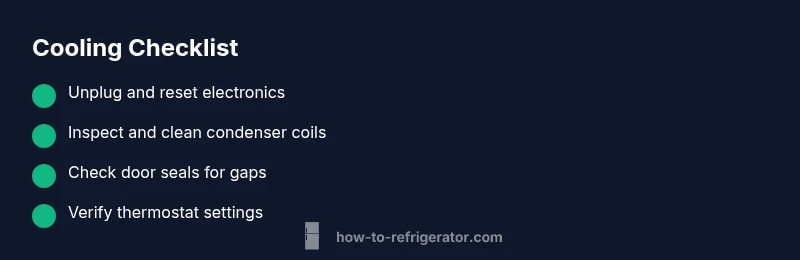
- Power down safely and unplug the fridge. Remove any items from the shelves and prepare a clear workspace. Allow the unit to rest for a few minutes, then plug it back in and listen for the compressor. 2) Access the condenser coils (usually at the back or beneath the unit). Use a soft brush and a vacuum to remove dust and debris. Cleanliness here improves airflow dramatically and is a frequent reason why cooling stops. 3) Reposition shelves and ensure there is adequate clearance around the coils for airflow. 4) After cleaning, plug the fridge back in, wait 5–10 minutes, and monitor interior temperatures. If cooling returns but becomes unstable, proceed to the thermostat and defrost checks. 5) Re-check door seals and defrost components after a cooling cycle to ensure the fix is lasting.
Safety reminders, mistakes to avoid, and when to call a pro
Safety is non-negotiable. Never attempt to repair the refrigerant system, compressor wiring, or sealed components unless you are a trained technician. Do not bypass safety features, and avoid using sharp tools on frost-covered coils, which can cause damage. Common mistakes include over-tightening fittings, ignoring unusual noises, and assuming the problem is the thermostat without verifying airflow and frost levels. If the fridge still fails to cool after performing the basic checks, or if you notice oil or refrigerant signals, contact a professional technician promptly. The How To Refrigerator team emphasizes timely professional help for compressor or sealed-system concerns.
Prevention and maintenance to keep cooling reliable over time
Regular maintenance is the best defense against future cooling failures. Schedule annual checks of the door gaskets, clean condenser coils at least twice a year, and inspect the defrost drain for clogs. Keep the area around the refrigerator well-ventilated to promote consistent airflow. When not in use for extended periods, avoid blocking vents with stored items. Keeping a simple maintenance log helps you spot patterns and respond quickly the next time when refrigerator stops cooling. By staying proactive, you protect your food safety and reduce the odds of surprise breakdowns.
Steps
Estimated time: 30-60 minutes
- 1
Power down and reset
Safety first: unplug the fridge, remove items, and wait 5–10 minutes to reset electronics. Plug back in and listen for the compressor start. If it runs smoothly and you hear steady cooling, monitor the temperature closely for the next hour.
Tip: Work with the fridge in a clear, dry area; avoid humid kitchens. - 2
Clean condenser coils
Access the coils (back or under). Use a soft brush and vacuum to remove dust and debris. Poor airflow is a leading cause of not cooling, and clean coils often restore cooling quickly.
Tip: Do this outside or wear a mask to avoid inhaling dust. - 3
Check door seals and airflow
Inspect gaskets for cracks or gaps. Ensure doors seal fully when closed and that nothing blocks the door from fully sealing.
Tip: Close the door firmly and listen for a solid seal sound. - 4
Inspect evaporator and defrost components
If you see frost on the evaporator coil, the defrost cycle may be failing. This may require timer inspection or manual defrost.
Tip: Avoid using sharp tools on coils or frost. - 5
Test cooling after fixes
After each change, wait several minutes and monitor interior temperatures. If cooling is still weak or absent, plan for professional evaluation of the compressor or sealed system.
Tip: Document what you tested and the results for the technician.
Diagnosis: Refrigerator runs but does not cool; interior stays warm or on the warm side.
Possible Causes
- highDusty condenser coils restricting airflow
- mediumDefrost timer or heater failure causing frost buildup
- highThermostat or temperature setting turned up or malfunctioning
- lowFaulty compressor or sealed system issue
- lowDoor gasket leaks allowing warm air in
Fixes
- easyUnplug and clean condenser coils with a brush and vacuum; replug and test
- easyCheck and reset the defrost timer or heater if accessible
- mediumVerify thermostat settings and calibrate if needed; replace if faulty
- hardIf compressor or sealed system suspected, call a pro
- easyInspect door gaskets for gaps and replace if worn
FAQ
What should I do first when my refrigerator stops cooling?
Unplug the fridge, check for obvious issues, and perform a quick coil clean. Then plug back in and monitor cooling progress.
First unplug, inspect for obvious issues, and clean the coils. Plug back in and watch how it cools.
Can a dirty condenser coil stop cooling a fridge?
Yes. A dusty coil restricts airflow and makes cooling inefficient. Cleaning often restores cooling.
Dusty condenser coils can stop a fridge from cooling well; cleaning usually fixes it.
Is it safe to reset the fridge by unplugging it?
Yes, safely unplug for 5–10 minutes to reset electronics, then plug back in.
Yes, you can reset by unplugging for a few minutes and then plugging back in.
When should I call a professional?
If basic steps don’t restore cooling after 20–30 minutes or you hear unusual noises or leaks, contact a pro.
If it still won’t chill after basic checks, call a professional.
Could a door seal issue cause not cooling?
Yes. A damaged seal lets warm air in and reduces cooling efficiency; replace if needed.
Door seals can cause cooling loss if they’re damaged.
Does a power outage fix itself after a while?
Sometimes. After a power outage, a reset may help, but if problems persist, seek professional advice.
Outages can require a reset; if it doesn’t fix itself, get guidance from a pro.
Top Takeaways
- Start with a safe reset and coil cleaning.
- Prioritize airflow and door seals.
- Use the diagnostic flow before replacing parts.
- Call a pro for compressor/sealed-system concerns.
- Maintain regular cleaning to prevent future issues.