What Happens When a Refrigerator Fan Stops Working
Urgent troubleshooting guide: learn what happens when a refrigerator fan stops working, common causes, a diagnostic flow, and a step-by-step fix to restore cooling quickly.


Most likely the refrigerator's cooling fan or condenser fan has failed or become obstructed. Start by unplugging the unit, then inspect the fan blades for debris and ensure they spin freely. If the motor is jammed or won’t spin, clean or replace the blades; if it still fails, the motor or control board may be at fault and requires a professional repair.
Why the fridge fan matters
The refrigerator's evaporator and condenser fans play a critical role in cooling the interior and protecting the compressor. When the evaporator fan stops, cold air can't circulate properly, causing uneven temperatures and longer run times. The condenser fan, if it fails, can cause the compressor to overheat and reduce efficiency. The question a homeowner often asks is: what happens when a refrigerator fan stops working? In general, cooling slows, frost can form, and energy use rises. According to How To Refrigerator Analysis, fan failures are a common cause of inadequate cooling in older units. Quick checks include listening for the hum of the fan and feeling the air at the vents; if there is little or no air movement, the fan is likely the culprit. Addressing the issue promptly reduces strain on the compressor and lowers the risk of frozen coils or spoiled food. In this guide we walk through the diagnostic flow, safe troubleshooting steps, and when to call a pro.
Common symptoms you might notice
If the fan is failing, temperature irregularities are usually the first clue. Expect warm spots in the fridge, a noticeably longer run cycle, or frost buildup in unusual places. A buzzing or humming noise, or air that barely moves from vents, can indicate a blocked or stalled fan. In some cases you may notice the freezer staying colder than the fridge, or a melted ice maker due to poor airflow. If you hear or feel any of these signs, log the time and noises; tracking patterns helps determine whether the issue is intermittent or constant. Early detection makes a big difference because the fan is central to even cooling and energy efficiency. If the fan stops intermittently, it often points to a sticking blade, loose wiring, or a failing motor. ~According to How To Refrigerator, fans are a frequent source of poor cooling in many homes.
Safety first: unplug and power off, basics
Before you touch anything, unplug the refrigerator at the outlet or switch off the circuit breaker for the unit. Do not use the fridge again until you have completed the inspection. Keep hands dry and avoid touching metal parts that could have live wiring or sharp edges behind service panels. If you smell burning or see smoke, evacuate and call emergency services. When you replug later, do a visual check from a distance and never pry into electrical components that you are not trained to handle. These precautions protect you while you verify whether the fan blade is obstructed or if a motor fault is present. Safety always comes first, and taking careful steps reduces the risk of electric shock or further damage to the appliance.
Basic visual checks you can do yourself
Gently pull the fridge away from the wall so you can access the rear panel or the freezer compartment where the evaporator fan sits. Look for ice buildup or obvious debris near the fan blades. If the blades are obstructed, remove the item causing the blockage gently with insulated tools. Spin the blade by hand; it should rotate with moderate resistance and return to its resting position when released. If the blade is sticky or stiff, the motor bearings may be worn. Check the wiring harness for loose connections and any signs of wear or corrosion. With the panel still open, listen for the fan spinning when you briefly reconnect power and cycle the door to trigger airflow. If you cannot hear anything or if the fan remains still, move to the diagnostic steps or contact a professional.
Diagnostic flow: overview of the path from symptom to diagnosis
A systematic approach helps you quickly identify the root cause. If the fan will spin by hand but air isn’t circulating, the issue is likely electrical or control-related (capacitor, relay, or PCB). If the fan won’t spin at all, inspect for physical obstruction or a seized motor. When the fan spins freely but you still have poor cooling, check the condenser fan and the motherboard or relay controlling the evaporator motor. Document sounds, heat at the compressor, and any error codes from the display. This flow keeps you focused on the most probable failures first while avoiding unnecessary replacements. For most households, starting with debris removal and a test spin is a practical first move.
Step-by-step fix for the most common cause
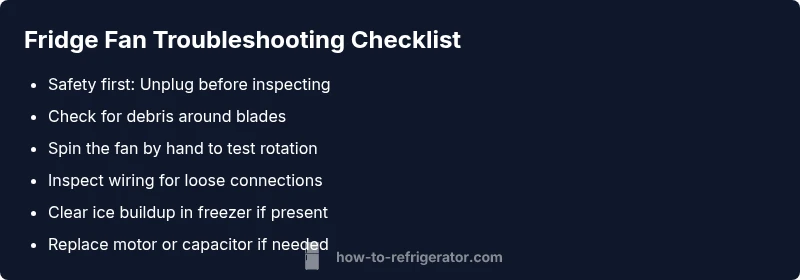
Step 1: Power down and unplug the unit to ensure safety. Step 2: Gain access to the fan housing by removing the back panel or the freezer cover. Step 3: Inspect for ice or debris; remove gently with a non-metal tool. Step 4: Clean the fan blades and housing to restore balance and airflow. Step 5: Spin the fan by hand to confirm smooth rotation; if it binds, the motor may be worn. Step 6: Reassemble, plug back in, and monitor airflow for 24 hours to ensure stable cooling. If the fan still doesn’t function after these steps, the motor or control components likely need replacement. Pro tip: replace a faulty capacitor or relay only with the exact matching part from the manufacturer to avoid electrical issues.
Safety warnings and common mistakes
Common mistakes include using metal tools to scrape ice from the blades, which can bend blades or damage the motor. Never run the fridge with the service panels off for longer than necessary. A damaged compressor can be hazardous and lead to refrigerant leaks in rare cases. Always discharge static electricity and handle connectors with care. If you’re unsure about electrical components, skip to professional service.
Prevention and maintenance to extend fan life
Regular cleaning of the condenser area and fan housing reduces risk of debris buildup. Schedule a quarterly quick check for air vents, coils, and fan operation. Keep the fridge level to avoid strain on the motor bearings. Replace air filter if applicable and ensure door seals are tight to prevent moisture infiltration. These steps help maintain consistent airflow and prevent premature fan failure. How To Refrigerator recommends a simple maintenance routine to ensure ongoing performance.
When to call a pro and warranty notes
If the unit is under warranty, contact the manufacturer or a certified technician to avoid voiding coverage. For complex symptoms—intermittent noise, electrical burning smells, or refrigerant concerns—professional service is advised. A qualified technician can test the capacitor, relay, control board, and motor with proper tools and safety practices. In many cases, a simple fan motor replacement resolves the issue quickly, minimizing downtime and food spoilage. The How To Refrigerator team recommends seeking professional help when home diagnostics do not yield a clear fix or if you’re operating within warranty terms.
Steps
Estimated time: 30-60 minutes
- 1
Power down and unplug
Ensure safety by disconnecting power before any inspection. This reduces the risk of shock while you access the fan area.
Tip: Take a photo of wiring before disconnecting. - 2
Access the fan housing
Remove the rear panel or freezer cover as required to reach the evaporator or condenser fan. Keep track of screws and clips.
Tip: Work on a clean surface to avoid losing small parts. - 3
Inspect for debris or ice
Look for clogs blocking the blades or ice buildup. Remove debris gently with insulated tools to avoid blade damage.
Tip: Never use metal tools on fan blades. - 4
Check blade rotation
Manually spin the blade; it should turn smoothly with slight resistance. If it binds, the motor bearings may be worn.
Tip: Note any scraping or grinding noises. - 5
Test electrical connections
Reconnect and reseat the harnesses; inspect for corrosion or loose pins. Only do this with power off.
Tip: Use a multimeter only if you’re comfortable and trained. - 6
Decide on replacement vs repair
If debris removal fixes airflow and the fan spins normally, you may be done. If not, prepare for a motor or control board replacement.
Tip: Use manufacturer parts to maintain compatibility. - 7
Reassemble and test
Reattach panels, plug the unit back in, and monitor cooling for 24 hours to confirm stability.
Tip: Record temperatures at food shelves for a baseline.
Diagnosis: Fan not running or providing airflow in a refrigerator
Possible Causes
- highDebris or ice obstructing the fan blades
- highSeized or failed fan motor bearings
- mediumFaulty start capacitor or relay in the motor circuit
- lowLoose or damaged wiring from the fan to the control board
Fixes
- easyRemove debris/ice from blades and housing; test spin freely
- mediumReplace the fan motor or motor assembly if it won’t spin or runs intermittently
- mediumTest and replace capacitor/relay as needed
- hardRepair or replace damaged wiring or control board
FAQ
What causes a refrigerator fan to stop working?
Fan stoppage can result from debris, a seized motor, defective capacitor or relay, or wiring issues. A safe diagnostic flow helps isolate the fault without unnecessary replacements.
Fan stoppage is usually due to debris, a failing motor, or electrical faults. Follow a safe diagnostic flow to identify the exact cause.
Can I run my fridge without a working evaporator fan?
Running the fridge without a functioning evaporator fan is not recommended. It can cause uneven cooling, higher energy use, and possible compressor stress.
No, don’t run the fridge with a faulty evaporator fan; it can overheat the compressor and spoil food.
How can I tell if the fan motor is bad?
Indicators include the fan not spinning, unusual resistance, buzzing sounds, or no air at vents. A manual spin test and capacitor check can help confirm motor health.
If the fan won’t spin or you hear buzzing, the motor may be bad; test the capacitor or seek professional help to confirm.
DIY or hire a pro for a fridge fan issue?
Simple checks and debris removal can be DIY if you’re comfortable with electrical components and the unit isn’t under warranty. For motor or refrigerant concerns, hire a pro.
DIY is okay for basic checks, but stop if you see electrical issues or refrigerant concerns.
Does a bad fan affect energy bills?
A failing fan can cause the compressor to run longer, increasing energy use and risking food spoilage. Fixing it promptly helps maintain efficiency.
Yes—an inefficient fan can raise energy use; fixing it helps save power and protect food.
Watch Video
Top Takeaways
- Identify whether debris blocks the fan first
- Test spin and airflow before replacing parts
- Call a pro for motor or control-board issues
- Regular maintenance prevents repeated failures