Why Refrigerator Won't Get Cold: Quick Home Fix Guide
Discover fast, homeowner-friendly steps to diagnose and fix a refrigerator that won't get cold. Learn a safe diagnostic flow, step-by-step repairs, and prevention tips to restore cooling quickly.


According to How To Refrigerator, the refrigerator won't get cold for several common reasons, and the fastest fix is to start with the basics. Check the power source, door seals, and condenser coils before moving to defrost components or the compressor. If the unit still won't cold, follow our actionable steps to diagnose and fix the most likely culprits safely.
Common reasons your refrigerator won't get cold
When a refrigerator won't get cold, it usually points to a combination of simple causes or a single hardware fault. The most frequent culprits are power irregularities, a door that doesn’t shut fully, dirty condenser coils, a blocked airflow vent, or a frost buildup that prevents the evaporator from absorbing heat. Understanding these root causes helps homeowners triage quickly and decide whether a fix is within reach or if a professional is needed. In many cases, addressing a basic issue—like resetting a tripped outlet or cleaning dust from the coils—restores cooling without disassembling the unit. This guide from How To Refrigerator walks you through a practical diagnostic path tailored for homeowners troubleshooting appliance issues. By focusing on the refrigerator not getting cold as a symptom, you can prioritize checks in a safe, logical order and avoid unnecessary disassembly. Note that some configurations, such as side-by-side or French-door models, have different airflow paths; always unplug before touching any inner components. If your model uses a smart thermostat or has a defrost timer, these parts can also fail intermittently and mimic a broader cooling problem. The aim is to confirm whether the problem is electrical, mechanical, or related to airflow, then apply the simplest fix first and escalate only if the issue persists.
Start with the simplest checks
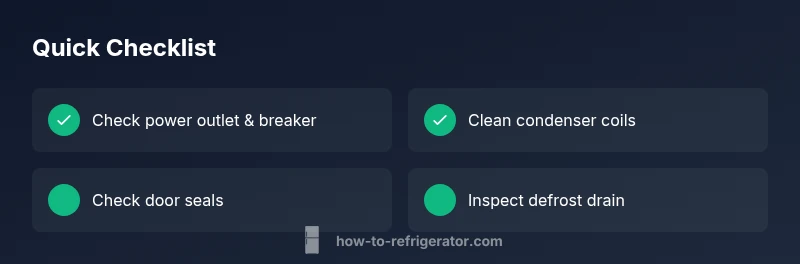
Before diving into parts, run through the easiest checks that often solve the issue without tools. First, verify the power supply: ensure the outlet is live and the fridge’s cord is secure in the plug. Check your home’s breaker box for a tripped switch and reset it if needed. Next, inspect the door seals: a loose or dirty gasket can cause warm air to leak in and a compressor to work harder without achieving cold temps. Review the temperature control settings—are they accidentally set to a warmer mode or a vacation setting? Also, listen for the evaporator fan when the door is open; if you don’t hear it, airflow may be blocked. Finally, confirm there’s nothing hindering airflow in front of the condenser coils (a dusty area behind the unit) and that the fridge interior isn’t overfilled, restricting air movement.
Inspect the condenser coils and airflow
Condenser coils release heat from inside the fridge, so dust and debris can insulate them and hamper cooling. If you can access the back or underneath the appliance, unplug the unit and gently vacuum the coils with a brush attachment. A clean path around the coils and fan ensures proper airflow. Check the fan blades for obstructions and confirm the fan spins freely when the door is open and the compressor is running. In many kitchens, a small amount of dirt reduces efficiency and makes the compressor work harder, which can make a refrigerator not get cold even if the compressor is healthy.
Defrost system and frost buildup
A malfunctioning defrost system is a common reason a refrigerator won’t get cold. Frost can accumulate on the evaporator and block heat transfer. If you suspect defrost issues, locate the defrost drain and ensure it’s clear; a blockage can cause water to pool and freeze in unintended spots. Some models rely on a defrost timer or heater; if these components fail, frost persists and the evaporator cannot absorb heat effectively. Manual defrosting (carefully) can help identify whether ice buildup is causing the symptom. If frost returns soon after defrosting, a mechanical fault in the defrost timer or thermostat is likely and requires professional service.
Thermostat, sensor, and control checks
The thermostat and temperature sensors regulate when the compressor turns on and off. A faulty sensor may tell the system that it has reached the desired temperature, keeping the compressor off and the interior warm. Check that the thermostat settings are correct and consider testing the sensor with a basic continuity check if you have the tools. On smart fridges, ensure the control panel is responsive and that there are no app-related faults preventing the unit from cooling. If you notice erratic temperature changes or dead zones in the fridge, a sensor replacement or control board issue could be the culprit.
Door seals, alignment, and interior airflow
A poor door seal or misaligned door can let cold air escape and trigger a not-cold symptom. Inspect gaskets for cracks, tears, or condensed moisture, and clean them to ensure a tight seal. Check door alignment by closing the door gently and noting whether it sits flush against the frame. If air leaks are evident, replace the gasket and recheck cooling performance. Ensure vents inside the refrigerator aren’t blocked by items; obstruction reduces air circulation and leads to uneven cooling. Finally, confirm the freezer compartment isn’t overstuffed, affecting airflow.
When noises point to a compressor or fan
Unusual buzzing, clicking, or grinding sounds can indicate a failing compressor or a failing evaporator/condenser fan. If you hear abnormal noises, inspect the fan for debris and verify the compressor is running smoothly. A compressor that struggles to start, hums loudly, or overheats may require professional evaluation and refrigerant-related service. Do not attempt to repair refrigerant lines yourself; mishandling refrigerant is dangerous and illegal in many areas. In cases of suspected refrigerant leaks or refrigerant-related failures, contact a licensed appliance repair technician.
Safety steps and when to call a professional
Safety is essential when troubleshooting a refrigerator not getting cold. Always unplug the unit before touching electrical components or removing access panels. If you smell ammonia, see fluid pooling, or suspect a refrigerant leak, stop work and call a pro immediately. Electrical components, high-voltage lines, and refrigerant handling require trained technicians. If your checks indicate a possible thermostat, defrost timer, or compressor issue but you lack the tools or confidence to test or replace parts, schedule professional service rather than risking further damage.
Prevention and maintenance to avoid future issues
Regular maintenance reduces the odds of future cooling problems. Clean condenser coils every 6–12 months, keep the area around the fridge clear for ventilation, and inspect door seals monthly. Maintain consistent temperatures in the recommended range for your model and avoid overfilling the shelves. Consider a simple annual inspection routine: vacuum coils, test door seals, check the ice maker and water line for leaks, and review the manufacturer’s service schedule. By staying proactive, you lower the chance that a minor issue escalates into a not-cold emergency.
Steps
Estimated time: 60-120 minutes
- 1
Power down and reset
Unplug the refrigerator, wait 60 seconds, and plug it back in to reset the control board. This simple reset can clear minor sensor glitches and restore cooling in some models.
Tip: After plugging back in, listen for the compressor starting within a few minutes. - 2
Check the outlet and breaker
Test the outlet with a small appliance to confirm power. If the circuit breaker tripped, reset it and test again. A loose cord or damaged plug should be repaired before continued testing.
Tip: If the outlet is controlled by a switch, ensure it is ON. - 3
Inspect door seals and alignment
Close the door on a sheet of paper; if it slides out easily, the gasket may be worn. Clean gaskets and ensure the door sits flush against the frame to prevent warm air from entering.
Tip: Replace worn gaskets promptly to restore efficiency. - 4
Clean condenser coils
Access the coils and remove dust with a vacuum and brush. Ensure there is at least several inches of clearance around the back/bottom for heat to dissipate.
Tip: Do this with the fridge unplugged; avoid bending delicate fins. - 5
Check evaporator fan and airflow
With the door open, listen for the evaporator fan running. If airflow is weak, there may be an obstruction or a faulty fan motor.
Tip: Clear any items blocking vents inside the fridge. - 6
Defrost system check
Inspect the defrost drain for clogs and ensure frost isn’t blocking the evaporator. If frost is present, consider a manual defrost and consult a technician for defrost timer issues.
Tip: Do not use sharp objects to thaw frost; use safe methods. - 7
Test thermostat and sensor
If you have a multimeter, test for continuity across the thermostat and sensor; replace if readings are out of spec. Incorrect readings can prevent the compressor from cycling on.
Tip: Follow safety procedures and manufacturer guidance for testing components. - 8
Call a professional when unsure
If you suspect a compressor, refrigerant leak, or non-user-serviceable part is at fault, contact a licensed technician for repair or replacement.
Tip: Document what you tested and any noises or smells to share with the technician.
Diagnosis: refrigerator won't get cold
Possible Causes
- highPower issue (tripped breaker or unplugged)
- highFaulty start relay or main control board
- mediumDirty condenser coils or restricted airflow
- mediumDefrost system failure or frost buildup
- mediumFaulty thermostat or temperature sensor
- lowDoor seals or misalignment causing air leaks
Fixes
- easyCheck outlet and reset circuit breaker; plug fridge into a live outlet
- mediumReset or replace control board/start relay as needed by a technician
- easyClean condenser coils and ensure proper airflow around back/bottom of unit
- mediumInspect defrost drain and inspect defrost timer/heater; professional service if needed
- mediumTest/replace thermostat or temperature sensor with proper tools
- easyRepair or replace door seals; align doors to prevent air leaks
FAQ
Why won't my refrigerator get cold?
Common causes include a power issue, dirty condenser coils, door leaks, or a faulty defrost thermostat. Start with basic checks and progress to component testing as needed.
Common causes include power, dirty coils, door leaks, or a defrost issue. Start with basic checks and test components as needed.
Can a dirty condenser coil cause a not-cold fridge?
Yes. Dirty coils reduce heat dissipation and can prevent the fridge from cooling properly. Clean the coils regularly to maintain efficiency.
Dirty condenser coils can prevent proper cooling; clean them regularly.
How do I test the thermostat on a fridge?
If you have the tools, test the thermostat with a multimeter for continuity. A reading outside spec indicates replacement is needed.
Test the thermostat with a multimeter for continuity to determine if replacement is needed.
Is it safe to DIY fix a fridge that won't get cold?
Non-refrigerant tasks are usually safe with basic precautions. Do not handle refrigerant or pressurized lines; call a pro for leaks or high-risk components.
Some fixes are DIY-safe, but refrigerant work must be done by a professional.
When should I call a repair service?
If you hear unusual noises, smell refrigerant, or suspect compressor or refrigerant leaks, contact a licensed technician promptly.
Call a pro if you hear strange noises or suspect refrigerant leaks.
Will changing the temperature setting fix not-cold issues?
No. Temperature settings don’t fix mechanical faults. They can influence cooling slightly, but a non-working compressor or defrost system needs diagnosis.
Adjusting the temp won't fix a faulty component; diagnose root cause.
Top Takeaways
- Check power and seals before deeper diagnostics
- Clean condenser coils to restore airflow
- Inspect defrost system and thermostat for proper function
- Do not handle refrigerant; call a pro for leaks
- Practice regular maintenance to prevent future issues