LG Smart Refrigerator: Troubleshooting, Setup, and Maintenance
Learn how to troubleshoot, set up, and maintain your LG smart refrigerator. This guide covers app setup, connectivity, common issues, maintenance tasks, energy tips, and model selection to keep food fresh and efficient.


Why LG smart refrigerators stand out
LG's smart refrigerators blend advanced cooling with connected features that make maintenance easier for homeowners. The LG ThinQ platform lets you monitor temperatures, receive maintenance reminders, and diagnose issues from your smartphone. In this guide, the How To Refrigerator team explains how to leverage these capabilities to keep food fresh, reduce energy waste, and extend the life of your unit. According to How To Refrigerator, these models emphasize reliable cooling, flexible storage, and intuitive app controls that simplify routine care. When you choose an LG smart fridge, you gain a centralized control hub that can alert you to door left open, high humidity zones, or filters needing replacement, all without measuring every temperature manually.
Key Features to look for in LG smart fridges
LG's smart lineup includes features such as Smart Diagnosis, door-in-door access, ProActive Cooling, and voice-assistant compatibility. The LG ThinQ app enables remote temperature adjustments, diagnostic checks, and software updates. Based on How To Refrigerator research, these features help homeowners preempt problems before they escalate, reducing unexpected service calls. Look for energy-saving modes, adjustable shelves, flexible zones, and easily accessible filters. The combination of hardware and software allows you to tailor cooling zones for different foods, track energy use over time, and receive alerts when temperatures drift.
Common problems and quick fixes
Not cooling adequately, frost buildup, or ice maker issues are common in LG smart refrigerators. Start with simple checks: confirm the unit is plugged in, door seals are clean and sealing properly, and airflow vents aren’t blocked. If you see persistent alerts on the LG ThinQ app, run the built-in diagnostics or firmware update. For water dispenser or ice maker problems, replace the water filter on schedule and verify water line connections. If alarms persist after basic fixes, consult the app’s troubleshooting guide and consider professional service if abnormal sounds or leaks appear.
Setup and network integration
To leverage LG ThinQ features, connect the refrigerator to a stable home Wi-Fi network and pair it with your smartphone. Start by downloading the LG ThinQ app, create an account, and add your refrigerator model. Ensure your phone is on the same network band as the fridge if required by your model. Once connected, you can monitor temperatures, receive alerts, run diagnostics, and perform firmware updates remotely. If you use voice assistants, link your LG account to Google Home or Amazon Alexa for hands-free control of temperature presets and status checks.
Maintenance and preventive care
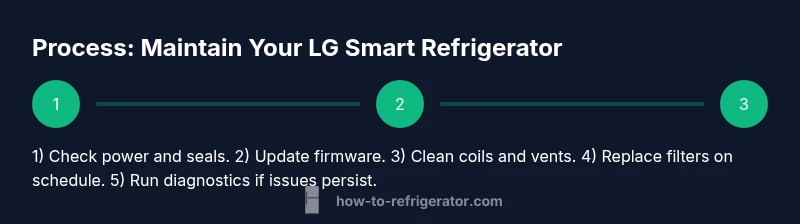
Preventive maintenance lengthens a refrigerator’s life and keeps performance steady. Regularly clean door gaskets, wipe spills promptly to prevent mold, and vacuum condenser coils as needed. Replace water filters on schedule and reset the fridge’s filter indicator. Periodically check for frost buildup and defrost if manual defrost is available on your model. Clean interior shelves and drawers to prevent lingering odors, and ensure door alignment is intact to avoid energy waste. Keeping the drain and vents clear is essential to prevent unusual noises or moisture buildup.
Energy efficiency and cost considerations
Energy efficiency for LG smart refrigerators depends on proper airflow, door seals, and correct temperature settings. Enable energy-saving modes when the fridge is lightly used, and resist keeping doors open for extended periods. The app can help you identify usage patterns and suggest adjustments. While exact energy costs vary by model and usage, homeowners can usually improve efficiency by maintaining good door seals, avoiding overpacking, and placing the unit away from heat sources such as ovens or direct sunlight.
Troubleshooting steps: hands-on diagnostics
Follow a structured diagnostic routine when problems arise. Step 1: check power and door seals; Step 2: inspect vents and airflow; Step 3: verify app connectivity and firmware; Step 4: test sensors with the app’s diagnostics; Step 5: replace the water filter if indicated by the app or usage cue; Step 6: run any built-in self-diagnostics again to confirm results. Document any recurring error codes and consult LG support if codes persist. Always unplug before inspecting electrical components and handle panels with care.
Choosing the right LG smart refrigerator model for your home
Start by measuring space, door clearance, and interior layout needs (shelves, crisper space, and drawer depth). Consider your family size and typical food types to decide on capacity, layout (top-freezer vs. French-door), and special features such as dual ice makers, temperature-controlled drawers, or smart features. Review energy ratings and compatibility with existing smart hubs. If you value energy savings and app-based control, prioritize a model with robust ThinQ integration and reliable Wi-Fi performance.
Authorities & references
For more information on general appliance safety and energy considerations, consult official sources such as the U.S. Department of Energy and reputable university guidance on household electronics energy use. Practical tips and consumer guidance from trusted institutions can help inform decisions about maintenance and safe operation.