LG Refrigerator with InstaView: A Practical Repair and Maintenance Guide
Learn how to diagnose, repair, and maintain an LG refrigerator with InstaView. Practical steps, safety tips, and maintenance routines to keep your smart fridge efficient and reliable.


This guide shows homeowners how to diagnose and fix common issues with an LG refrigerator featuring InstaView, including troubleshooting the glass panel interaction, cooling performance, and water dispenser leaks. You'll learn step-by-step checks, safety precautions, and when to call a pro. You’ll also find maintenance tips to keep InstaView efficient.
What InstaView is and why it matters
InstaView is LG’s glass-panel door feature on select refrigerators that lights up the interior when you knock twice on the glass. This lets you peek inside without opening the door, reducing cold-air loss and helping maintain stable temperatures. For homeowners troubleshooting an LG refrigerator with InstaView, understanding how the technology interacts with normal cooling and defrost cycles is essential. The How To Refrigerator team notes that InstaView can contribute to energy efficiency by limiting door openings, which helps keep temperatures steadier and reduces humidity fluctuations that can affect performance. This section establishes the baseline so you can diagnose issues without assuming a fault in the core cooling system. Read on to learn practical checks, safe handling, and when to escalate to professional service.
If you’re searching for a reliable repair resource, remember that How To Refrigerator provides practical, step-by-step guidance for common household appliance issues, including InstaView-enabled LG models. Keep this guide handy as a reference while you work through troubleshooting steps.
Common issues with LG InstaView refrigerators
LG InstaView models bring convenience, but like any smart feature, they can run into hiccups. Common pain points include the InstaView glass panel not lighting after a knock, the panel responding intermittently, and the door not sealing properly which can impair cooling. Some homeowners report slow cooling or temperature swings, especially if the interior shelves are overfilled or the doors are left ajar by accident. Water dispenser leaks or inconsistent ice production can also appear when the water filter is clogged or the line has a kink. Dust or grime on the gasket or panel can impair the touch sensor. In each case, start with a safety-first approach: unplug the unit if you’ll be opening the rear panels, and avoid using sharp tools near electrical components. A systematic approach helps you determine whether the issue is with InstaView, the cooling system, or a peripheral component like the ice maker or water line. For readers of How To Refrigerator, this method aligns with best practices for reliable, home-based repair.
Diagnostic checklist for cooling and ice/water problems
To diagnose cooling and ice/water issues in an LG refrigerator with InstaView, follow a structured checklist:
- Verify the thermostat is set correctly and the door seals are intact. A mis-set thermostat or damaged gasket can mimic cooling problems.
- Check for frost buildup or restricted airflow around vents; clear any obstructions and ensure there’s adequate space around the condenser coils at the rear.
- Inspect the defrost system for proper function. If defrosting cycles aren’t completing, frost can block airflow and reduce cooling efficiency.
- Inspect the water line, water filter, and ice maker connections for kinks, leaks, or clogs. Replace filters every 6–12 months to maintain water quality and pressure.
- Test InstaView by knocking twice on the glass with power on; ensure the interior light activation does not interfere with other components.
This diagnostic sequence helps isolate whether the issue is related to InstaView, the main cooling loop, or peripheral components. If the problem persists after these checks, continue with deeper steps or seek professional service.
How to reset or troubleshoot the InstaView feature
Resetting or troubleshooting InstaView often resolves sensor or software-related glitches without needing a full service call. Start by unplugging the refrigerator for 5–10 minutes to reset the control board, then plug it back in and re-test InstaView by knocking twice on the glass. If the feature remains unresponsive, check for firmware updates through the LG app or control panel and ensure the door is fully closed during testing. Clean the glass panel gently with a damp microfiber cloth to remove smudges that could affect touch sensing. If your model supports diagnostics via the control panel, run a self-diagnostic test to identify any error codes. Remember: some LG InstaView models require a longer reset if the panel is deeply integrated with the door electronics. This ensures that the control logic and sensor inputs recalibrate correctly.
When performing resets, avoid applying water or cleaners directly to the electronic panels. Use a dry or lightly damp cloth to prevent moisture from seeping into sensitive components. If the issue persists, consult the user manual for model-specific reset procedures or contact support.
Brand-note: Regular resets and cleanups can prolong InstaView performance and reduce sporadic sensor issues.
Defrost, coils, and airflow maintenance
Maintaining proper defrost function and unobstructed airflow is essential for steady cooling, especially in LG refrigerators with InstaView. Start by inspecting the evaporator coils behind the rear panel or behind a service panel, depending on your model. Vacuum loose dust, and wipe them with a dry cloth; avoid using liquids that could cause corrosion. A blocked defrost drain can cause frost to accumulate, which may impact airflow and temperature. If you notice frequent frost buildup, perform a manual defrost cycle as described in the manual or use the diagnostic mode if available. Ensure there is ample clearance at the back and sides to promote air circulation around the condenser coils. A well-ventilated unit maintains consistent temperatures and reduces energy use, which is crucial for energy-conscious households using InstaView models.
Maintenance cadence matters: plan to inspect coils and defrost components every 6–12 months, or sooner if you notice temperature instability or frost accumulation. Keeping coils clean helps the compressor work efficiently and reduces long-term wear.
Water dispenser and ice maker troubleshooting
Water-related issues are common and can be caused by clogged filters, kinked lines, or blocked ice-maker passages. Start by turning off the water supply and replacing the water filter if it’s overdue. After installing a new filter, purge the line by dispensing several cups of water to remove air and ensure proper flow. Inspect the water line for kinks or damage and reseat connections at the door and on the freezer side. If the ice maker produces irregular shapes or stops producing ice, check the ice mold for frost buildup and confirm the motor is functioning. For some models, defrosting the ice maker can help clear frost blocks from the ice passage. Remember to run clean water through the dispenser after any filter change to prevent off-tastes. If leaks occur, check the drip tray and drain to ensure proper drainage. Regular filter replacement and line checks prevent many common water-related InstaView issues.
This maintenance step improves overall beverage quality and prevents minor leaks from turning into bigger water damage problems.
LED lighting, door seals, and smart diagnostics
InstaView models rely on interior lighting and door seals to maintain efficiency. If the LED lights flicker or fail to illuminate, inspect the power supply, remove dust from the light cover, and verify the door is fully closed during operation. Damaged door seals can lead to air leaks and inefficient cooling, so test for gaps by closing a piece of paper at the door gasket; if you can pull it out easily, the seal may need replacement. Some LG models include built-in diagnostics accessible via the control panel or a companion app. Run a quick diagnostic to identify sensor or communication issues. LED modules that are aging may dim with time, which can affect the perceived brightness and sensor accuracy of InstaView. Replacing worn seals or updating firmware can restore proper integration between InstaView and the main cooling system.
Consistent diagnostics help maintain the synergy between InstaView and core refrigeration performance, ensuring a pleasant user experience with minimal surprises.
Safety and when to call a technician
If you notice exposed wiring, strong odors, recurrent tripping of the circuit breaker, or significant refrigerant concerns, stop using the unit and call a professional. Electrical work around refrigerators bears risk; unplugging the unit is a prudent first step when you suspect a fault in wiring or the compressor. Confirm warranty coverage before scheduling service if you believe the issue is a covered defect. For persistent performance problems or if you are uncomfortable with high-voltage components, a licensed technician can safely diagnose and repair the appliance without voiding warranty terms. The How To Refrigerator team recommends prioritizing safety and relying on professionals for complex issues beyond basic maintenance.
Preventative maintenance schedule for LG InstaView refrigerators
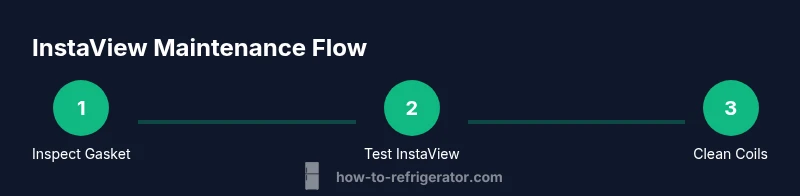
A consistent maintenance routine helps preserve InstaView performance and cooling reliability. Monthly checks should include door seals inspection, cleaning the gasket surfaces, and testing the InstaView panel for proper lighting response. Quarterly maintenance should cover dust removal from coils and vents, inspecting the defrost drain for clogs, and purging the water line after filter changes. Twice yearly, perform a more thorough inspection of electrical connections, temperature sensor calibration, and ensure appropriate clearance around the condenser. Annual professional service is advised for an in-depth check of refrigerant levels and overall system health. By following a regular schedule, homeowners can maintain energy efficiency and prolong the life of their LG InstaView refrigerator.
Common upgrades and accessories for InstaView models
Upgrades can enhance convenience and efficiency without replacing your entire fridge. Consider upgrading to a compatible water filter with better filtration, adding door-mounted organizers to optimize space, or enabling firmware updates via the LG app where available. For some families, a secondary ice-maker kit or improved door seals can address specific usage patterns and environmental conditions. Always verify compatibility with your exact LG model before purchasing accessories. Regular software updates and proper maintenance will maximize the benefits of InstaView features over time.
Tools & Materials
- Soft microfiber cloth(Used for cleaning the glass panel and gasket; avoid scratching surfaces)
- Mild dish soap or fridge-safe cleaner(For panel cleaning; avoid harsh chemicals near electronics)
- Non-conductive flashlight or headlamp(Illumination when inspecting back panels)
- Screwdriver set (Philips and flat-head)(Essential only if you plan to remove access panels)
- Multimeter(Use to test power at outlets and connectors if you suspect electrical issues)
- Replacement water filter(Only if testing water line or after filter expiry)
- Replacement door gasket(Optional if you identify a warped or cracked seal)
- Towels or absorbent mats(Catch any drips during testing or defrost cycles)
Steps
Estimated time: 60-90 minutes
- 1
Power down and prepare safely
Unplug the refrigerator from the wall outlet and move away any obstructing objects. This prevents accidental shocks and keeps you safe while inspecting panels. If you must pull the unit out, use a helper and keep the area clear.
Tip: Verify the plug and outlet are not damaged before re-plugging; never touch exposed wires. - 2
Inspect door gaskets and seals
Close the door gently and inspect the gasket for cracks, gaps, or deformations. A damaged seal can cause cold-air leaks that make the compressor work harder and affect InstaView performance.
Tip: Clean the gasket with a damp cloth to remove residue that can prevent a proper seal. - 3
Test the InstaView panel response
Knock twice on the glass with the unit powered. Observe whether interior lights activate promptly and consider if the touch sensor responds consistently across the panel.
Tip: If the panel only responds intermittently, ensure the interior is clean and the panel surface is dry before testing. - 4
Check interior temperatures and thermostat
Verify that the setpoint matches your usage needs and that the temperature readings are stable. Look for any rapid fluctuations, which can indicate sensor or compressor issues.
Tip: If temperature readings drift, calibrate using the control panel per the model’s manual. - 5
Clean coils and verify airflow
Unplug and access the condenser coils if visible. Remove dust and debris with a soft brush or vacuum to improve airflow and efficiency.
Tip: Do not use water to clean coils; moisture can damage components. - 6
Inspect water line and ice maker
Check for kinks or leaks in the water line and inspect the ice maker for frost buildup. Replace the water filter if overdue and purge the line by dispensing water.
Tip: Always disconnect power when servicing water lines to prevent shorts. - 7
Reset control board and Thermostat
Power cycle the unit by unplugging for 5–10 minutes, then plug back in. Allow 1–2 hours for the system to stabilize before retesting InstaView.
Tip: If the issue persists, note any error codes shown on the control panel. - 8
Test after reassembly and observe
Reassemble any panels, re-plug the unit, and run a full test cycle. Observe temperature consistency over 24 hours and re-test InstaView.
Tip: Keep a simple log of temperatures and InstaView responses for trend analysis.
FAQ
What is InstaView and how does it help with energy usage?
InstaView is LG’s glass panel that lights up with a double tap, allowing a quick peek inside without opening the door. This reduces door openings and helps maintain stable temperatures, contributing to energy efficiency.
InstaView is LG’s glass panel you activate by tapping twice, so you can peek inside without opening the door, which helps keep the fridge cold efficiently.
Why won’t the InstaView glass light up?
Check power supply, verify the panel surface is clean and dry, ensure the door is fully closed, and run any available self-diagnostic on the control panel. If the problem persists, there may be a sensor or wiring issue.
If InstaView won’t light, check power and the door seal, and run a diagnostic. Persistent issues may require a technician.
How do I replace the water filter on LG InstaView models?
Locate the filter compartment, remove the old filter, and install a new one according to the model’s instructions. Purge the line by dispensing water until it runs clear, then reset the filter indicator if your model has one.
To replace the water filter, remove the old one, insert a new one as instructed, and purge the line until water runs clear.
Is InstaView covered under warranty?
Warranty terms vary by model and region. Check your purchase documentation or LG’s official warranty page for model-specific terms and coverage for InstaView components.
Warranty depends on model and region. Check your paperwork or LG’s site for details on InstaView coverage.
Can defrost issues affect InstaView performance?
Defrost issues can affect airflow and cooling, indirectly impacting InstaView performance by changing interior temperatures and sensor readings.
Yes, if defrost isn’t working right, it can cause temperature changes that affect InstaView behavior.
Where can I find model and serial numbers for LG InstaView fridges?
Model and serial numbers are usually on a label inside the fresh-food compartment or on the right side of the door frame. Record these when seeking support or ordering parts.
Look for the model and serial on a label inside the fridge or on the door frame; have them handy when asking for help.
What maintenance helps InstaView last longer?
Regular coil cleaning, door seal checks, and timely filter changes keep InstaView functioning smoothly and help sustain energy efficiency over time.
Regular cleaning and timely filter changes keep InstaView working well and save energy.
Watch Video
Top Takeaways
- Identify if InstaView or cooling is the root issue
- Keep door seals clean for energy efficiency
- Regular coil cleaning boosts performance
- Use safe power cycles to reset electronics
- Follow a scheduled maintenance routine