Replace Ice Maker in Samsung Refrigerator: A Practical Guide
Learn how to replace the ice maker in a Samsung refrigerator with a safe, step-by-step approach. This How To Refrigerator guide covers parts selection, tools, step-by-step instructions, and testing to restore ice production reliably.


Goal: replace the ice maker in your Samsung refrigerator safely and effectively. You’ll need a compatible replacement kit, basic hand tools, and a clear power-off procedure. This guide provides a step-by-step process with model notes, safety tips, and testing checks. According to How To Refrigerator, a careful, methodical swap preserves performance and minimizes warranty concerns.
Overview: When to replace the ice maker in a Samsung refrigerator
Ice makers are a convenience feature, but when they stop producing, it can complicate daily routines. A failed ice maker might indicate a broader issue such as a clogged defrost drain, a faulty water inlet valve, or a jammed gear within the assembly. Before you buy a replacement, confirm that the problem is isolated to the ice maker unit rather than a plumbing or control-board fault. If your dispenser shows water flow but no ice, or if the ice cubes are misshapen, replacement is a reasonable next step. In many Samsung models the ice maker is a modular component that plugs into a dedicated harness, which simplifies swap-outs compared with older, integrated systems. The How To Refrigerator team often finds that addressing the root cause (like a blocked water line) can save you both time and cost, but a failed motor or mounted assembly is typically resolved most reliably by installing a new ice maker unit.
Safety considerations and prerequisites
Safety first: unplug the refrigerator and shut off the household water supply before touching any ice maker components. Work in a dry, well-lit area and wear eye protection to guard against small fasteners popping free. If your model uses a water line, place a towel to catch any residual water and have a small container ready for drips. Be mindful of sharp metal edges and plastic clips that can crack under force. Use a soft cloth to protect the ice maker housing when removing it. A quick photo log of wiring and hose routing helps you reassemble accurately. If you’re uncertain about the water-line shutoff location, consult your refrigerator manual or Samsung support. According to How To Refrigerator analysis, most safety incidents are caused by forgetting to unplug power or by forcing connectors, so take your time and verify each connection is accessible and properly supported before removal.
Parts selection and compatibility basics
Choosing the right replacement ice maker begins with model verification. Locate the refrigerator's model number (usually on a label inside the fresh-food door or behind the lower crisper) and match it to the ice maker module type. Samsung uses several assemblies that look similar but differ in mounting, wiring harnesses, and water inlet connections. When in doubt, request a replacement kit specified for your model; a generic ice maker may not align with clips or lever arms and can cause leaks or jammed operation. Check the kit includes a new fill tube, water valve connector, and mounting screws. If your model uses a separate control module or sensor, ensure that the replacement includes these components. How To Refrigerator recommends avoiding “one-size-fits-all” parts, and instead purchase from the official replacement kit that explicitly lists your model number.
Tools and workspace setup
Set up a clean, dry workspace with a soft surface to place screws and small parts. You’ll typically need a Phillips head screwdriver (size #1 and #2), a hex or nut driver for mounting screws, needle-nose pliers, a small flat-blade screwdriver, and a multimeter if you’re checking for harness continuity. Keep a magnetic tray for fasteners and a camera to document wiring routes. Have towels or rags ready for drips and a shallow container to catch any water that escapes when you disconnect fittings. A spare flashlight helps you see tight connectors. If your model uses a threaded water line, you may also need thread tape and a small wrench. Planning the sequence ahead of time reduces reassembly mistakes and helps you complete the swap more quickly.
Replacement flow overview
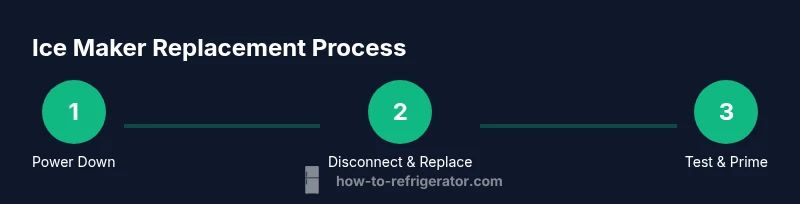
The replacement process follows a clear sequence: power down, locate the ice maker, disconnect the water line, remove mounting screws, detach the electrical connector, remove the old unit, compare the new unit for fit and included parts, mount the new ice maker, reconnect the water line and harness, restore power, and run a test cycle. Each step minimizes the risk of leaks or misalignment. This overview sets expectations and helps you map the task to your model’s specifics. Remember: every Samsung model can have slight variations in harness routing and valve connections, so consult your manual as you proceed.
Testing, priming, and final checks
With the new ice maker installed, restore power and turn the water supply back on. Run a few ice cycles to prime the line and watch for leaks at all fittings. If you notice dripping, tighten connections; if water does not reach the ice mold, recheck the water-line routing and valve connectors. Listen for unusual noises that may indicate a misaligned gear or a binding arm. If ice production is inconsistent, purge the line, reseat connectors, and recheck mounting screws. The How To Refrigerator team emphasizes patience during testing—correct alignment and clean connections often resolve most issues on the first run.
Tools & Materials
- Replacement ice maker kit compatible with Samsung model(Ensure the kit lists your exact model number and includes all required hoses and fittings)
- Phillips head screwdriver #1 and #2(Required for mounting screws and covers)
- Hex/nut driver set(For mounting brackets and water line nuts)
- Needle-nose pliers(Useful for hose clamps and small connectors)
- Flat-head screwdriver(For prying clips without damaging plastic)
- Magnetic parts tray(Keeps screws organized during disassembly)
- Camera or phone(Document wiring and routing before disconnecting)
- Towels or rags and a small container(Catches drips when disconnecting water line)
- Multimeter (optional)(Check continuity in non-typical harnesses)
- Thread seal tape (Teflon tape)(Optional if water line connections are stubborn)
- Safety glasses(Protect eyes during tool work and possible spray)
Steps
Estimated time: 45-75 minutes
- 1
Power down and unplug the refrigerator
Begin by pulling the unit away from the wall enough to access the power cord, then unplug the plug. This prevents electrical shock during disassembly. If you have a near-wall option, switch off the circuit at the breaker for added safety.
Tip: Take a quick photo of the cord entry to remember how the cord is routed. - 2
Shut off the water supply and drain lines
Locate the water shutoff valve or saddle valve, and close it to stop incoming water. Place a towel below the valve, and have a container ready to catch any residual water from the line.
Tip: If you can’t locate the valve, consult your model manual or Samsung support before forcing fittings. - 3
Remove ice maker cover and exposed screws
Use the appropriate screwdriver to remove the ice maker housing screws and gently lift the cover. Keep screws in a labeled tray. This exposes the mounting bracket and electrical connector.
Tip: Do not force covers; if screws resist, double-check for hidden screws or clips. - 4
Disconnect the water line from the ice maker
Place a shallow tray beneath the line and carefully loosen the compression nut or quick-connect fitting. Cap or tape the line to prevent spills while you work.
Tip: Handle fittings slowly to avoid stripping threads. - 5
Disconnect the electrical harness
Gently unplug the wiring harness from the ice maker. If there are locking tabs, depress them evenly to avoid bending pins.
Tip: Document the harness orientation with a photo before removal. - 6
Remove the old ice maker assembly
Unscrew the mounting screws and lift the old unit away from the mount. Inspect the area for any signs of mineral buildup or damage to the mounting bracket.
Tip: Check for any leftover clips that might interfere with the new unit. - 7
Prepare the new ice maker for installation
Compare the new unit to the old one for size, mounting holes, and connector types. Attach any included brackets or wiring adapters as required by the kit.
Tip: If needed, trim or adjust hoses but avoid altering fittings beyond the kit’s instructions. - 8
Install the new ice maker and reconnect plumbing
Mount the new unit with its screws, then reconnect the water line and electrical harness. Ensure the line has a gentle bend and no kinks.
Tip: Test fit before tightening fully to avoid misalignment. - 9
Restore power and turn on water supply
Plug the fridge back in or flip the circuit breaker. Open the water valve slowly and check for leaks at the connections.
Tip: Start with a small water flow to ensure the valve seals properly. - 10
Test ice production and finalize
Run several ice cycles to prime the system. Verify the ice mold fills correctly, the cube shape is normal, and there are no leaks or unusual noises.
Tip: If CIC (crystal-clear ice) is lacking, purge air by running a few cycles with the dispenser empty.
FAQ
Can I replace the ice maker in a Samsung refrigerator myself?
Yes, if you have basic mechanical skills and follow the safety steps outlined here. Use a compatible replacement kit and take your time with each connection.
Yes, you can replace it yourself if you follow the safety steps and use the correct parts.
Do I need to replace the entire ice maker assembly or just the module?
In many cases, replacing the whole assembly ensures compatibility, but some models allow a module swap. Check your model number and the replacement kit details.
Usually the whole assembly is easiest, but check your model to be sure.
What tools are essential for this repair?
You’ll need screwdrivers, a nut driver, pliers, a multimeter if testing harnesses, and a tray to catch spills.
Tools you’ll need include screwdrivers, a nut driver, and pliers.
How long does the replacement take on average?
Most homeowners complete the swap in 45-75 minutes, depending on model and access to fittings.
Typically about an hour or so.
Will replacing the ice maker affect warranty coverage?
DIY replacement can affect warranty terms. Check Samsung’s policy and your warranty status before proceeding.
Check your warranty terms to avoid coverage issues.
What should I do if there is a leak after installation?
Shut off the water supply, reseat the fittings, and check for proper hose routing. If leaks persist, contact a professional.
If leaks happen, shut off water and reseat fittings, then call a pro if it continues.
Watch Video
Top Takeaways
- Verify model compatibility before buying parts.
- Power down and shut off water before starting.
- Test ice cycles thoroughly to confirm proper operation.
- Document connections and reseating steps for future reference.