How to Set Refrigerator Temperature Samsung: A Practical Guide
A comprehensive, step-by-step guide to setting Samsung refrigerator temperatures for optimal freshness, energy efficiency, and reliable cooling.


You can set your Samsung refrigerator temperature to keep fresh food safely cold and frozen items properly stored. Use the control panel or SmartThings app on supported models, then adjust to recommended ranges for fresh food and freezer. Verify the new settings with built-in indicators and door seals, and consider usage patterns for best results.
Understanding Temperature Control in Samsung Refrigerators
According to How To Refrigerator, temperature control in Samsung refrigerators hinges on a network of sensors, a digital display, and adaptive cooling logic that responds to door openings, ambient temperature, and usage patterns. Modern Samsung units adjust airflow, compressor speed, and refrigerant circulation to maintain stable temps. The result is a balance between food safety, energy efficiency, and minimal frost formation. Familiarize yourself with your model's display icons and error indicators, as they guide how close you are to the target ranges. If you frequently open the door, expect momentary fluctuations; this is normal, but the system should recover quickly if the settings are appropriate and the door is closed promptly.
Brand-relevant note: Understanding how your Samsung system handles temperature helps prevent overcooling and reduces energy use over the life of the appliance. The How To Refrigerator team recommends keeping doors closed and avoiding hot or warm foods placed inside the cabinet, which can force the compressor to work harder to restore balance.
Ideal Temperature Ranges for Fresh Food and Freezer
The general guidance for most household Samsung refrigerators is to keep the fresh-food compartment around 37–40°F (3–4°C) and the freezer at 0°F (-18°C). These ranges help preserve texture and nutrient content while keeping perishable items out of the danger zone. Individual models may have slightly different defaults, so consult your owner’s manual or model-specific settings if you see different numbers on the display. If you frequently store beverages or produce with high moisture content, you might opt for the upper end of the fresh-food range to prevent condensation on the shelves. For models with dual temps or zoning features, allocate the cooler zones based on how you use the space, but avoid pushing multiple compartments to their minimum or maximum extremes at the same time.
Consistency matters: fluctuating temps can shorten shelf life. The goal is a steady, moderate cold that accommodates daily use without forcing the compressor into rapid cycling.
Where to Find the Temperature Controls on Your Samsung Model
Most Samsung refrigerators place the temperature controls on the front panel of the fridge compartment, sometimes accessible via a touchscreen or physical dials. In higher-end models with the Family Hub display, you may access temperature settings through the built-in screen or the connected app. Some models separate controls for the fridge and freezer, while others use a single combined control. If you’re unsure where to start, locate the control panel with the temperature icons (thermometer-style indicators) and keep the user manual handy for model-specific steps. If you notice the display showing a warning symbol or a flashing light, consult the manual before attempting a reset to avoid inadvertent temperature changes that could spoil food.
How To Refrigerator tip: If you’ve recently moved or rearranged shelves, re-check temps since airflow changes can affect cooling efficiency.
How to Set Temperature on the Control Panel (Family Hub, CoolSelect, etc.)
On most Samsung panels, you’ll press the fridge or freezer temperature control and then adjust with plus or minus arrows. For models with a dedicated quick-set key, you can toggle between standard, energy-saving, or top-off modes that slightly alter the target range. Some displays show a numeric temperature readout; others use a visual gauge. After you set the desired value, press OK or confirm to save. The panel may show a brief symbol indicating that the temperature is stabilizing. If you enabled energy-saving or vacation modes, remember to revert to normal settings when you resume regular activity. Expect a short adjustment period as the compressor adapts to the new target.
Practical note: Avoid placing hot dishes into the fridge right after cooking; let them cool briefly to room temperature to prevent unnecessary temperature fluctuations.
Using the Samsung SmartThings App to Set Temperature
For compatible models, the SmartThings app provides remote control of fridge and freezer temps. Open the app, select your Samsung refrigerator, and navigate to the temperature control section. You can adjust the fridge and freezer independently, set notifications for when temperatures drift, and review a temperature history chart. The app can be your ally for energy-saving routines, especially when you’re away from home. If your model lacks app support, rely on the physical control panel and manual checks.
How To Refrigerator guidance: When using the app, confirm that the device is connected to Wi-Fi and that you have the latest app version for reliable updates.
Quick Diagnostics: Verifying Temperature with a Thermometer
To ensure accuracy, insert a fridge thermometer in the fresh-food compartment and another in the freezer. Wait 24 to 48 hours after adjusting temps to allow the environment to stabilize, then compare the readings with the target ranges. If temperatures drift beyond the target, recheck the control settings and reseat any internal air vents that may be blocked by items. Keep the thermometer away from door racks or crisper drawers that can skew readings. If you notice persistent drift after adjustments, there could be a seal issue or a problem with the gasket—these are discussed in the tips and warnings below.
Tip: Place the thermometers away from the door and near the middle shelf for best accuracy. This helps you catch real ambient temps rather than transient spikes from door openings.
Common Mistakes That Disrupt Temperature Stability
Common errors include overly frequent door openings, placing warm or hot foods directly in the fridge, overfilling shelves that block airflow, and ignoring gasket wear on door seals. Inconsistent temperatures can also result from placing items that emit heat (like newly cooked foods) near the vents. Additionally, if you have a non-working door seal, your fridge will struggle to maintain set temperatures, leading to frost buildup and energy waste. Regularly inspect gaskets and keep shelves organized to prevent airflow blockages. If the problem persists, a service call may be warranted to diagnose the compressor, evaporator fan, or defrost system.
Editorial note: How To Refrigerator emphasizes routine checks beyond basic adjustments to preserve performance over time.
Energy Savings, Maintenance, and Seasonal Adjustments
Seasonal temperature changes, outdoor heat, and higher humidity can affect cooling efficiency. In hot weather or during frequent use, consider tweaking your fridge up a degree or two and your freezer down slightly, while monitoring stability. Clean the condenser coils if accessible, usually at the back or underneath the unit, and ensure adequate clearance around the appliance for proper airflow. Regularly clean door seals and organize items to avoid overpacking near vents. If your model supports energy-saving modes, use them when you’re away from home for extended periods. Maintenance routines like clean coils every 6–12 months can improve efficiency and prolong the life of your unit.
Caution: Avoid using probes or makeshift sensors that could damage electrical components. Always use the recommended methods and devices from the manual.
Brand Insights and Practical Takeaways
In practice, setting a consistent temperature range aligned with your family’s routine results in reliable food safety and energy efficiency. The How To Refrigerator team suggests documenting your target settings and the model’s behavior under different usage patterns, so you can quickly revert to known-good configurations if a drift occurs. If you notice recurring issues, consult the warranty terms or a professional service before attempting risky self-repairs. With careful adjustment, monitoring, and routine maintenance, Samsung refrigerators can maintain stable temperatures with minimal energy waste.
Tools & Materials
- Samsung refrigerator model and user manual(Model-specific instructions and safety warnings)
- Smartphone or tablet with Samsung SmartThings app(App version compatible with your model; ensure Wi‑Fi is active)
- Digital thermometer or fridge thermometer(Place in the middle of the fresh-food compartment and in the freezer for accurate readings)
- Access to the fridge control panel(Front panel or interior touchscreen depending on model)
- Notepad and pen(For recording target temps and readings)
Steps
Estimated time: 20-30 minutes (plus 24–48 hours for stabilization)
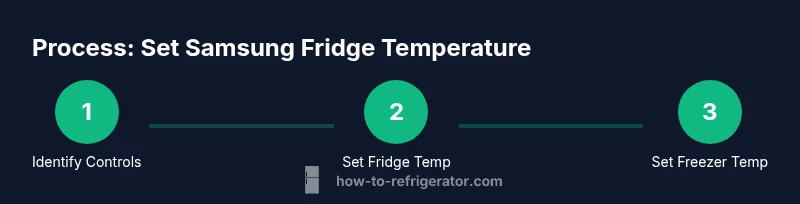
- 1
Identify controls and targets
Locate the temperature controls on the fridge panel and identify fridge and freezer settings. If your model uses a single dual-zone control, note the default or current target temperatures. This step ensures you start from a known baseline before adjustments.
Tip: Refer to the manual for model-specific icons and default ranges. - 2
Check current temperatures
Read both the fridge and freezer temperature values on the display. If your unit uses a separate display for each compartment, note the numbers for future reference. This provides a benchmark to evaluate subsequent changes.
Tip: Use a thermometer to confirm display readings, especially if there’s a suspicion of sensor drift. - 3
Adjust fridge temperature
Use the fridge temperature control to set your target within the recommended range (for most models 37–40°F). Ensure the setting is saved by pressing the confirm or OK button if required.
Tip: Avoid setting too cold too quickly; gradual adjustments help the system stabilize. - 4
Adjust freezer temperature
Set the freezer to around 0°F (−18°C) unless your food inventory requires a different target. Confirm the new value on the display and wait for the readout to settle.
Tip: If you see frost buildup, reconsider the current target to prevent overcooling. - 5
Verify after stabilization
Allow 24–48 hours for temperatures to stabilize after changes. Recheck using a thermometer in the middle of each compartment and compare to targets.
Tip: Record readings to track stability over time. - 6
Use the SmartThings app (if available)
Open the app, select your Samsung fridge, and adjust temps from the thermometer control panel. Enable notifications for temp drift if the model supports it.
Tip: Ensure the device is online and the app has latest updates for reliability. - 7
Address common issues
If temps drift persistently, inspect door seals, vents, and airflow paths; avoid overpacking shelves. If issues continue, consult the manual or a technician before attempting risky repairs.
Tip: Check for obvious air leaks around doors and gaskets.
FAQ
What is the recommended temperature for the fresh-food compartment on Samsung refrigerators?
For most Samsung models, aim for about 37–40°F (3–4°C) in the fresh-food compartment to balance safety and energy use. Some models allow a slightly wider range; always check your manual for model-specific guidance.
Aim for about 37 to 40 degrees Fahrenheit in the fridge; check your model’s manual for exact ranges.
Can I adjust both fridge and freezer temperatures at the same time?
Yes. Most Samsung units let you adjust fridge and freezer temps independently on the same panel or via the app. Set each compartment to its target and save the changes before leaving the controls.
You can adjust fridge and freezer temps separately on most models. Save changes after setting each one.
Why isn’t my Samsung fridge holding the set temperature?
Possible causes include a worn door seal, blocked vents, overpacking, or a need for a compressor check. Start with door gaskets and airflow, then test temperatures after 24–48 hours. If the issue persists, consider service.
Common causes are door seals, airflow, or a compressor issue. Check seals and airflow first.
Does the SmartThings app allow temperature changes?
If your model supports it, you can adjust fridge and freezer temps from the SmartThings app and receive drift alerts. Ensure the appliance is online and the app is up to date.
Yes, on supported models you can adjust temps via SmartThings and get drift alerts.
How long does it take for temperatures to stabilize after a change?
Typically 24–48 hours after a change, depending on how often the door is opened and ambient conditions. Use a thermometer to verify readings during this period.
Usually 24 to 48 hours for stabilization; check with a thermometer.
Are temperature settings different for side-by-side vs French-door models?
Yes. Some models have different panel layouts or zoning features. Always refer to your model’s manual for exact control locations and recommended ranges.
Settings vary by model; check your manual for exact locations and ranges.
Watch Video
Top Takeaways
- Set target temps within recommended ranges.
- Verify accuracy after stabilization periods.
- Use the control panel or app to adjust temps.
- Avoid habits that disrupt airflow or seal integrity.
- Document settings for future reference.