What to Do After Buying a Fridge: A Practical Homeowner's Guide
Practical steps for homeowners on what to do after buying a fridge: delivery checks, setup, energy-saving habits, maintenance routines, and warranty basics for optimal performance.


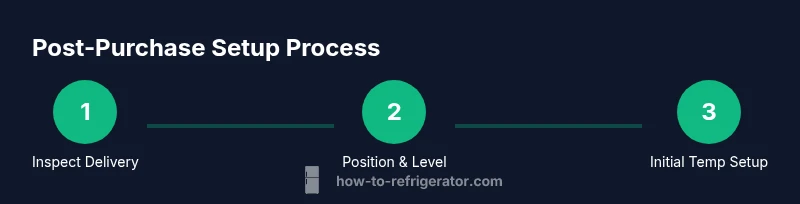
After buying a fridge, start with delivery verification, space planning, and a careful setup. Install on a level surface, plug in and power up, then set the initial temperatures and organize the interior. This quick guide outlines the essential steps and safety checks to do right away.
Getting Ready: Unpacking, Delivery, and Placement
If you’re asking what to do after buying a fridge, begin with a careful delivery check, unboxing, and placement planning. Inspect the exterior for dents or seals, verify model and serial numbers, and confirm space for airflow and door swing. Measure the footprint, confirm clearance from walls and cabinetry, and plan an accessible location near a grounded outlet. According to How To Refrigerator, a deliberate start prevents misalignment and future performance issues. Keep the owner’s manual handy, note any setup quirks for your model, and prepare the area by removing packaging safely. Ensure the fridge will not be placed in direct sunlight or over heat sources—this protects efficiency. A solid setup now reduces the risk of leaks, cooling problems, or door misalignment in the weeks ahead. Remember: the goal is a clean, accessible space that makes daily use easy and safe.
Initial Setup: Power, Temperature, and Defrost
Power up the unit only after it is positioned and leveled. Plug it into a grounded outlet and allow it to settle for a few minutes before adjusting controls. Set the fridge temperature to roughly 37–40°F (3–4°C) and the freezer to 0°F (-18°C) as a starting point. Do not overcrowd the shelves during the first run; good air circulation is essential for accurate cooling. If your model has a defrost setting, ensure it is in the standard automatic mode unless manual defrost is required by design. Use a thermometer to verify actual temps, since dial readings alone can be off. This stage is critical for food safety and energy efficiency, and it lays the foundation for consistent performance.
Organization and Storage Planning
Plan a practical layout to keep ingredients fresh and accessible. Group items by cooling zones: ready-to-eat foods in the upper shelves, dairy and leftovers in the middle, and raw meats in the bottom with a spill-safe tray. Use clear bins for produce and adaptable shelves to fit tall bottles or jars. Label shelves or bins if multiple people share the fridge, especially during a busy week. This organizational approach reduces energy use by improving air flow and helps you see what’s available at a glance. As you arrange, consider humidity-controlled crispers for greens and a dedicated space for drinks to minimize temperature fluctuations. A well-organized fridge saves time, reduces waste, and makes cleaning easier.
First Week: Safety, Maintenance, and Checks
During the first week, confirm the doors seal properly and the gasket is clean and intact. Check the level of the unit and re-adjust the feet if needed to prevent door misalignment. Listen for unusual noises—buzzing or humming can indicate airflow or compressor issues that require attention. Keep the interior clean before loading groceries to avoid transferring odors. Check the coil area (usually behind or underneath) during the first maintenance window, and ensure there is no dust buildup that can impair efficiency. Create a simple weekly routine for quick checks on temperatures, door seals, and defrost drains if your model uses a manual defrost system. A proactive approach reduces problems and extends the appliance’s life.
Energy Efficiency Basics and Features to Use
Modern fridges are designed for energy efficiency, so use features like energy-saving modes, proper door seals, and correct temperature settings to minimize electricity use. Look for the Energy Star label and understand how features like door-in-door, smart thermostats, and adaptive defrost can impact energy consumption. Keep the condenser coils clean—dusty coils force the compressor to work harder and increase energy use. Minimize door openings during peak hours and avoid placing hot or warm foods inside, which forces the unit to compensate and can raise energy use. Small habit changes add up to real savings over time. How To Refrigerator emphasizes that environmental and financial benefits come from consistent, deliberate use.
Preventive Maintenance: Filters, Defrost, and Cleaning Schedule
Set up a maintenance calendar that includes coil cleaning every 6–12 months (more often in dusty environments), door seal inspection every 3–6 months, and a defrost drain check if applicable. Replace water filters per the manufacturer’s recommendations to protect water quality and prevent clogs. Use mild soap and warm water for interior cleaning, avoiding harsh chemicals that could leave odors or residues. Keep the dust away from the coils and verify that the condenser area has adequate clearance. A regular maintenance habit keeps performance steady, extends the fridge’s life, and reduces the risk of expensive repairs.
Troubleshooting Common Issues
If the fridge isn’t cooling adequately, confirm the unit is plugged in, the temperature settings are correct, and the doors are sealing tightly. Frost buildup or unusual noises can indicate airflow blockages or a failing component; inspect gaskets and coils first, then consult the manual for troubleshooting steps. If leaks appear, check the drain pan and seals for cracks or clogs. For persistent problems, document symptoms with dates and settings, and contact customer service or a qualified technician. Following a structured troubleshooting approach helps you identify issues early and avoid unnecessary service calls.
Warranties and Service: What You're Entitled To
Review the warranty terms that come with your fridge and register if required. Warranties typically cover parts and sometimes labor for a set period, with exclusions for improper installation or user damage. Keep receipts and model information handy, and note service numbers for future reference. If a repair is needed, use authorized service providers to preserve warranty coverage and ensure proper diagnostics. The How To Refrigerator team recommends documenting any issues promptly and maintaining a clear record of maintenance activities to support warranty claims.
References and Further Reading
For detailed consumer guidance on appliance purchases and maintenance, consider authoritative sources:
- https://www.ftc.gov (Federal Trade Commission; consumer protection and shopping guidance)
- https://www.energy.gov (U.S. Department of Energy; energy efficiency and appliance tips)
- https://www.epa.gov (Environmental Protection Agency; energy and environmental considerations)
The How To Refrigerator analysis highlights practical, home-centered approaches to fridge setup and maintenance, aiding homeowners in making informed decisions.
What to Do Next: A Quick Recap for Your New Fridge
Now that you’ve prepared the space, completed the initial setup, and established a maintenance routine, you’re ready to enjoy reliable cooling and efficient operation. Keep the manuals handy, schedule periodic checks, and stay mindful of energy use. This approach aligns with How To Refrigerator’s recommendations and helps ensure your new fridge performs optimally from day one.
Tools & Materials
- Measuring tape(Measure space for width, depth, and clearance at least 1 inch on each side)
- Level(Ensure front feet are level for even door operation)
- Screwdriver set (Phillips and flat-head)(Used for minor adjustments to leveling feet or panels if supplied by manufacturer)
- Pencil and masking tape(Mark positions, route cords, and identify shelves)
- Owner's manual(Model-specific setup, warranty terms, and safety guidelines)
- Mild dish soap or cleaning spray(Interior cleaning before first use; avoid harsh chemicals)
- Thermometer for fridge and freezer(Verify temperatures after initial setup)
- Flashlight(Extra light for working under the unit or in dim spaces)
Steps
Estimated time: 1-2 hours
- 1
Inspect delivery and unbox
When the freight arrives, check packaging for damage, verify model numbers, and remove packaging carefully. Avoid pulling on doors or shelves to prevent damage. If you notice issues, document them and notify the seller before moving the unit.
Tip: Have a helper assist with lifting and carefully opening packaging to prevent scratches. - 2
Measure space and clearances
Measure the intended footprint and door swing clearance. Ensure at least 1 inch of space behind and on the sides for ventilation. Mark the final position so you don’t have to move the unit after leveling.
Tip: Use painter’s tape to mark the final footprint on the floor for easy repositioning. - 3
Move fridge into position
Carefully slide the fridge into its planned spot, keeping it level and avoiding contact with walls. If you need to tilt, do so gently and never on carpet. Once in place, leave a small gap to the wall for airflow and cleaning access.
Tip: Have a second person help to prevent scrapes on floors or walls. - 4
Level the unit and adjust feet
Use the level to check front-to-back and side-to-side alignment. Adjust the front feet until the door closes evenly and stays flush against the gasket. A properly leveled fridge helps doors seal correctly and reduces vibrations.
Tip: Adjust slowly in small increments; check door alignment after each tweak. - 5
Verify electrical readiness
Plug into a grounded outlet and ensure the circuit is not shared with heavy loads. Confirm the outlet is functioning and has no visible damage. Avoid using extension cords that can affect performance or safety.
Tip: If the outlet trips, switch to a dedicated circuit and reset the breaker before retrying. - 6
Power up and set initial temperatures
Turn on the fridge and set the temperature to about 37–40°F (3–4°C) and the freezer to 0°F (-18°C). Allow the unit to stabilize for several hours before adding food. Use a thermometer to verify actual temperatures after 24 hours.
Tip: Don’t overload shelves during the first 24 hours; balance airflow and cooling. - 7
Test door seals and alignment
Close each door firmly and inspect the gasket for a tight seal all around. If any light shows at the door edges, reseat the door or adjust hinges. A poor seal will waste energy and compromise cooling.
Tip: Wipe gaskets with a damp cloth to remove dust and restore flexibility. - 8
Clean interior before first use
Remove removable shelves for cleaning and wash interior surfaces with mild soap and water. Rinse and dry thoroughly before returning components. This helps prevent odors in the early days of operation.
Tip: Avoid chlorine-based cleaners that can leave odors or damage seals. - 9
Load items gradually and monitor temps
Start with a light load and monitor temperatures over 24–48 hours. Ensure items are at intended temperatures and adjust settings if needed. Keep raw foods on the bottom shelf to reduce cross-contamination risk.
Tip: Use a separate thermometer for the fridge and freezer to track accurate readings. - 10
Register warranty and review manual
Register the product if required and read the manual for model-specific care and safety information. Note any service numbers and keep receipts in a safe place for easy reference.
Tip: Set a reminder for routine maintenance and warranty expiration dates.
FAQ
What should I do immediately after delivery?
Unbox carefully, inspect for damage, verify model numbers, measure space, and ensure the unit is level before plugging in. This prevents common setup issues and ensures safe operation.
Unbox the fridge, check for damage, verify the model, measure space, and level it before plugging in.
What temperature settings are recommended for fridge and freezer?
Aim for 37–40°F (3–4°C) in the fridge and 0°F (-18°C) in the freezer as a starting point. Adjust after monitoring actual readings with a thermometer.
Set the fridge to about 37 to 40 degrees and the freezer to 0 degrees, then adjust based on readings.
How long should I wait before loading food?
Let the fridge stabilize for 2–4 hours after installation before putting in perishable items to avoid rapid temperature shifts.
Wait 2 to 4 hours before loading food to let temperatures stabilize.
Do I need to register the warranty right away?
Yes, register within the timeframe specified by the manufacturer to ensure coverage. Keep proof of purchase and model details handy.
Register within the warranty window and keep your receipt handy.
What maintenance is essential for a new fridge?
Regularly clean coils, check door seals, and inspect the defrost drain as part of a simple maintenance routine. Follow the manual for model-specific intervals.
Clean coils, check seals, and inspect the drain regularly.
What should I do if the fridge isn’t cooling after setup?
Verify power, temperature settings, and door seals first. If problems persist, consult the manual or contact a qualified service technician.
Check power, temps, and seals first; otherwise seek professional help.
Watch Video
Top Takeaways
- Plan space and airflow before setup to prevent performance problems.
- Set initial temperatures and verify with a thermometer after 24 hours.
- Keep door seals clean and level for efficient operation.
- Follow manufacturer warranty steps to protect your investment.
- Establish a simple maintenance routine for long-term reliability.