Whirlpool Refrigerator Serial Number Guide
Learn where to locate the Whirlpool refrigerator serial number, why it's essential for warranty and service, and how to safely read and store it. A practical guide from How To Refrigerator for homeowners tackling fridge fixes and maintenance.


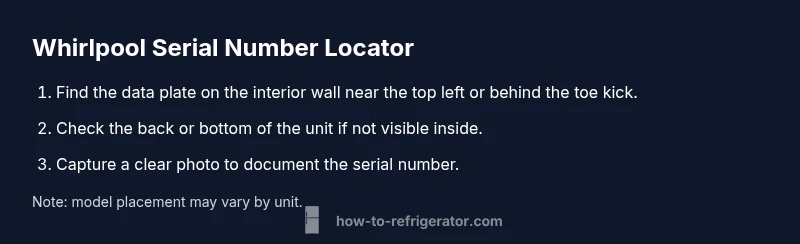
To locate the Whirlpool refrigerator serial number, start with the data plate: it’s typically on the interior wall near the top left, or behind the toe kick at the bottom front. If needed, check the back of the unit or the owner’s manual. Once you have the serial, use it for warranty checks, service requests, and recalls.
Why the serial number matters for Whirlpool refrigerators
Your Whirlpool refrigerator serial number is more than a random string; it ties your appliance to warranty status, recall history, and service compatibility. Knowing the serial helps confirm the exact model variant and production year when you contact support or order replacement parts. For homeowners, having the serial on hand speeds up diagnostics, ensures that any recalls or software updates are applicable, and reduces back-and-forth with customer service. The How To Refrigerator Team emphasizes that starting with the serial number is best practice whenever you troubleshoot, since it anchors model-specific guidance and avoids generic recommendations that may not fit your unit. In this guide, we’ll cover where to locate the serial, how serials are typically formatted across Whirlpool products, and how to use that information responsibly to get timely repairs or the right parts. Remember: accuracy matters for warranty claims and for preserving the appliance’s resale value.
Where to find the Whirlpool refrigerator serial number
Locating the Whirlpool serial number usually starts with the data plate. This plate is commonly found on the interior left wall near the door opening or behind the toe kick at the bottom front of the refrigerator. If you can’t see it there, look at the back of the unit or near the condenser area. Some models also place the data plate on the inside of a door frame. If the label is damaged or unreadable, consulting the owner’s manual or purchase documentation can help, as these often list the model number and serial range for your unit. For service or warranty work, the serial number uniquely identifies your exact unit and helps ensure you get the correct parts and guidance from support.
Understanding Whirlpool serial number formats
Whirlpool serial numbers are not a single, universal format across all models. Across Whirlpool’s range, you may encounter a mix of letters and digits, with varying lengths depending on the production year and plant. The serial number is distinct from the model number and is the primary identifier used by service teams and warranty systems. Because encoding can differ by model family or production batch, you should not rely on a heuristic reading. Instead, use the serial as the primary key when contacting support or checking eligibility for recalls. When in doubt, pair the serial with the model number to ensure the most precise lookup.
How to decode serial numbers for service and warranty
Decoding is about using the serial number to unlock model-specific information. Start by locating the data plate and recording the serial alongside the model number. Then visit Whirlpool’s official support or warranty lookup pages, where you can enter both identifiers to verify coverage and compatibility for replacement parts or service. If your unit is older or has a partially damaged plate, keep the model number handy and contact Whirlpool support for guidance. Always store a clear photo of the data plate in your digital notes so you can reference it later, even if the physical label fades over time.
Common locations by model type
Model families differ in where they place the data plate. For many top-freezer and bottom-freezer models, you’ll find the plate behind the toe kick or along the interior left wall near the light switch. French-door and side-by-side configurations may display the label on the interior sidewall or on the door frame itself. If you replaced panels or installed accessories, re-check the back edge of the refrigerator or inside a crisper drawer area where the plate can be tucked away. Regardless of the model, you should be able to read the serial without fully disassembling the unit. If you’re unsure, consult the owner manual or a trusted service guide.
Reading the data plate safely
When reading the data plate, use proper lighting and a stable stance to avoid mistakes. If the plate is located in a tight space, use a flashlight or your phone’s camera flashlight to illuminate the text. Do not use sharp tools to scrape or pry at the plate, as this could damage the label or the cabinet. If the plate is inverted or obscured by shelves, carefully adjust the appliance or remove a panel only if you’re comfortable and safe doing so. Always keep the refrigerator unplugged if you need to move components or access hard-to-reach labels, then replug once you’ve completed reading the serial.
What to do if the serial number is unreadable
If the serial number on the data plate is illegible, try cleaning the plate with a soft cloth and a mild cleaner, then retake the photo from a straight-on angle. If it remains unreadable, inspect the exterior packaging, purchase receipt, or warranty card for the serial. You can also contact Whirlpool support with the model number and purchase details to obtain the serial or a replacement label. In some cases, retailers or service technicians can verify the unit’s identity using the model number and production year.
How to document and store your serial number
Create a dedicated section in your home maintenance notebook or digital file for appliance identifiers. Include the serial number, model number, purchase date, and retailer. Save high-resolution photos of the data plate and keep a copy in your cloud storage for accessibility. If you own multiple Whirlpool appliances, maintain a centralized catalog to avoid confusion during service visits. Regularly update this record after any repairs or part replacements so your information stays current and ready for future service or warranty checks.
Recall checks and cross-checking with model numbers
Serial numbers are essential for rapid recall verification. Check official recall notices and compare the serial against affected ranges to determine if your unit is included. Model numbers help narrow the search space and corroborate the serial’s accuracy. If you discover your unit is part of a recall, follow the guidance from Whirlpool support or the recall notice to schedule a repair, replacement, or refund. Keeping your serial number documented also helps prevent delays when addressing recall-related service needs.
Authority Sources and further reading
For the most accurate guidance on Whirlpool serial numbers and warranty lookups, refer to these authoritative sources:
- Whirlpool Official Support: https://www.whirlpool.com/support.html
- FTC Warranties Guide: https://www.consumer.ftc.gov/articles/warranties
- DOE Appliance Labeling and Efficiency Information: https://www.energy.gov/eere/buildings/articles/how-read-your-appliance-labels
Tools & Materials
- Flashlight(Essential for reading faint text on the data plate in dim spaces)
- Smartphone or camera(Capture clear photos of the data plate for records)
- Owner’s manual or purchase receipt(Helpful if the serial is partially unreadable)
Steps
Estimated time: 5-10 minutes
- 1
Locate the data plate
Scan interior walls near the top left area and inspect the toe-kick area for the data plate. If accessible, peel back any loose trim to reveal the label. Record the exact characters shown.
Tip: If the plate is hidden, check behind the toe kick or at the back of the unit. - 2
Inspect interior and exterior surfaces
Carefully inspect multiple angles on the interior left wall and inside the cabinet doors. For larger units, check near the hinge area where the label sometimes sits. Do not force panels or panels that are not meant to be opened by the user.
Tip: Use a flashlight to highlight embossed text and ensure you don’t misread similar-looking characters. - 3
Check the back or bottom of the unit
If the plate isn’t visible inside, turn the unit carefully and inspect the back panel or the bottom edge where the label can be affixed. Ensure the machine is stable and unplugged if you move it.
Tip: Move slowly to avoid damaging coils or wiring behind the panel. - 4
Verify the serial with model number
Once you locate a serial number, cross-check it with the model number to confirm you’re reading the correct identifier for your specific unit. This reduces errors when requesting parts or service.
Tip: Write both numbers in your notes for future reference. - 5
Record and store the information
Take a high-resolution photo of the data plate, then save the image with a clear filename. Add the serial to a centralized home-maintenance log and back it up in cloud storage.
Tip: Include date of capture to track changes over time. - 6
If you can’t locate it, contact support
If the serial is missing or illegible, contact Whirlpool support with the model number and purchase details. They can guide you to the correct label or provide an alternative verification method.
Tip: Have your model number, purchase receipt, and approximate purchase date ready when you call.
FAQ
Where is the Whirlpool serial number located?
The serial number is usually on the data plate inside the refrigerator, often on the left wall or behind the toe kick. If not visible, check the back of the unit or the door frame for a label.
Look on the data plate inside the fridge, usually on the left wall or behind the toe kick; if you can't see it, check the back of the unit.
What should I do if the serial number is unreadable?
Try cleaning the label with a soft cloth and good lighting, then retake a photo. If it’s still unreadable, contact Whirlpool support with your model and purchase details for assistance.
If the serial is unreadable, clean the label and take another photo; if still unclear, contact Whirlpool support.
Does Whirlpool require the serial number for warranty claims?
Yes, the serial number helps verify eligibility for warranties and service. Bundle it with the model number for faster processing.
Yes, the serial number helps verify warranty eligibility when you need service.
Can I locate my serial number using the model number alone?
The model number helps identify the correct data plate, but the serial number is the key identifier for service and warranty. Use both if possible.
Model helps locate the plate, but the serial is the main identifier for service.
Where can I find official guidance about Whirlpool serial numbers?
Whirlpool’s official support page, the FTC warranty articles, and energy labeling resources provide guidance on serial numbers, warranties, and recalls.
Check Whirlpool support and FTC warranty pages for official guidance.
What if my Whirlpool unit is an older or regional model?
Older or region-specific models may have labels in slightly different locations. Refer to the regional manual or contact Whirlpool support for confirmation.
Older models can vary; check the manual or ask Whirlpool support for exact locations.
Watch Video
Top Takeaways
- Locate the serial number on the data plate first
- Record and store the serial for warranty and service
- Cross-check serial with model number when possible
- Consult official Whirlpool and FTC guidance for validation