Troubleshoot Samsung Refrigerator: Complete Troubleshooting Guide
Learn how to troubleshoot a Samsung refrigerator with a practical diagnostic flow, step-by-step fixes, safety tips, and maintenance guidance from How To Refrigerator.


Not cooling? Start with the simplest checks you can do safely: ensure the fridge is set to the correct temperature (37-40°F for the fridge, 0°F for the freezer), check for a clogged condenser coil, and inspect door seals for gaps. If the condenser is dirty, clean it with a brush; if seals are worn, replace. If still failing, contact professional repair.
Safety first and quick-start checks
According to How To Refrigerator, when a Samsung refrigerator isn't cooling, safety and a methodical approach matter more than flashy tools. Start by unplugging the unit or switching off the circuit to avoid electrical shocks. Do not attempt any interior work unless you are trained for appliance service. Then run through the simplest checks: confirm the temperature is set correctly, ensure the door closes fully, and inspect the location for proper ventilation. If the condenser coils are accessible, gently remove dust with a soft brush or low-suction vacuum. These quick wins solve many not-cooling issues and buy you time to diagnose deeper problems. How To Refrigerator Team stresses that safe, incremental steps reduce risk while identifying the true fault.
Common symptoms and rapid checks
Not cooling, warm food, or frost on the back wall are signs that deserve attention. Start with the most likely culprits: dirty condenser coils, a worn door gasket, or an incorrect thermostat setting. If the fridge runs constantly, it’s often because coils are dirty or airflow is blocked. Frost buildup or defrost drain clogs can mimic a non-cooling condition in Samsung models. How To Refrigerator analyses show that coil cleanliness and airtight doors resolve many not-cooling issues. Listen for the compressor hum; unusual noises may indicate a failing component. For coil cleaning, unplug the unit, remove the rear access panel if present, and carefully vacuum dust from both coils and surrounding areas. After reassembly, test cooling; if results are inconsistent, move to the next diagnostic steps.
Diagnostic path in practice (symptoms → diagnosis → fixes)
This section outlines a practical diagnostic workflow. If the symptom is little or no cooling, the initial diagnosis should check airflow, condenser cleanliness, and door seals. Easy fixes include cleaning coils or replacing visibly damaged gaskets. For a stubborn cooling issue, a thermostat or control board problem is a harder diagnosis that typically requires professional service. If frost buildup or defrost drain clog is present, confirm frost clearance and drain function; model-specific defrost procedures may apply. In all cases, avoid refrigerant handling unless you are certified. As a rule, start with the least invasive fixes and escalate as needed.
Step-by-step overview (high-level)
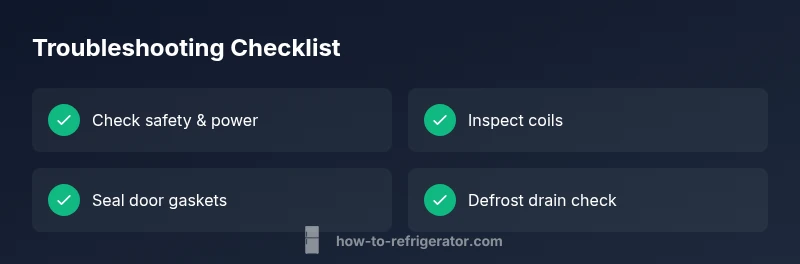
This section previews the fixes; detailed, model-specific steps are in the dedicated STEP-BY-STEP block. Focus first on simple checks (power, settings, seals) before moving to deeper tasks like coil cleaning or defrost drain inspection. If you suspect a faulty thermostat or control board, professional diagnosis is advised. Maintain a repair log to assist any technician.
Safety, tools, and best practices
Keep safety at the forefront: disconnect power before opening panels, avoid touching refrigerant lines, and never use metal tools on coil fins or gasket surfaces. Use non-conductive gloves when handling cold components and never attempt to bypass pressure-relief mechanisms. If you smell refrigerant or notice oily residues, stop immediately and call a licensed technician. Remember that some issues may be under warranty; check your warranty terms before performing invasive repairs.
Steps
Estimated time: 60-90 minutes
- 1
Power down and safety check
Unplug the refrigerator, switch off the circuit, and wait a moment before reseating the plug. Inspect the exterior for damage and ensure the unit is away from heat sources. Wear gloves when handling panels to avoid sharp edges.
Tip: Always disconnect power before touching any interior components. - 2
Verify temperature settings
Set the fridge to 37-40°F and the freezer to 0°F. If the thermostat seems unresponsive, try cycling through the full range and return to mid-settings. Allow 24 hours to stabilize after changes and document readings during the first 48 hours.
Tip: Record current settings before changing them so you can revert if needed. - 3
Inspect door seals and gaskets
Check for visible cracks, tears, or sticky residues on door gaskets. Test closure by placing a dollar bill or a thin card at the door seal; if it pulls out easily, the gasket may be worn. Clean gasket surfaces with mild soap and water, then re-test.
Tip: Replace worn gaskets promptly to prevent air leaks. - 4
Clean condenser coils
Locate the condenser coils (back or bottom of the unit). With power off, use a nylon brush or a low-suction vacuum to remove dust and debris. Ensure there is at least 1-2 inches of clearance behind the unit for airflow.
Tip: Do not use metal tools on coil fins—they can bend and restrict airflow. - 5
Check defrost system and drain
If you see frost buildup or standing water, inspect the defrost drain for clogs and confirm the defrost heater is functioning. Follow the model’s defrost procedure; if uncertain, perform a controlled defrost cycle per the manual. Avoid forcing water through a blocked drain.
Tip: Regular defrost maintenance helps prevent future blockages. - 6
Test after repairs
Reassemble and plug the unit back in. Monitor temperature for 24 hours, noting any fluctuations or unusual noises. If cooling remains insufficient, proceed to professional service.
Tip: Maintain a repair log with temperatures and noises to share with a technician.
Diagnosis: Fridge not cooling or uneven cooling
Possible Causes
- highDirty condenser coils
- mediumDoor gasket leaks or misalignment
- lowThermostat, control board, or compressor issue
Fixes
- easyUnplug, clean condenser coils, and ensure proper airflow around the back of the unit
- mediumReplace or reseal door gaskets to restore an airtight seal
- hardSchedule professional diagnosis for thermostat/control board or compressor problems
FAQ
What are the first steps I should take when my Samsung fridge won't cool?
Begin with safety: unplug the unit, check the thermostat setting, inspect door seals, and ensure proper airflow around the back. These quick checks resolve many common issues without tools. If cooling still fails, move to deeper diagnostics or professional service.
First, unplug the fridge and check temperature settings and door seals. If it still won’t cool, proceed with deeper checks or call a pro.
How can I tell if condenser coils are dirty?
Condenser coils are dirty if you see visible dust buildup on the back or underneath the unit and you notice reduced airflow. Clean coils with a soft brush or vacuum after unplugging the unit. If debris is hard to remove or you can’t access the coils safely, call a technician.
Look for dust on the coils and reduced airflow; clean with a brush after unplugging, and call a tech if you can’t access safely.
When should I call a professional for Samsung fridge issues?
If the thermostat won’t respond, if you hear unusual compressor noises, or if there is suspected refrigerant leakage, professional service is required. Electrical components like the control board may need specialized diagnostic tools.
Call a professional if the thermostat is unresponsive, you hear odd compressor sounds, or there might be a refrigerant issue.
Can a faulty door gasket cause not cooling?
Yes. A damaged or loose gasket can let warm room air in and reduce cooling efficiency. Inspect for wear, replace if needed, and test door closure after replacement.
Yes, a bad door gasket can let warm air in and stop cooling. Inspect and replace if needed.
Is it safe to unplug and clean the coils myself?
Unplugging and cleaning coils is generally safe if you follow safe handling practices and avoid touching refrigerant lines. Use a brush or vacuum and keep liquids away from electrical components. If you’re unsure, hire a pro.
Yes, unplug and clean the coils if you follow safety steps; otherwise, get a pro.
Watch Video
Top Takeaways
- Start with safe checks and simple fixes.
- Clean condenser coils to restore cooling efficiency.
- Replace worn door gaskets to stop leaks.
- Escalate to professional help for thermostat/compressor issues.