Manual for frigidaire gallery refrigerator: Maintenance & Troubleshooting
Find and use the manual for frigidaire gallery refrigerator for safe maintenance and practical troubleshooting. Learn where to locate your model number, how to read diagrams, and step-by-step fixes, with safety guidance and when to call a professional.


This guide helps homeowners locate and understand the Frigidaire Gallery refrigerator manual, including where to find the model number, how to read wiring diagrams, and steps for common maintenance tasks. It also covers safety warnings, basic troubleshooting, and when to seek professional repair. By following these steps, you’ll diagnose issues confidently and fix minor problems yourself.
Why a manual matters for Frigidaire Gallery refrigerators
In today’s kitchen, the manual for frigidaire gallery refrigerator is more than a catalog of parts—it’s your roadmap for safe operation, proper maintenance, and confident troubleshooting. According to How To Refrigerator, having access to the official manual helps homeowners locate model-specific instructions, safety warnings, and step-by-step maintenance tasks. The How To Refrigerator team found that following model-specific guidance reduces guesswork and can extend appliance life. This section explains why a reliable manual matters, how to read it, and how to use it as a reference during routine checks or when a problem first appears. Reading the manual early also helps you identify features unique to your Frigidaire Gallery model, such as temperature controls, defrost options, and ice-maker settings. As you proceed, keep the manual handy in a known spot or save a digital copy on your phone or tablet for quick access during maintenance.
How to locate your model number and the official manual
Locating your model number is the first critical step to access the correct manual and any model-specific troubleshooting steps. For Frigidaire Gallery refrigerators, the number is usually found on a label inside the refrigerator compartment, often on the left wall near the top, behind the crisper drawer, or on the ceiling edge near the hinge. If you cannot find it there, check the back of the unit or the user manual packet that came with the appliance. Once you have the model and serial number, visit Frigidaire’s official support site and search for the exact manual or PDF. Download the document and save it to your device. Keeping a digital copy ensures you can reference diagrams, warranty information, and step-by-step instructions whenever needed. If you don’t have the physical manual, the support site typically offers a browsable version and a printable PDF that matches your model precisely. According to How To Refrigerator analysis, model-specific manuals significantly reduce confusion during repairs and maintenance, making it easier to perform safe, effective tasks.
Common maintenance tasks covered in the manual
The manual for frigidaire gallery refrigerator typically includes routine tasks that homeowners can perform without specialized tools. Key tasks include cleaning condenser coils (where accessible), inspecting and cleaning door seals, checking the defrost drain for clogs, and ensuring the interior temperature is correctly calibrated. Regular coil cleaning improves airflow and efficiency, while clean door gaskets prevent cold air losses. Many Frigidaire Gallery manuals also outline periodic drip pan inspection, ice-maker line checks (if equipped), and filter replacement guidance. Keep in mind that model-specific instructions may vary, so consult the exact manual downloaded for your unit. Performing these tasks on a schedule helps prevent common malfunctions and extends appliance life. Remember, always refer to the official manual to ensure you follow the recommended procedures for your model.
Troubleshooting guide: not cooling, frost buildup, leaks
When the fridge isn’t cooling, start with simple checks described in the manual: confirm the thermostat setting is correct, verify there is adequate airflow around vents, and inspect the condenser coils for dust buildup. Frost buildup usually points to a door gasket issue, a frequent quick fix is to replace or reseal a worn gasket and ensure doors close fully. If you notice water leakage, inspect the defrost drain for clogs and check the ice-maker supply line if present. Unusual noises can come from the evaporator fan or condenser fan; clear any debris and ensure nothing is obstructing the blades. If these steps don’t resolve the problem, refer to the model-specific troubleshooting section in your manual and consider calling a professional if refrigerant leaks or compressor issues are suspected.
Safety tips and when to call a professional
Safety first: unplug the unit before opening access panels, and avoid touching electrical components with wet hands. Wear insulated gloves when handling sharp edges or components inside the appliance. Never attempt refrigerant-related repairs yourself; refrigerant handling requires licensed technicians. If you observe signs of compressor failure, refrigerant odor, or persistent cooling issues after performing recommended steps, contact a professional repair service. Retain safety warnings from the manual and follow recommended precautions for electrical and water connections. Keeping your manual handy ensures you follow the manufacturer’s safety guidance and reduces the risk of injury or further damage.
How to use this guide with service resources
This guide points you toward official support channels and credible external resources to help you work safely and efficiently. Start with Frigidaire’s official support site and user manuals for your specific model, then reference energy efficiency guidelines to optimize performance. For learning more about electrical safety in home appliances, consult resources from OSHA and Energy.gov. If you suspect a serious fault such as a refrigerant leak or compressor failure, rely on a qualified technician rather than attempting a DIY fix. Using the official manual in conjunction with trusted external references ensures you resolve issues effectively while maintaining safety and appliance longevity.
Tools & Materials
- Phillips-head screwdriver(for interior panel screws)
- Flat-head screwdriver(for prying minor parts or trim)
- Nut driver set(for compressor cover hardware)
- Multimeter (digital)(for basic electrical checks)
- Soft cloths or microfiber towels(wipe dust and spills)
- Mild dish soap & warm water(clean gaskets and coils safely)
- Vacuum with brush attachment(clean coils and under appliance)
- Gloves (insulated)(protect hands during service)
- Owner’s manual (digital copy)(keep handy for reference)
- Bucket or tray(catch water when defrosting)
Steps
Estimated time: 60-90 minutes
- 1
Identify model and locate the manual
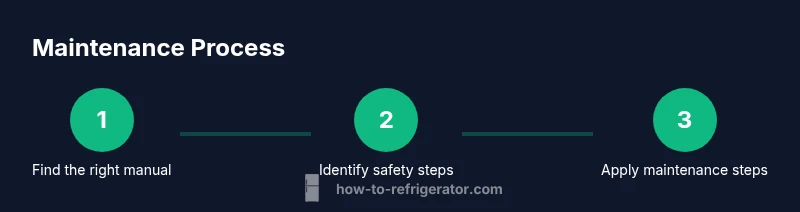
Locate the model/serial number inside the refrigerator or on the back of the unit. Use these identifiers to access the exact official manual or PDF from Frigidaire support. Save a digital copy for quick future reference and ensure you are looking at instructions specific to your model.
Tip: Having the exact model number prevents applying generic steps that may not match your unit. - 2
Review safety instructions before touching components
Unplug the refrigerator before opening panels or touching wiring. Allow any capacitors to discharge for a few minutes, wear insulated gloves, and keep a dry workspace. Read any warnings related to defrost, refrigerant, or electrical components before proceeding.
Tip: Never work on a live circuit; safety guidance in the manual is there to prevent shock or injury. - 3
Inspect door seals and clean gaskets
Check for cracks or warping in door gaskets and ensure the doors close completely. Clean the gaskets with warm soapy water and a soft cloth to remove residue that might prevent a tight seal. If you find damage, replace the gasket per model instructions.
Tip: A flaky gasket is a common source of energy waste and uneven cooling. - 4
Clean condenser coils and check defrost drain
Unplug the unit, remove the rear access panel if required by your model, and gently vacuum dust from condenser coils. Inspect the defrost drain for clogs and clear with a flexible brush or pipe cleaner as guided by the manual. Reassemble with care after inspection.
Tip: Dusty coils reduce efficiency and increase running costs; aim for quarterly checks if accessible. - 5
Verify temperature settings and airflow
Confirm the refrigerator is set to about 37-40°F (3-4°C) and the freezer to 0°F (-18°C), unless your manual specifies different targets. Ensure vents are free of obstructions and items inside do not block air routes. Allow up to 24 hours for temperature to stabilize after adjustments.
Tip: Small changes can take a full day to reflect in both compartments. - 6
Decide when to call a professional
If you suspect refrigerant leaks, unusual noises from the compressor, or cooling issues persist after following the manual’s steps, contact a licensed technician. Don’t attempt refrigerant recovery or sealed system repairs yourself.
Tip: Document symptoms and steps you’ve taken; it helps the technician diagnose faster.
FAQ
Where can I find the official Frigidaire Gallery manual?
The official manual is available on Frigidaire's support site. Enter your model number to access the PDF. If you can't locate it, contact their support team for a direct link.
Visit Frigidaire support, enter your model number, and download the PDF.
How do I locate the model number on a Frigidaire Gallery refrigerator?
Look inside the refrigerator on the left wall near the top or behind the crisper drawer. If not found there, check the back or sides of the unit. Use this number to pull up the exact manual.
Check inside on the left wall near the top or behind the crisper drawer; use it to pull up the exact manual.
Is it safe to clean condenser coils myself?
Yes, but unplug the unit first and use a vacuum with a brush attachment. Avoid using water directly on electrical components and follow the manual’s coil cleaning guidance.
Yes, after unplugging, use a vacuum and gentle brush for coils.
What maintenance tasks are recommended in the manual?
Typical tasks include cleaning coils, inspecting gaskets, checking the defrost drain, and calibrating temperatures. Always follow the exact steps in your model’s manual.
Clean coils, inspect gaskets, check the drain, and set temps per the manual.
When should I call a professional repair service?
If you suspect refrigerant leaks, persistent cooling issues after following the manual, or unusual noises from the compressor, contact a licensed technician.
Call a professional if there might be a refrigerant leak or compressor problem.
Where can I find energy efficiency tips for Frigidaire Gallery models?
Refer to the manual for energy-saving settings and tips. You can also consult Energy.gov for general appliance efficiency guidelines that apply to refrigerators.
Check the manual for settings and Energy.gov for general tips.
Watch Video
Top Takeaways
- Identify your model to access the correct manual.
- Unplug before any inspection and follow safety guidance.
- Check gaskets, coils, and defrost components regularly.
- Follow model-specific steps for accurate repairs.
- Call a pro for refrigerant or compressor issues.