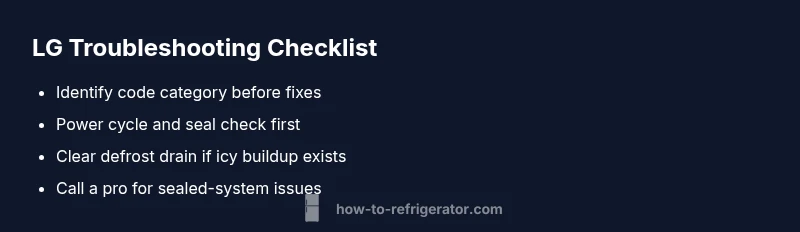
LG Refrigerator Troubleshooting Codes: Quick Fixes & Steps
Learn what LG refrigerator troubleshooting codes mean and how to fix them fast. This How To Refrigerator guide covers common codes, quick resets, sensor checks, and when to call a pro.


LG refrigerator troubleshooting codes indicate a fault and guide you to the fastest fix. Most codes point to defrost, temperature sensors, or board communication, so start with a quick power reset, unplug for 5 minutes, and check the door seals. If the code persists, consult your LG manual or contact a pro for safe, accurate repairs.
What LG Refrigerator Troubleshooting Codes Mean
When your LG refrigerator displays a fault code on the control panel, it doesn't mean the unit has permanently failed. These codes are diagnostic signals that point to a fault area—temperature sensor, defrost system, door seal, or control board—so you can target the fix quickly. According to How To Refrigerator, most common LG codes fall into a handful of categories that homeowners can address without a full service call. Start with the simplest checks: ensure the fridge is properly plugged in, the light stays on, and the display isn't showing a blinking pattern that could indicate a communication issue. A reset can clear transient faults, but persistent codes usually require deeper checks or professional service. LG refrigerator troubleshooting codes are your map—follow the arrows from the display to the action and your appliance will usually recover with minimal downtime.
Common Code Categories LG Owners See
LG fault codes cluster around a few core systems. Defrost-related codes surface when frost buildup or a blocked defrost drain interferes with cooling; sensor-related codes point to the thermistor or temperature sensor that measures fridge and freezer temperatures; door-seal codes flag air leaks from worn gaskets; ice-maker or water-dispenser codes arise from water lines or ice maker timing. There are also board-communication codes that appear when the main control board cannot talk to display modules. By recognizing the category, you can pick appropriate fixes quickly rather than chasing dozens of possible causes. This category-first approach reduces guesswork and speeds up recovery.
Quick Fixes to Try Right Now
Before pulling out tools, try these proven quick fixes. First, power cycle the unit: unplug for 5–10 minutes, then plug back in and observe the display. Inspect door gaskets—clean any dirt and look for cracks; a poor seal can cause temperature fluctuations that trigger codes. Check for frost buildup on the back panel or in the freezer; a light defrost cycle or quick run can melt minor ice. Ensure the condenser coils are clean and unobstructed. If an ice maker is involved, flush the water line with clean water and reseat the ice-maker connector if accessible. These steps address many common LG codes and may restore normal operation without tools or parts.
Step-by-Step Repair for the Most Common Cause (Defrost/Drain Issue)
If the code points to defrost or drain problems, follow these steps. 1) Safety first—unplug the refrigerator and pull it away from the wall. 2) Remove debris from the defrost drain opening, then flush with warm water to clear any clog. 3) Check the drip pan for overflow or leaks and re-level the appliance as needed. 4) Reconnect any loose tubing or wiring near the defrost assembly. 5) Plug in, set temperatures to normal, and run a few cycles to verify the defrost drain is clear. 6) If the code returns, it's time to inspect the defrost heater and thermostat, or call a pro for a precise diagnosis. Tip: keep a small flashlight handy to spot hidden blockages.
Other Causes and How to Address Them
Beyond defrost drains, codes may reflect sensor faults. A faulty thermistor or wiring harness can misreport temperatures, causing the system to enter fault mode. In this case, you may need to replace the sensor or re-seat connectors with the appliance unplugged. Control-board issues are less common but more serious; loose connectors, swollen capacitors, or failed microcontrollers can trigger persistent codes. For these, a professional repair usually includes a diagnostic run and board replacement if needed. Finally, door-seal leaks can cause temperature swings; reseal or replace gaskets and realign doors to restore stable temperatures.
Safety, Warnings, and When to Call a Pro
Always unplug before handling electrical components or removing panels. Avoid using metal tools that could short circuits; use plastic spudgers if you need to pry panels. If you smell burning plastic, hear buzzing, or notice unusual heat, stop and unplug immediately and contact a technician. Some LG codes require specialized diagnostic equipment or factory service tools. The quickest route to a reliable fix is often an LG-certified technician, especially for sealed-system issues, refrigerant handling, or suspected compressor faults. The cost to diagnose or replace a sensor or board can range from a few hundred to over a thousand dollars, depending on parts and labor.
Maintenance to Prevent Future Codes
Regular cleaning prevents a host of error codes. Vacuum the condenser coils every 6–12 months, wipe door gaskets, and ensure proper air circulation around the unit. Schedule annual thermistor checks or use smart diagnostics if your model supports it. Keep the defrost drain clear with a simple hot water flush every few months. Store food in stable temperature zones and avoid frequent door openings during peak heat to minimize load. Document codes when they appear to help a technician quickly locate the fault area in the future. Timely maintenance reduces the chance of long downtime and expensive repairs.
How to Use the LG Manual and Support Resources
Your model-specific LG manual is the most authoritative source for interpreting codes. Compare the displayed code to the table in the service section and follow the recommended steps. LG’s official support site offers model lookup, diagnostic tools, and downloadable firmware updates. If you cannot find your model or the code wording differs, contact LG customer service with your model number, serial, and a clear photo of the display. For homeowners who want a structured, repeatable approach, this guide provides a practical framework that complements model-specific manuals.
Steps
Estimated time: 30-60 minutes
- 1
Power cycle the unit
Unplug the fridge for 5–10 minutes, then plug back in and let it stabilize. This clears transient faults and can reset the display.
Tip: Label unplug time on a sticky note so you don’t forget. - 2
Inspect door seals and airflow
Check gaskets for cracks and ensure doors seal completely. Poor sealing can cause temperature fluctuations that trigger codes.
Tip: Wipe seals with warm, soapy water and dry thoroughly. - 3
Check defrost drain and frost buildup
Look for clogs in the defrost drain and remove any visible ice. A blocked drain can trigger defrost-related codes.
Tip: Flush with warm water and a flexible pipe cleaner if needed. - 4
Test temperature sensors and wiring
Ensure thermistors are connected securely and not damaged. Replace faulty sensors as needed, with the model’s service guide.
Tip: Only handle sensors with the unit unplugged. - 5
Reset control board or perform a factory reset
If available, use model-specific diagnostics to reset the control board. Reinitialize settings after reset.
Tip: Document current settings before resetting. - 6
Call a pro for persistent or sealed-system issues
If codes persist after all checks, or you suspect refrigerant or compressor problems, contact an LG-certified technician.
Tip: Request an upfront diagnostic quote and warranty options.
Diagnosis: LG refrigerator displays an error code on the control panel
Possible Causes
- highClogged defrost drain or ice buildup
- mediumFaulty temperature sensor or thermistor
- mediumControl board communication issue
- lowDoor gasket leak causing warm spots
Fixes
- easyClear defrost drain and check for frost buildup
- hardTest or replace temperature sensor/thermistor
- easyReset or reseat control board connections
- easyReplace door gaskets and reseal doors
FAQ
What does an LG refrigerator error code mean?
LG error codes are diagnostic signals that identify a fault area rather than a single failed component. They point to systems like defrost, sensors, door seals, or the control board. Read the code and consult the manual or our guide for targeted fixes.
LG error codes point you to the fault area; start with a reset and seal check, then follow the guide if it repeats.
Can a simple reset clear LG refrigerator codes?
A power reset can clear transient fault codes on many LG models. Unplug for 5–10 minutes, plug back in, and allow it to recalibrate. If the code reappears, continue with deeper troubleshooting.
Yes—reset to clear temporary codes, then proceed with the full guide if it returns.
When should I call a professional for LG codes?
If the code persists after a reset, involves refrigerant, sealed-system parts, or the compressor, or you are uncomfortable working near electrical components, contact an LG-certified technician. Repairs may require special tools and safety certifications.
If the code sticks after resets or involves the sealed system, call a pro.
Are all LG codes dangerous to ignore?
Ignore codes can lead to food spoilage, higher energy use, or further damage. Some indicate unsafe temperatures; others are sensor faults that can wait, but safety or efficiency should take priority.
Don’t ignore codes; they warn of safety or efficiency issues.
How long should I wait after a fix to confirm success?
After fixes, allow the unit to stabilize for 1–4 hours and monitor temperatures. If the code does not return and temps stay in spec, you likely resolved it. If it recurs, note the code for the technician.
Give the fridge a few hours to stabilize after fixes.
What maintenance helps prevent codes on LG fridges?
Regular cleaning of condenser coils, door gaskets, and defrost drain maintenance reduces common fault triggers. Use smart diagnostics if available and keep food organized to minimize door openings. A maintenance routine lowers the odds of future codes.
Regular cleaning and checks help prevent codes.
Watch Video
Top Takeaways
- Identify code category before action
- Start with safe, quick fixes
- Persisting codes require professional service
- Regular maintenance prevents most codes
- Use model-specific manuals for precision