How to Remove the Bottom Shelf of a Samsung Refrigerator
Learn a safe, step-by-step method to remove the bottom shelf from a Samsung refrigerator, thoroughly clean it, and reinstall correctly. This How To Refrigerator guide covers tools, safety tips, and practical steps.


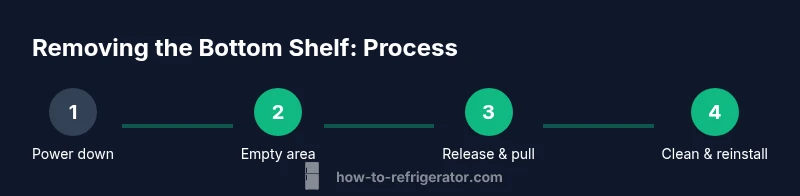
To remove the bottom shelf on a Samsung refrigerator, unplug the unit, empty the shelf area, lift the shelf straight up to disengage the pegs, and pull it out. Clean and dry before reassembly, then reinstall by aligning with the guides and pushing firmly into place for best results each time.
Why removing the bottom shelf is sometimes necessary
Removing the bottom shelf isn't something you do daily, but it's a common task when you spill liquids, need to clean hidden areas, or access components such as the defrost drain or the fruit-and-vegetable drawer rails. The How To Refrigerator team has found that many Samsung refrigerator models design the bottom shelf to be detachable, enabling easier cleaning, better airflow, and quicker access for repairs. By understanding why the shelf is removable, you can plan the process safely and minimize the risk of damage to the glass or plastic components. It also helps you reach mold-prone corners that accumulate beneath the shelf edge. With careful handling, this task can be completed in under 30 minutes and without specialized tools.
How Samsung shelf design influences removal
Samsung refrigerators typically use a track-and-pegs system to support each shelf. The bottom shelf is often light and made of glass or sturdy plastic, with end pegs that fit into side rails. Some models include a front lip or notch that interfaces with the door frame to stabilize the shelf when closed. Because these shelves are modular, the removal process relies on releasing the shelf from the pegs by lifting and pulling straight out, then sliding clear of the tracks. The exact mechanism can vary by model year and line (Family Hub, regular French doors, or side-by-side configurations), but the core principle remains: the shelf sits on guides and can be removed by disengaging those guides. This knowledge helps you anticipate potential resistance and choose the right grip and angle.
Safety and prep steps before removal
Before you touch any internal parts, prioritize safety and cleanliness. If you plan to wash the shelf or the tracks with water, unplug the refrigerator to minimize electrical risk and door condensation. Clear the area in front of the fridge, and remove any items that could fall or spill during removal. Put down towels or a shallow tray to catch spills. Wear protective gloves if you handle a sharp rail edge, and use a microfiber cloth to prevent scratches on glass shelves. Gather the tools and cleaning materials you’ll need, and take a quick photo of how the shelf sits in its tracks so you can reassemble it correctly. Finally, review the model-specific manual or Samsung support page if you’re unsure about the exact removal process for your unit.
Shelf types and differences across Samsung models
Not all Samsung fridges use the identical bottom shelf design, so it’s helpful to know what you’re dealing with. Some models feature a flat shelf that rests on two supports; others have a shelf with a small front lip that acts as a catch for the door frame. In both cases, the concept is the same: align the shelf with the guides, release any locking points, and pull it out without bending. If you own a model with a snap-in front lip, you may hear a soft click when the shelf clears its last support—this is normal. Always consult your model’s user manual if you’re unsure whether there’s a locking pin or a locking rail in place.
Step-by-step overview (high-level)
A quick look at the mechanics helps you stay confident: identify the shelf’s contact points on the side rails, release any front lip or notch, lift the shelf straight up to clear the pegs, and slide it out before wiping down the surfaces. This overview will help you approach the task calmly and avoid forcing components. Remember, every Samsung model can differ slightly, so use model-specific information when available and proceed with care.
Cleaning, drying, and reassembling the shelf
After removing the shelf, rinse off any spills with mild dish soap and warm water. Use a non-abrasive sponge to clean the shelf surface and a microfiber towel to dry both the shelf and the tracks. Avoid soaking or submerging the shelf if it contains electronic components or integrated lighting. Dry thoroughly to prevent moisture from entering the rail holes or pegs. Once dry, reinsert the shelf by aligning it with the guides, pushing firmly until it seats fully. A correctly reinstalled shelf should sit evenly with no wobble and should return to its original alignment with adjacent shelves.
Reinstallation and testing the fit
To reinstall, place the shelf back onto the side rails with the front lip (if present) aligned to its notch or guides. Gently push the shelf toward the back until it seats on the pegs, then test by slightly lifting and pressing to ensure it is held securely. Refill the area with items and close the fridge doors. Give the door a gentle shake to verify the shelf remains stable during normal operation. If you notice any misalignment or resistance, pull the shelf out again and recheck the guides.
Common mistakes to avoid
- Forcing the shelf if it doesn’t release—this can crack glass or bend plastic. - Skipping the unplug step if you plan to wash with water; water and electricity are a dangerous mix. - Not drying thoroughly, which can encourage mildew or corrosion on metal pegs. - Ignoring model-specific instructions; some shelves have locking pins that require a gentle lift rather than a straight pull.
Tools & Materials
- Gloves(protect hands from sharp edges or cold metal)
- Soft cloth(for wiping surfaces)
- Mild dish soap(for cleaning shelf and tracks)
- Warm water(for cleaning)
- Non-abrasive sponge(gentle on plastic and glass)
- Microfiber towel(drying and buffing)
Steps
Estimated time: 15-25 minutes
- 1
Power down and prepare area
If you plan to wash the shelf or tracks, unplug the fridge first to avoid electrical risk and condensation. Clear the space in front of the refrigerator, remove nearby items, and lay towels to catch spills. This initial preparation reduces mess and protects your floor.
Tip: Have a camera or phone handy to capture shelf orientation before removal. - 2
Remove items and empty the shelf
Take everything off the bottom shelf and set it aside in a safe area. This prevents items from falling during removal and gives you room to maneuver.
Tip: Group items by type (produce, dairy, beverages) to simplify restocking later. - 3
Release the shelf from the guides
Grasp the shelf firmly by its front edge or handle if present. Lift straight up to release the shelf from its pegs or notch. If the shelf has a front lip, tilt slightly to clear the lip before pulling.
Tip: Keep your wrist straight to avoid bending the shelf frame. - 4
Pull the shelf out
Slide the shelf toward you and remove it from the track. If it sticks, don’t force it—check for a second contact point or a misaligned peg.
Tip: If it won’t come out smoothly, reinsert it a bit and try again with a gentler pull. - 5
Inspect, clean, and dry
Examine the shelf, pegs, and tracks for cracks or warping. Wash with mild soap and warm water, then dry thoroughly with a microfiber towel to prevent moisture in the rails.
Tip: Avoid soaking shelves with electronics or integrated components. - 6
Reinstall and test
Align the shelf with the guides, push it firmly into place, and confirm it sits flat. Restock items and close the door, then gently test for wobble or misalignment.
Tip: Take another photo after reinstallation to document final positioning.
FAQ
Is unplugging always required to remove the bottom shelf?
Not always, but unplugging is recommended if you plan to wash the shelf or tracks with water. For simple removal, you can proceed without unplugging.
You can remove the shelf without unplugging for quick tasks, but unplug if you plan to wash with water.
What should I do if the shelf won’t release from the guides?
Ensure you’re pulling straight out and not lifting at an angle. Check for any front lip locks or pins. If still stuck, reinsert slightly and try again with a gentle, steady pull.
Make sure you're pulling straight and not forcing it. If needed, re-seat and try again gently.
Can I remove the bottom shelf to access the defrost drain?
Yes, removing the shelf can provide better access to the drain area in some models. If you’re unsure, consult your model’s manual or Samsung support.
Removing the shelf can help access the defrost drain in some models; check your manual.
Will removing the shelf affect the warranty?
Typically, shelf removal for cleaning or replacement is considered user maintenance and should not void the warranty as long as the appliance is used normally. Refer to your warranty terms for specifics.
Shelf removal for maintenance usually doesn’t void the warranty, but check your terms for specifics.
How long does the process take?
Most removals and re-installations take 15 to 25 minutes depending on model and your familiarity with the design.
Expect about 15 to 25 minutes for removal and reinstallation.
Is it safe to wash the shelf in the sink?
Yes, if the shelf is plastic or glass without electrical components. Use mild soap and warm water, then dry completely before reinstalling.
Yes, you can wash it in the sink with mild soap, then dry thoroughly.
Watch Video
Top Takeaways
- Unplug if cleaning with water and plan to wash.
- Lift straight up to disengage pegs.
- Reinstall with proper alignment until seated.
- Clean and dry thoroughly before reuse.
- Test shelf seating after reinstallation.