How to Fix a Fridge Light: A Practical DIY Guide
Learn how to diagnose and fix a fridge light that won't turn on. This step-by-step guide covers bulbs, door switches, wiring checks, and safe DIY fixes for common refrigerator models.


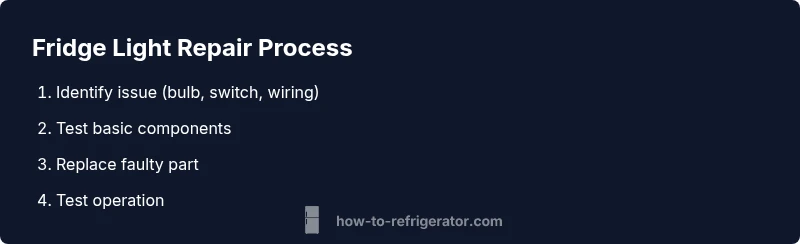
This guide teaches you how to fix a fridge light that won’t come on. Start by checking the bulb, door switch, and fuse, then test with a spare bulb. If needed, replace the bulb housing or LED module and re-test. This quick overview helps homeowners diagnose common fridge-light failures safely.
How fridge lights work and common failure modes
A refrigerator light is typically a small bulb or an LED module connected to a door-sensing switch. When you open the door, the switch completes the circuit and the light turns on; closing the door breaks the circuit and the light goes off. Understanding this helps you diagnose why your fridge light isn’t coming on. In many homes, the failure is not a mysterious electrical fault but a simple, replaceable part—often the bulb or the door switch. The How To Refrigerator team finds that most fridge-light issues come down to wear, moisture, or a loose connection rather than a complex repair. With the right approach, you can fix the light and restore interior illumination without expert help.
According to How To Refrigerator, many fridge light issues are simple bulb or switch problems.
Safety prerequisites before you start
Safety first: unplug the fridge or switch off the circuit at the breaker to prevent shocks. Keep the door propped open while you work and avoid touching any exposed wiring. Gather your replacement bulb and the proper tools before you begin to minimize time with the door open. If you are uncertain about electrical safety, stop and contact a professional. Remember, this task involves live electrical components inside the appliance, so proceed with care and never bypass safety steps.
It’s wise to have a clear workspace, a small container for screws, and a flashlight for inspecting dark corners of the light housing.
Diagnosing the light: bulb, switch, and wiring checks
Start by locating the light housing inside the fridge near the upper interior ceiling. If you can, gently remove the light cover and inspect the bulb. Try a known-good replacement bulb or LED module to confirm if the issue is the bulb. Next, test the door switch by pressing the actuator with your finger or a small tool; if the switch doesn’t depress fully, or if there’s no audible click, the switch may be worn. If you have a multimeter, check for continuity across the switch and socket when the door is opened and closed. Finally, inspect the socket for signs of corrosion or loose wires. If power is not reaching the socket, the fault may lie in the wiring or control board.
This step-by-step diagnostic helps isolate the exact cause and reduces unnecessary part replacements.
Replacing the bulb or LED module
If the bulb is burned out or the LED module has failed, replace with a compatible part. Remove the old bulb by turning it counterclockwise or following the socket design, then insert the replacement and tighten securely. For LED modules, align the pins or base as required by your model and snap or screw the unit into place. Avoid touching the glass with bare hands on new bulbs; fingerprints can shorten bulb life or cause hot spots. Reassemble the light cover and ensure the seal is snug to prevent moisture ingress.
If your model uses a replaceable LED module, refer to the manual to confirm the correct part and orientation.
Testing and final checks
Reconnect power if you unplugged the fridge, or switch the circuit back on. Open the door to test the light; it should illuminate promptly and turn off when the door closes. If the light still does not work, re-check the bulb type and door switch position, and inspect for loose connections. If you replaced the LED module, verify that the module is compatible with your control board and voltage. Document the model number and part numbers for future reference.
A quick final test after reassembly ensures reliable operation and helps you schedule maintenance before a failure occurs.
When professional help is the safer option
If you encounter stubborn issues such as a non-responsive door switch that won’t test for continuity or if you see burnt wiring, do not continue. Electrical problems inside a fridge can pose a shock risk or lead to further damage. A certified appliance technician can diagnose control-board faults, ensure proper voltage levels, and safely replace assemblies. When in doubt, consult the manufacturer’s guide or a licensed technician to avoid costly mistakes.
Professional service is especially advised for models with integrated LED modules or complex wiring harnesses.
AUTHORITY SOURCES
- Energy information and appliance maintenance basics: https://www.energy.gov/ (U.S. Department of Energy)
- General standards and testing methods: https://www.nist.gov/
- Consumer-focused appliance reliability and safety: https://www.consumerreports.org/
Tools & Materials
- Screwdriver set(Phillips head #1 or #2 depending on model; precision driver for small screws)
- Replacement fridge light bulb(Match wattage and base (e.g., E26, G4) for your unit)
- Gloves(Optional to prevent fingerprints on bulbs)
- Multimeter (optional)(Test door switch continuity if you suspect wiring issues)
- Owner's manual / model number(Helpful to confirm bulb type and door-switch specs)
Steps
Estimated time: 30-60 minutes
- 1
Power down and access light cover
Turn off power to the fridge at the outlet or breaker. Open the fridge and locate the interior light housing. Remove the cover with the appropriate tool to expose the bulb or LED module. This prepares you to safely inspect components.
Tip: Label or place small screws in a tray to avoid loss. - 2
Remove the old bulb
Carefully twist out the existing bulb or detach the LED module according to your model. Do not touch warm bulbs with bare skin. If you must handle the LED module, use gloves and handle by the housing only.
Tip: If the bulb won’t budge, apply a tiny amount of gentle pressure and rotate counterclockwise. - 3
Test the door switch
Press the door switch actuator to see if it clicks and returns. If you have a multimeter, test for continuity when the door is opened and closed. A non-responsive switch or a loose connector can stop power from reaching the light.
Tip: Check for visible wear or corrosion on the switch terminals. - 4
Install replacement bulb or LED module
Insert the new bulb or snap the LED module into place. Ensure the base aligns correctly and that the bulb is snug but not over-tight. Refit the light cover securely.
Tip: Verify part compatibility against the model’s manual before purchase. - 5
Test and reassemble
Restore power and open the door to test the light. If it illuminates promptly and goes off with the door, you’re done. If not, re-check the bulb and switch, and consider professional help if issues persist.
Tip: Keep a record of the replaced parts for future maintenance.
FAQ
Why won't my fridge light turn on after replacing the bulb?
If a new bulb still doesn’t light, the issue is likely the door switch or wiring. Check continuity and inspect connectors for looseness or corrosion.
If the new bulb doesn’t light, the door switch or wiring is likely at fault.
Can fridge lights be LED or incandescent?
Most fridges use small LED bulbs or incandescent bulbs. Check your model specifications to choose the correct type.
Most fridges use LED bulbs or small incandescent bulbs.
Is it safe to replace the fridge light yourself?
Yes, as long as you power down completely and follow basic safety steps. If you’re unsure, hire a professional.
Yes, you can replace it safely by turning off power and following steps.
What if the light housing is stuck?
Don’t force the cover. Use the correct tool and check for hidden screws or clips in the housing.
Don’t force the cover; use proper tools.
How long should a fridge light last?
Bulbs typically last many years; LED modules often last longer. Temperature and moisture exposure can affect longevity.
LEDs last many years under normal use.
Watch Video
Top Takeaways
- Identify the likely culprits: bulb and door switch.
- Power off before every inspection to stay safe.
- Match replacement parts to your model specifications.
- Call a professional if wiring or control-board faults are suspected.