GE Profile Refrigerator Not Cooling: Complete Troubleshooting Guide
Urgent, step-by-step guide for homeowners troubleshooting GE Profile refrigerators that won’t cool. Learn common causes, safe checks, and practical fixes before calling a technician. How To Refrigerator analysis informs practical at-home steps.


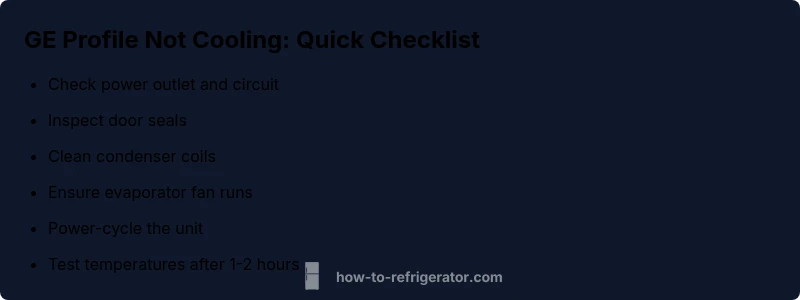
GE Profile refrigerators that won’t cool are most often due to dirty condenser coils, a faulty defrost system, or a failing evaporator fan. Start with the simplest fixes: unplug, clean the condenser coils, and inspect the evaporator fan. If cooling still doesn’t resume, power-cycle the unit and verify door seals before calling a pro.
ge profile refrigerator not cooling: what this symptom means
When a GE Profile refrigerator not cooling, it is urgent to diagnose quickly to prevent food spoilage. The GE Profile line includes sophisticated controls, but the cooling system still relies on simple components: condenser coils, evaporator fan, defrost system, thermostat, and seals. According to How To Refrigerator analysis, not cooling in these models is most often due to airflow restrictions or frost buildup that blocks the air pathway, or a dirty condenser coil. Start by the simplest checks that require no tools: ensure the unit is plugged in, verify the thermostat is set to a low temperature, examine the door gaskets for leaks, and listen for the evaporator fan when you open the freezer door. By ruling out these basic causes, you can often restore cooling quickly and safely.
Common Causes of GE Profile Not Cooling
There are several common culprits that can stop cooling in GE Profile refrigerators. Dirty condenser coils are a frequent offender, especially if the unit sits in a dusty area or behind furniture. A faulty defrost system—timer or heater—can frost over the evaporator or block airflow. The evaporator fan may fail or become obstructed, preventing cold air from circulating. A malfunctioning thermostat or temperature sensor can misread the interior, causing the compressor to stay off or run too little. Finally, door gaskets that don’t seal properly allow warm room air to continually leak in, raising the interior temperature. While each issue has its own fix, confirming them in sequence helps avoid unnecessary parts replacement.
Safety First: Quick safety reminders before you troubleshoot
Before you poke around a running refrigerator, unplug it or switch off the dedicated breaker. Use non-metal tools and avoid touching coils while powered. Keep liquids away from electrical components and do not use harsh cleaners that could damage seals. If you have a high-end GE Profile with auto-defrost, be cautious around frost-filled areas. If you smell burning or notice buzzing from the compressor, stop and contact a professional immediately. Safety is the top priority in every home repair scenario.
Diagnostic Flow: From symptom to likely diagnosis without guessing
A logical, non-guessing approach helps you identify the real culprit. Start with power and temperature settings, move to airflow and vents, then inspect the condenser coils and fan. If the coils are dirty or the evaporator fan is not running, you’re likely facing a mechanical airflow issue. If airflow is fine but temperatures stay high, inspect the defrost system and thermostat. After each fix, re-check temperatures for several hours to confirm results. Implement fixes in order of ease and likelihood, and document any error codes your GE Profile displays to aid service if needed.
Step-by-Step Fix: Clean condenser coils (the most common fix)
Step 1: Unplug the fridge and locate the condenser coils (usually at the back bottom or along the grille from the front). Step 2: Use a vacuum with a brush attachment to remove dust and debris. Step 3: Use a soft brush to dislodge stubborn dirt and wipe the area with a damp cloth. Step 4: Reattach any grills and plug the unit back in. Step 5: Set temperatures to mid-range and give the fridge 1–2 hours to stabilize. Step 6: If it’s still warm, proceed to the next potential causes. Pro tip: avoid bending the aluminum fins on the coils. Safety note: always unplug before cleaning.
If Not Cooling After Coil Cleaning: Defrost System Check
Frost buildup can block air pathways even after cleaning coils. Check for frost on the evaporator coil behind the freezer wall and listen for the evaporator fan. If frost is thick or persistent, the defrost timer or defrost heater may be faulty. Replacing these parts requires model-specific parts and careful disassembly—consider a professional if frost returns after reset. Inspect wiring for signs of wear and avoid touching refrigerant lines.
Thermostat and Temperature Sensor checks
If the interior feels warm but the display shows a normal temperature, the thermostat or temperature sensor may be misreading. Calibrate the thermostat by temporarily setting a lower temperature, then verify with separate thermometer readings. If readings don’t align with the control panel, the sensor or control board could be faulty and may require replacement.
Maintenance to Prevent Future Cooling Problems
Keep condenser coils clean and unobstructed, ensure doors seal properly, and avoid overpacking the fridge or freezer as this restricts airflow. Place the unit in a location with good ventilation away from heat sources. Schedule a simple seasonal check: vacuum coils, inspect gaskets, and test airflow from vents. Regular cleaning reduces frequent service calls and extends appliance life.
When to Call a Pro: Understanding when it’s time for professional help
If you’re facing repeated frost buildup, suspect a sealed-system leak, compressor trouble, or if the unit won’t cool even after addressing coils, defrost, and thermostat issues, contact a licensed technician. A professional can perform a refrigerant pressure test, evaluate the compressor, and diagnose electrical faults that aren’t safely handled at home.
GE Profile model specifics you should know
Different GE Profile models place coils, fans, and sensors in slightly different locations. Refer to your user manual for exact parts placement and model-specific troubleshooting steps. If you’re unsure, write down your model number and any error codes shown on the display before contacting support.
Steps
Estimated time: 1-2 hours
- 1
Verify power and settings
Check that the fridge is plugged in, the outlet has power, and the temperature settings are correct. Wait hours to see if the temperature drops.
Tip: If the outlet trips, reset the circuit breaker first. - 2
Inspect door seals and airflow vents
Make sure doors seal tightly and internal vents are clear of obstructions.
Tip: Remove any items blocking airflow near vents. - 3
Inspect condenser coils and fan
Vacuum dust from coils and listen for the evaporator fan when the door is open.
Tip: Always unplug before touching the coils. - 4
Power-cycle the unit
Unplug for 5-10 minutes, then plug back in and set temps to mid-range.
Tip: Avoid frequent power cycles as a long-term solution. - 5
Test after 1–2 hours
Check if the compressor is running and temperatures are dropping.
Tip: Record any error codes from the display. - 6
Consider professional help
If cooling hasn’t resumed, a sealed system or compressor issue likely requires a pro.
Tip: Document model and symptoms for service.
Diagnosis: GE Profile refrigerator not cooling
Possible Causes
- highCondenser coils dirty or blocked
- mediumFaulty defrost system (timer/heater)
- mediumEvaporator fan not running or obstructed
- mediumThermostat or temperature sensor failure
- lowDoor gasket leaks and improper seal
Fixes
- easyClean condenser coils and ensure proper airflow
- mediumReplace defrost timer/heater if frost buildup is blocking airflow
- mediumReplace evaporator fan motor if it’s silent or noisy
- easyCalibrate or replace thermostat/temperature sensor
- easyRepair or replace door gaskets to restore seal
FAQ
Why is my GE Profile refrigerator not cooling?
Common causes include dirty condenser coils, a failed defrost system, or a faulty evaporator fan. Start with simple checks.
Common causes include dirty condenser coils, a failed defrost system, or a faulty evaporator fan. Start with simple checks.
Can cleaning the condenser coils fix not-cooling problems?
Yes, cleaning coils can restore airflow and cooling in many cases. If there’s no improvement, proceed to defrost checks or thermostat inspection.
Yes, cleaning coils can restore airflow in many cases. If no improvement, proceed to defrost checks or thermostat inspection.
How do I reset a GE Profile refrigerator?
Unplug the unit, wait 5–10 minutes, then plug it back in and set the temperature to mid-range. This can clear minor control glitches.
Unplug, wait a short time, then plug back in and set temperatures. This can clear minor glitches.
If the fridge is not cooling, how long should I wait after a fix?
Give the unit 1–2 hours to stabilize after a fix and recheck temperatures to confirm cooling.
Wait 1–2 hours to see if it stabilizes after a fix.
When should I call a professional?
If you suspect a sealed-system leak, compressor problem, or you’re uncomfortable with refrigerant lines, contact a licensed technician.
If you suspect a sealed-system issue or aren’t comfortable with refrigerant parts, call a pro.
Does a running light mean the fridge is cooling properly?
Not always. The compressor may run while interior temps rise due to airflow problems or frost; confirm temps with a thermometer.
The compressor may run but temps can still be too high if airflow is blocked.
Watch Video
Top Takeaways
- Start with power, seals, and coils.
- A common fix is cleaning condenser coils.
- Defrost system or evaporator fan are frequent failure points.
- Power-cycle the unit before complex repairs.
- Call a pro for sealed-system or compressor issues.