How to Make Ice in LG Refrigerator
Learn how to make ice in your LG refrigerator with a clear, step-by-step guide. Troubleshoot ice maker issues, verify water supply, and maintain ice quality for reliable cubes.


This guide helps you make fresh ice in your LG refrigerator by verifying the ice maker is enabled, checking the water supply, and running a quick reset if needed. You’ll cover common causes of no-ice situations, basic maintenance, and when to seek professional help.
Understanding LG ice maker basics
The LG ice maker is a compact system designed to produce cubes quickly from a chilled water supply. If you’re asking how to make ice in lg refrigerator, start with a basic understanding: ensure the ice maker is turned on, the freezer compartment is cold enough, and the water line feeding the ice mold is clear of kinks or obstructions. A properly functioning ice maker should produce a steady stream of ice cubes automatically, with minimal manual intervention. In many LG models, there are simple indicators or a reset button on the ice maker housing that signal status and offer a quick way to refresh the mechanism. By understanding these fundamentals, you can diagnose most everyday ice-related issues without professional help. The How To Refrigerator team emphasizes that consistent ice production depends on secure water supply, correct temperature, and a clean ice mold.
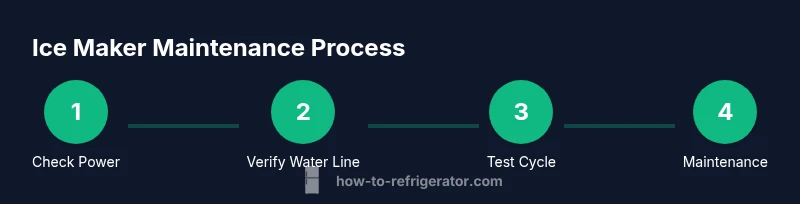
As you proceed, reference your specific LG model’s user manual since exact steps and button labels can vary across series and years. The process remains consistent: verify power, check water, observe the ice mold, and test a short run to observe timing and cube quality. This practical approach aligns with best practices in home appliance maintenance and helps homeowners troubleshoot efficiently.
Brand context: How To Refrigerator’s analysis highlights that many ice issues stem from simple misconfigurations or routine wear and tear, not complex failures. By following the steps below, you’ll learn how to make ice in lg refrigerator with confidence and reduce unnecessary service calls.
Common ice maker problems and quick fixes
Ice makers in LG refrigerators can encounter a few recurring problems, and most issues have straightforward fixes. No ice production can result from a turned-off ice maker switch, a frozen or kinked supply line, or a clogged water filter. Slow ice production often points to a partially closed valve, low water pressure, or a dirty ice mold with trapped ice pieces. Cloudy ice is typically a sign of metal ions or impurities in water, or overly rapid freezing, which can be mitigated by running a few cycles with clean water and ensuring the freezer maintains a consistent cold environment.
To diagnose, start with the easiest check: confirm the ice maker is set to on, inspect the water supply valve under the kitchen sink or inside the refrigerator, and look for any obvious leaks or frozen lines. If the ice maker has an indicator light, note its color and any flashing patterns—the LG models often use light signals to denote faults or the need for maintenance. If there’s no light and no ice, you may be dealing with a power or sensor fault, which can sometimes be resolved by a simple reset. For persistent issues, consult your model’s manual or contact a professional.
Remember: never force ice out of the mold, as this can bend the mold or damage the motor. Instead, wait for a complete cycle to finish before attempting another production run. Regular maintenance reduces the frequency of these problems and keeps ice tasting fresh.
Verifying water supply and ice maker settings
A reliable ice maker requires a steady water supply and correctly configured settings. Start by locating the water supply valve and ensuring it is fully open and not obstructed by mineral buildup or a kinked line. If your LG refrigerator uses a water filter, verify that the filter is correctly installed, not past its replacement date, and compatible with your model. A clogged filter reduces flow and can halt ice production. After verifying the water supply, check the ice maker’s on/off switch or control panel. Some LG models feature an ice type option or a setting to enable the ice maker; ensure these controls are enabled.
If an access panel is present, use a flashlight to inspect for ice blockages or frost buildup around the mold. Wipe away any moisture with a clean cloth to prevent ice chunks from bonding to the mold surface. If the ice maker still won’t start, you can perform a basic reset by unplugging the unit for 60 seconds or using the reset button if your model includes one. This often clears sensor glitches and restores normal operation.
Brand note: How To Refrigerator’s research shows that most ice issues are resolved by simple checks of the water supply, filter status, and ice-maker on/off controls, rather than replacing components. Always keep your model’s manual handy for model-specific steps and safety guidance.
Temperature and door sealing considerations for ice quality
Consistent ice quality hinges on the overall temperature balance inside the freezer and the integrity of door seals. If the freezer is too warm, ice will melt and refreeze into cloudy, oddly textured cubes. Ensure the freezer is not opened too often and that the door gaskets seal properly. Inspect the door seals for cracks, tears, or dirt that can create air leaks. Clean the seals with a damp cloth and a mild detergent if needed, then dry thoroughly. A well-sealed freezer helps maintain a stable freezing environment which directly impacts ice formation and cube clarity.
Avoid placing hot or warm items near the ice maker, as rapid temperature fluctuations can lead to frost buildup and ice quality changes. If frost forms around the ice maker, gently defrost the area according to your model’s instructions before resuming production. A steady, properly chilled freezer reduces the risk of ice clumping and improves the reliability of ice output.
How to reset or recalibrate the ice maker
If you’re wondering how to reset or recalibrate the ice maker on an LG refrigerator, start with a simple reset sequence. Locate the ice maker reset button on the housing or panel, press and hold as directed by the model manual (usually 3-5 seconds), and release. If there’s no reset button, unplug the fridge for about a minute and plug it back in to force a soft reset. After resetting, wait for a full cycle to complete before testing ice production again. In some models, recalibration may involve removing the ice bin and ensuring the ice mold is aligned correctly with the drive mechanism.
During recalibration, ensure the water line is fully connected and not pinched. If you still encounter issues, consult the user guide for model-specific recalibration steps. Avoid repeatedly resetting if there is a mechanical fault; repeated resets can wear out components.
Brand tip: Small adjustments in alignment or sensor positioning often resolve misreads in LG ice makers and restore normal operation without replacement parts.
Regular maintenance to prevent ice problems
Prevention is the best strategy for a dependable ice maker. Schedule a routine maintenance check every few months to inspect the water supply line for kinks, clean the ice mold, and replace the water filter as recommended by LG for your model. When cleaning the ice mold, use a mixture of warm water and a mild dish soap, then rinse thoroughly to avoid soapy flavors. Wipe down the ice bin and dispenser area to remove spills that can attract debris or mold.
Keep the freezer temperature consistent by avoiding frequent door openings and by ensuring the unit sits in a stable, cool environment. Inspect the ice maker’s sensors and wiring for signs of wear or damage and address any corrosion or loose connections promptly. Maintaining clean lines, fresh filters, and a sealed freezer environment will minimize ice quality issues and ensure smoother operation over time.
Authority sources and further reading
For deeper understanding and safety guidance, consult reputable sources on refrigerator efficiency and appliance safety:
- How energy-efficient refrigerators work (Energy.gov): https://www.energy.gov/eere/buildings/articles/how-energy-efficient-refrigerators-work
- General appliance safety and maintenance (Extension services): https://extension.oregonstate.edu
- Refrigerator safety and consumer guidance (FTC): https://www.consumer.ftc.gov/articles/refrigerators
Tools & Materials
- Flathead screwdriver(for accessing ice maker housing if needed)
- Clean microfiber cloth(for wiping spills and mold areas)
- Small bowl or tray(to catch drips during testing)
- Replacement water filter (if model requires one)(check model compatibility and replacement schedule)
- Towel or absorbent mat(place under ice maker to catch condensation and spills)
Steps
Estimated time: 25-45 minutes
- 1
Power down and access the ice maker
Locate the ice maker housing in the freezer. If your model has a cover, remove it with a gentle lift. Confirm the ice maker is powered on or toggle the on/off switch to the on position. This first step ensures you are testing a functional system rather than chasing a power issue.
Tip: If there’s no obvious power switch, check the control panel for an ice maker icon and ensure it’s enabled. - 2
Check water supply and line for kinks
Trace the water line from the back of the fridge to the valve. Ensure the line is securely connected and free from kinks, bends, or crimps that could restrict flow. If the line is damaged, replace it or contact a professional. Also verify the shut-off valve is fully open.
Tip: A gentle feel-test on the line can reveal pinches; if you hear a whistling sound, there may be a partial restriction. - 3
Inspect the ice mold and remove obstructions
Look inside the ice mold for lodged ice cubes or frost buildup. If cubes are sticking or the mold is frosted, gently loosen ice with a plastic tool and trim away excess frost. Wipe the area dry to prevent new ice from bonding to moisture.
Tip: Do not use metal tools that could scratch the mold; use a plastic spatula or wooden stick. - 4
Reset the ice maker
Use the reset button if your model has one, or perform a soft reset by unplugging the unit for about 60 seconds and plugging back in. Allow the system to reinitialize before attempting a new ice cycle.
Tip: Resetting clears minor sensor glitches and can restore normal operation without parts replacement. - 5
Run a test cycle
After reset, dispense a few ice cubes by initiating a test cycle from the control panel. Confirm the mold fills with water and begins freezing. If ice fails to dispense, repeat the cycle once more before proceeding.
Tip: Monitor for consistent cube formation; repeated failures suggest a mechanical fault. - 6
Verify water filter status and finalize
If your LG model uses a water filter, ensure it is installed correctly and not overdue for replacement. Run another cycle to confirm ice production resumes with clean water. Keep records of maintenance for future reference.
Tip: Replacing a clogged filter often resolves reduced ice production and improves taste.
FAQ
Why isn’t my LG ice maker producing ice at all?
Common causes include a turned-off ice maker switch, a blocked water line, or a clogged water filter. Start by confirming the ice maker is enabled, inspect the water supply, and replace the filter if needed. If issues persist, perform a reset and test a cycle.
If you’re not getting any ice, check that the ice maker is on, the water line is clear, and the filter isn’t clogged. Try a quick reset and test a cycle.
Why is the ice cloudy or taste odd?
Cloudy ice can result from minerals in water or rapid freezing. Clean the ice mold and ensure the water is clean. Consider using filtered water or changing the water filter if the water supply is hard.
Cloudy ice usually means minerals or fast freezing. Clean the mold and use filtered water if needed.
How often should I replace the water filter for the LG ice maker?
Follow LG’s recommended replacement schedule in your model’s manual. In general, filters should be checked every 6-12 months depending on usage and water quality.
Check the manual for your LG model’s filter schedule and replace when due.
What should I do if the ice maker is freezing up or not ejecting ice?
Frost buildup around the mold or a jammed ice cube can block ejection. Defrost the area if needed, remove the ice carefully, and reset the ice maker. If it persists, there may be a mechanical fault.
If ice is sticking or won’t eject, defrost and clear the mold, then reset and test again.
Can a power outage affect ice production long-term?
Short outages typically don’t cause long-term damage, but a longer outage may reset temperatures and ice cycles. After a outage, allow the unit to return to its normal temperature before running cycles again.
A power outage may pause ice production temporarily. Let the fridge return to normal temperature before testing again.
Watch Video
Top Takeaways
- Verify ice maker is on and water supply is clear
- Inspect for kinks and frost around the mold
- Reset and test in small cycles to confirm operation
- Replace water filter when due to maintain flow
- Maintain a clean freezer environment to ensure quality ice