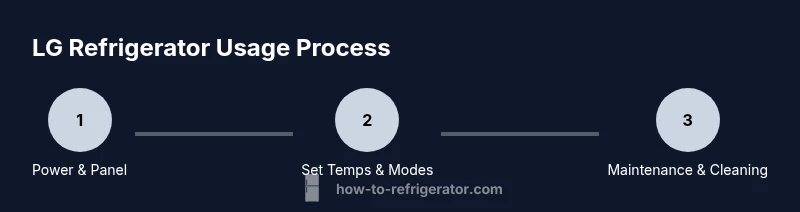
How to Use LG Refrigerator: A Step-by-Step Guide at Home
Learn how to use LG refrigerators with a clear, step-by-step guide for homeowners. Master controls, temperatures, and routine maintenance to keep food fresh, energy use down, and everyday operation simple.


This guide shows you how to use lg refrigerator effectively, covering control panels, temperature settings, door alarms, smart features, ice and water dispensers, and maintenance routines. It walks you through selecting modes, organizing shelves, energy tips, and routine cleaning so you can optimize cooling, save energy, and keep food fresh.
How to use lg refrigerator: An Overview
If you’re new to your LG refrigerator, the first step is understanding that each model can have different controls. According to How To Refrigerator, starting with your model’s manual to identify the exact layout of the control panel, temperature zones, and any smart features is essential. In this guide we’ll cover common layouts and practical steps you can apply to most LG units. By learning where the temperature dials live, how to activate energy-saving modes, and where to find routine maintenance reminders, you’ll be able to use the appliance confidently from day one. The How To Refrigerator team finds that a quick orientation saves time, reduces energy usage, and minimizes cold spots in the fridge. This article uses clear, model-agnostic instructions so homeowners can apply the guidance regardless of which LG model they own.
Understanding LG Refrigerator Interfaces
LG refrigerators can feature a mix of push-button, touch, and digital display panels. Most models group controls for temperature, ice and water, and special modes into a single interface on the door or inside the fridge. If your unit has a smart integration option, you may access some settings through a companion app. Start by locating the main control panel, then identify the three core areas: temperature management, mode selections (Normal, Eco, Quick Freeze), and alarm indicators. Knowing where these are will help you adjust settings quickly without drifting into unintended modes. For many households, a clean, straightforward interface reduces confusion and helps maintain consistent cooling across shelves.
Daily Use: Temperature, Shelving, and Food Organization
Keep the main compartment around 37°F (3°C) and the freezer near 0°F (-18°C) as a practical baseline, adjusting only if you notice excess condensation or inconsistent cooling. Arrange items to let air circulate; avoid overpacking and keep foods with strong odors in sealed containers to prevent flavor transfer. Place high-moisture produce toward the crisper and keep drinks and ready-to-eat items at the front for easy access. Use adjustable shelves to accommodate tall bottles or large dishes, and don’t block vents that allow cold air to circulate. Regularly check door gaskets and seals; a loose seal is a common cause of energy waste and uneven cooling. In this context, how to use lg refrigerator becomes about maintaining steady ambient temperatures and accessible organization so your food stays fresh longer.
Energy Efficiency and Maintenance Basics
Energy efficiency starts with disciplined use: close doors promptly, minimize door openings, and use energy-saving modes when available. How To Refrigerator analysis shows that enabling energy-saving features and a consistent temperature plan can help reduce energy consumption across LG models. Keep the interior clean and free of spills that can attract odors or bacteria, and perform a quick monthly wipe-down of shelves and gaskets. Regularly inspect the condenser coils if accessible; dust buildup forces the compressor to work harder and wastes energy. If your model includes a reminder indicator for filter changes, adhere to the suggested schedule to maintain performance and avoid clogged water lines.
Cleaning, Defrosting, and Seasonal Tips
Develop a simple cleaning routine: empty the fridge, remove shelves, wash with mild soap and water, rinse, and dry before replacing. Wipe the door seals with a damp cloth to remove debris that can impair a proper seal. For frost-free units, defrosting is generally not required, but you should remove any heavy ice buildup if your model shows frost accumulation. Keep fruits and vegetables wrapped to minimize moisture loss and odors. Seasonal checks are a good idea—test the night-light, verify the water dispenser operates smoothly, and confirm that the ice maker is producing as expected. These practices help you get more from your LG refrigerator over time.
Troubleshooting Common Issues
If you notice temperature inconsistency, inspect door seals first; a small air leak can cause uneven cooling. Ensure shelves are properly seated and not blocking vents. If the display shows an error or the ice maker pauses, consult the manual and reset the unit if instructed. Wicked odors can indicate spoiled produce; remove any suspect items, clean the compartments, and re-establish good airflow. If not cooling persists after checks, it may be time to contact support or consider professional service, especially if you suspect a condenser or thermostat issue. Remember, many LG models have diagnostic indicators that can guide troubleshooting without specialized tools.
Getting More From Your LG Refrigerator: Pro Tips
Pro tip: keep a simple maintenance log—note when you replace filters, clean coils, or adjust temperatures. Proactively arranging groceries and maintaining clear air pathways improves performance and energy efficiency. If you use the water dispenser, replace the water filter on schedule and flush the lines after installation. The How To Refrigerator team recommends staying current with model-specific guidance and performing routine checks to prevent avoidable issues, ensuring your LG refrigerator serves your household reliably for years to come.
Tools & Materials
- LG refrigerator owner's manual(Model-specific controls and setup instructions)
- Soft microfiber cloth(For interior surfaces and door gaskets)
- Mild soap or fridge cleaner(Gentle, non-abrasive cleaning solution)
- Measuring tape (optional)(Helps plan shelf configurations)
Steps
Estimated time: 25-30 minutes
- 1
Power on and identify controls
Locate the power switch, main temperature dial, and any mode buttons. Take a few seconds to scan the display to understand current settings and indicators. If you have a smart panel, note the section for alerts or app connection.
Tip: Take a quick photo of the panel for easy reference later. - 2
Set initial temperatures
Set the fridge to a baseline around 37°F (3°C) and the freezer to 0°F (-18°C). If you have separate zones, ensure doors are closed while making changes to avoid temperature drift.
Tip: Use the temperature alert if your model has one to stay within safe ranges. - 3
Organize contents for optimal cooling
Group items by type and use clear containers so airflow isn’t blocked. Place frequently used items at eye level and keep strong-smelling foods sealed.
Tip: Avoid overpacking; air needs to circulate to keep everything evenly cooled. - 4
Enable energy-saving modes
If your model includes an Eco or Energy Saver setting, enable it for improved efficiency. Verify that door seals are intact after enabling modes.
Tip: Check gaskets periodically and replace if they show wear. - 5
Routine cleaning and gasket maintenance
Remove shelves as needed and wash with mild soap. Wipe seals gently to remove debris and prevent leaks.
Tip: Dry all surfaces completely before returning items. - 6
Seasonal checks and app features
Check for filter change indicators and software/app updates if your LG model supports them. Replace water filters per the manual and run a quick test cycle.
Tip: Record replacement dates in your maintenance log.
FAQ
Can I use an LG refrigerator without electricity?
No power means no cooling. Keep doors closed and use coolers or ice packs until power is restored. After power returns, verify temperatures and allow the fridge to reach set levels before restocking.
Without power, the fridge won’t cool. Keep doors closed and wait for power; once it returns, let the unit stabilize before loading groceries.
How do I reset the LG refrigerator after a power outage?
After power returns, check the display for any error codes and reset as directed in the manual. It may automatically restart, but give it several hours to reach normal temperatures.
After a power outage, let the fridge settle, then follow the model instructions to reset any alarms or modes.
How often should I replace the water filter?
Follow your LG model’s guidance, but a typical replacement interval is every 6 months or when the indicator shows it’s time. Replacing keeps water tasting fresh and reduces particulate buildup.
Usually every six months or when the indicator tells you to replace it.
What temperature should the fridge and freezer be set to?
A common baseline is about 37°F (3°C) for the fridge and 0°F (-18°C) for the freezer. Adjust slightly as needed for your household and product layout.
Keep the fridge around 37 degrees and the freezer around zero for best results.
Why is my LG refrigerator not cooling properly?
Check for door seal integrity, airflow obstructions, and condenser coil dust. If the issue persists, consult the manual's troubleshooting steps or contact support.
If it isn’t cooling, inspect seals, vents, and dust buildup; if needed, seek professional help.
Is it safe to put warm food directly into the fridge?
It’s better to cool large warm items gradually before placing them in the fridge to avoid temperature spikes and increased energy use.
Try to cool hot foods a bit first; putting warm items in the fridge can slow cooling.
Watch Video
Top Takeaways
- Know your LG model's controls
- Set accurate fridge/freezer temps and organize shelves
- Use energy-saving modes to lower energy use
- Clean and inspect seals regularly
- Replace water filters on schedule