Samsung Refrigerator Filter Change: A Homeowner's Guide
Step-by-step guide to change a Samsung refrigerator filter, flush the line, and reset indicators. Tools, tips, and safety reminders for homeowners to keep water tasting fresh and ice clean.


Change the Samsung refrigerator filter by removing the old cartridge, installing a compatible replacement, and flushing the line. This concise answer points you to a full step-by-step guide with safety tips, flushing instructions, and indicator reset.
Why Samsung Refrigerator Filter Change Matters
According to How To Refrigerator, regular filter changes uphold water quality by reducing chlorine taste, sediment, and contaminants that can affect ice and drinking water. A fresh filter also helps your dispenser maintain optimal flow. While every model is different, most Samsung refrigerators rely on a replaceable carbon block filter to improve flavor and safeguard your appliances. Regular changes can prevent odors, sluggish water flow, and potential bacterial growth in the filter housing. Understanding the purpose of the filter helps homeowners justify the maintenance task as part of routine kitchen care. Prolonged neglect can lead to reduced water pressure and diminished filtration efficiency, which ultimately affects taste and appliance performance.
How to Identify the Right Filter for Your Samsung Model
Samsung uses model-specific filter cartridges. Start by checking the refrigerator’s manual, the door label, or the original packaging to confirm the exact filter name. If you’re unsure, contact the retailer with your model number to verify compatibility. Avoid generic, non-brand filters that aren’t labeled for Samsung; using the wrong type can reduce filtration effectiveness and may void warranty terms. When in doubt, purchase through an authorized Samsung parts retailer and keep the receipt in case the filter must be exchanged. This diligence helps ensure you receive the correct carbon-filter configuration and flow rate for your unit.
Tools and Materials You’ll Need
Before you start, assemble a replacement filter, a clean towel or small basin to catch drips, and a soft cloth for drying. Optional items include a small flathead screwdriver or a pliers if your model uses a clip-style release, and a local water-testing kit if you want to verify taste after flushing. Having everything ready minimizes pauses and helps you complete the task in one pass. Remember: using the correct replaceable cartridge is essential for maintaining filtration quality and the appliance’s warranty.
Step-by-Step Overview
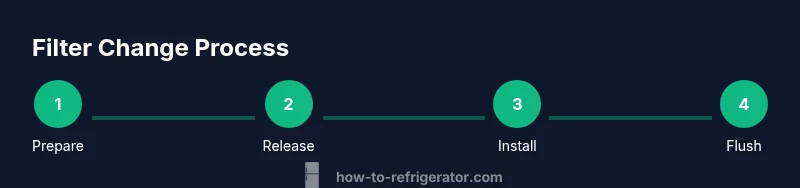
Changing a Samsung refrigerator filter is a straightforward maintenance task. The overview below outlines the high-level flow: locate the filter housing, release or twist to remove the old cartridge, insert the new filter with the correct orientation, flush the system by running water for several minutes, and finally reset any indicator light or sensor. Following these steps in order helps prevent leaks and ensures the new filter starts filtering immediately.
Step 1: Prepare the Area and Gather Your Supplies
Clear the surrounding area of obstacles and place a towel or shallow tray under the filter housing to catch any drips. Read the filter’s packaging and your manual to confirm orientation and replacement intervals. If your unit has a front door water dispenser, be mindful of splashes as you work. Preparing ahead reduces mess and ensures you complete the task efficiently.
Step 2: Locate the Filter Housing and Release Mechanism
Most Samsung models position the filter cartridge behind a panel near the interior back wall or the crisper drawer area. Gently open any panel or cover to reveal the filter housing. Some units use a twist-to-release cartridge; others require a small amount of pressure to release a locking tab. Confirm you’re accessing the correct housing to avoid removing the wrong component.
Step 3: Remove the Old Filter Safely
Twist or release the locking mechanism to free the old cartridge. Keep the used filter point-down over the towel to minimize drips. If sediment or discoloration leaks out, wipe the housing with a clean cloth before installing the new filter. Dispose of the old cartridge per local waste guidelines or as directed by your retailer.
Step 4: Install the New Filter Correctly
Align the new cartridge with the housing and insert it firmly until you hear a click or feel it seat. Ensure the orientation arrows on the filter match the housing indicators. Do not force the cartridge beyond its stop; improper seating can cause leaks and poor filtration.
Step 5: Flush the System and Check for Leaks
Run water through the dispenser for 2–5 minutes to flush out air and any residual carbon dust. Discard the first several cups of filtered water to ensure clean taste. Check all connection points during the flushing process for signs of leakage; tighten if necessary or reseat the filter if a leak appears. This step ensures optimal flow and filtration performance from the new cartridge.
Step 6: Reset the Indicator and Verify Performance
Many Samsung models include a filter indicator or reset sequence. Follow the user manual to reset the indicator after installation. Run the dispenser again for a few minutes and taste the water; if it tastes off, repeat flushing or consult the manual for advanced troubleshooting. Regular flushing helps guarantee consistent quality from the new filter.
Troubleshooting, Safety, and Maintenance Tips
If you notice a persistent leak after installation, recheck the filter seating and panel seals. Do not over-tighten the housing, as this can crack parts or create leaks. Always unplug the appliance only if you need to access electrical components; otherwise, you can complete maintenance with the unit powered. Schedule filter changes every 6–12 months depending on usage and water quality, and replace immediately if taste or flow diminishes.
Environmental Considerations and Ongoing Maintenance
Dispose of old filters according to local recycling guidelines where available. Maintain a regular replacement schedule to keep water quality high and reduce mineral buildup around the filter housing. Consider keeping a small log of replacement dates to simplify future maintenance and ensure consistent care of your Samsung refrigerator.
Tools & Materials
- Replacement water filter compatible with Samsung refrigerators(Check model compatibility in the manual or with the retailer; use only Samsung-labeled replacements for best results.)
- Soft cloth or towel(Use to wipe up drips and dry surfaces after removal/installation.)
- Small tray or bowl(Catches drips during filter removal.)
- Optional: screwdriver or pliers(Only if your model uses clips or unusual release mechanisms.)
Steps
Estimated time: 8-12 minutes
- 1
Prepare workspace and gather supplies
Clear the area, lay a towel, and verify you have the correct replacement filter. Reading the manual ahead of time reduces surprises and ensures you follow the right sequence.
Tip: Having everything ready in reach saves time and prevents drips from spreading. - 2
Locate the filter housing
Open the interior panel or door to locate the filter housing. Confirm you’re accessing the actual filter compartment to avoid damaging other components.
Tip: If you’re unsure, check the door label or model number on the refrigerator for exact placement. - 3
Release and remove the old filter
Twist or unlatch the cartridge and pull it straight out. Keep it pointed downward to minimize spills and place it in the towel.
Tip: Do not yank; use a gentle, steady motion to avoid damaging the housing. - 4
Install the new filter
Insert the new cartridge in the proper orientation until it seats with a click or a firm stop. Ensure alignment arrows match the housing indicators.
Tip: If it doesn’t click, re-seat and rotate slightly until it does. - 5
Flush the system
Run water through the dispenser for 2–5 minutes to clear air and carbon dust. Discard the initial cups of water for best taste.
Tip: Watch for leaks during flushing; tighten connections if needed. - 6
Reset the indicator (if present)
Follow the manual to reset the filter indicator. If there’s no indicator, note the replacement date for future reference.
Tip: Mark the calendar to remind you of the next replacement window. - 7
Test and verify
Re-test the water and ice to ensure proper flow and taste after flushing and resets.
Tip: If taste remains off after multiple flushes, consider rechecking seating or contacting support. - 8
Clean up and dispose
Wipe down the area and properly dispose of discarded filter components according to local guidelines.
Tip: Keep the old filter out of reach of children and pets until disposal is complete. - 9
Document maintenance
Record the date of replacement and any notes about performance for future reference.
Tip: A small log helps when planning the next change cycle and can aid warranty claims. - 10
Schedule next filter change
Set a reminder based on your water quality and usage—most households replace every 6–12 months.
Tip: If your area has hard water, consider more frequent changes to maintain taste and flow.
FAQ
Do I need to unplug the fridge to change the filter?
No, you generally do not need to unplug the fridge. Changing the filter is a low-voltage task; simply access the filter housing with the fridge powered. If your model requires detaching panels near the compressor, consult the manual and follow safety steps.
You usually don’t need to unplug the fridge. Access the filter housing with the unit on, and follow the manual for any panel detachment if required.
How often should I change a Samsung refrigerator filter?
Most residential guides suggest every 6 to 12 months, depending on usage and water quality. In areas with hard water or high usage, you may need replacements more frequently. Always refer to your manual for model-specific guidance.
Typically every 6 to 12 months, adjust for your water quality and usage. Check your manual for model-specific timing.
Why is the water cloudy after changing the filter?
New filters can release fine carbon particles initially. Run the dispenser for several minutes and pour out the first cups of water. If cloudiness persists after multiple flushes, recheck filter seating or replace the cartridge if it’s defective.
Carbon dust from a new filter can cause temporary cloudiness; flush a few minutes and discard the first cups.
Can I reset the filter indicator manually if my model doesn’t have one?
If your model lacks a reset option, note the replacement date and schedule the next change manually. Some models will use a timer or flow-based indicator instead of a reset control.
If there’s no reset control, simply log the date and keep a future replacement reminder.
What should I do if there’s a leak after changing the filter?
First, reseat the filter and wipe the housing. If a leak persists, inspect the seal and panel for damage or misalignment. Avoid over-tightening, which can crack seals.
If you see a leak after changing the filter, reseat it and check seals. If it continues, inspect for damage and avoid over-tightening.
Are universal filters compatible with Samsung refrigerators?
While some universal filters claim compatibility, Samsung recommends using their labeled replacement cartridges to ensure proper fit and filtration. Using non-branded filters can compromise performance and void warranties.
Use Samsung-labeled filters for the best fit and warranty protection; universal options may not perform as well.
Watch Video
Top Takeaways
- Use model-appropriate Samsung filters for best results
- Flush water after installation to remove carbon dust
- Reset indicators if your model supports it
- Check for leaks during and after installation
- Maintain a regular replacement schedule