Replacing Samsung Water Filter in Refrigerator: A Complete How-To
Learn how to replace the Samsung water filter in your refrigerator with a clear, step-by-step guide. Prep, install, prime, and maintain for clean water and ice, with tips to avoid leaks and protect your warranty.


You will learn how to replace the Samsung water filter in your refrigerator, including locating the filter, removing the old filter, installing the new one, and verifying water flow. You'll need a few basic tools and the correct Samsung filter model. This guide covers safety precautions, troubleshooting, and maintenance tips to keep your ice maker and water dispenser performing well.
Understanding why replacing Samsung water filter in refrigerator matters
Clean, safe drinking water begins with a properly functioning filter. Replacing the Samsung water filter in refrigerator removes trapped particulates, improves taste and odor, and reduces the risk of contaminants entering your ice maker and dispenser. According to How To Refrigerator, staying on top of filter maintenance isn't just about water quality; it also supports the appliance’s efficiency and longevity. When the filter becomes clogged, the system must work harder, potentially stressing the ice maker, reducing water pressure, and causing the dispenser to slow. This guide will help homeowners identify the right filter model, locate the filter, remove the old cartridge, install a new one, and verify proper operation. By following the steps, you’ll ensure clean, crisp water and ice while maintaining warranty-safe practices. Remember: never force a filter that doesn’t fit, and always dispose of old filters per local guidelines. How To Refrigerator's research emphasizes using genuine filters and adhering to manufacturer recommendations for best results. In many homes, the filter life is linked to water usage and the hardness of the water supply; therefore, regular replacement is part of responsible kitchen maintenance. In this section, you'll learn the core purpose of the filter and how replacement fits into overall fridge upkeep.
Brand context: How To Refrigerator provides practical, homeowner-friendly guidance on appliance maintenance, with emphasis on safety and long-term performance.
Filter compatibility and choosing the right model
Most Samsung refrigerators use a dedicated filter cartridge designed for a specific housing. To ensure you purchase the correct filter, start by locating the label on the current cartridge or refer to your fridge’s owner manual. If the old filter is missing, check inside the filter housing for part numbers or model codes. When shopping, avoid generic third-party substitutes unless they explicitly state compatibility with your model. For homeowners, it’s worth noting that the right filter not only fits snugly but also provides the correct micron rating and flow rate for your dispenser. The filter housing may vary in its locking mechanism; some models require a quarter-turn twist, while others use a push-and-release method. Always verify compatibility, as an ill-fitting filter can leak, reduce water pressure, or fail to seal properly. In practice, you’ll focus on matching the model family, ensuring the sealing gasket is intact, and confirming that the new cartridge is labeled for refrigerator filtration. How To Refrigerator’s analysis reinforces the importance of authentic filters and proper fit to maintain water quality and appliance warranty integrity.
Before buying, take note of your fridge type (side-by-side, French door, or top-freezer) and where the filter is mounted (inside, on the grille, or at the back). Keeping a simple inventory of filter dates and purchase reminders helps you stay on schedule and protects your family’s health. As you proceed, remember that compatibility and correct installation are the foundations of a successful replacement.
Safety first: preparing your workspace and turning off supply
Safety is the backbone of any DIY appliance task. Start by turning off the water supply to the refrigerator to prevent drips and spills during removal. If your home setup doesn’t easily allow shutoff at the valve, place a towel or shallow tray under the area to catch any incidental drips. Empty the ice bin if reachable to prevent water from overflowing. Wear gloves if you’re concerned about cold metal or sharp edges around the filter housing. Keep a clean cloth handy to wipe away moisture after installation. The aim is to minimize mess and avoid splashes that could soak nearby electronics or shelving. If you notice any signs of corrosion or damage to the housing, pause and consider contacting a professional. The goal is to create a dry, safe workspace that makes the replacement straightforward rather than rushed.
Safety tip: never force-fit a filter or apply excessive torque; if the cartridge won’t twist or seat properly, double-check alignment and model compatibility and reattempt with a fresh cartridge.
Step-by-step orientation: what to expect during removal and installation
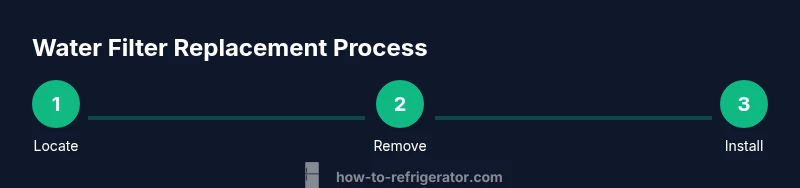
Replacing a Samsung water filter involves a few precise actions that, when done in order, prevent leaks and ensure proper filtration. Begin by loosening and removing the old cartridge without applying excessive force. Next, inspect the filter housing for residue, cracks, or damage, and wipe it clean. Then, align the new filter so the gasket seals evenly and insert with a gentle twist or push according to your model’s design. Finally, seal the housing and spin or click into place to confirm a proper lock. After installation, run cold water through the dispenser for several minutes to purge air and check for leaks around the housing. If you observe any drops or dampness, tighten the seal slightly and re-check. These steps are designed to minimize air pockets and ensure the filter starts priming immediately, delivering crisp water with minimal disruption to your ice maker.
Pro tip: keep the old filter until you confirm the new cartridge operates correctly, so you have a direct comparison if any issue arises.
Post-installation checks: priming, flushing, and reset steps
Now that the filter is installed, you’ll want to prime and flush the system to remove air and any loose carbon fines. Run cold water through the dispenser for 2–3 minutes until a steady stream clears and the water runs clean. This step helps you gauge whether the seal is airtight and whether there are any drips at the housing. If your refrigerator has a filter indicator light or control panel reset, follow the manufacturer’s instructions to reset the filter status after replacement. Some models require you to press and hold a button for several seconds, while others perform a self-calibration after a power cycle. Throughout the flush, keep an eye on the water color and odor; if you notice unusual taste or cloudiness, pause and re-check the filter seating and compatibility. Routine post-install checks like these prevent surprises and keep your filtration system performing at peak efficiency.
Maintenance consistency pays off: regular priming and testing after replacement extend filter life and protect your ice quality.
Troubleshooting common issues after replacement
Despite careful steps, issues can occur after a filter change. If you notice slow water flow or a weak stream, check that the filter isn’t seated oddly and that the housing is fully locked. Leaks around the housing are common culprits: re-seat the filter, rotate a quarter-turn, and wipe away any moisture to confirm seal integrity. If the water tastes off or smells unusual after priming, run more water through and consider a second flush. Persistent taste or odor could indicate environmental contamination or a faulty filter; in that case, replace with a fresh cartridge and run another flush. If your indicator doesn’t reset or errors appear on the panel, consult the user manual for the exact reset procedure or contact customer support. Remember, always use an authentic filter designed for your Samsung refrigerator. How To Refrigerator emphasizes the correlation between correct model compatibility and consistent water quality; using a mismatched cartridge can lead to problems that are difficult to diagnose later.
If you have persistent leaks, weak flow, or electrical concerns near the filter housing, it’s wise to pause and seek professional assistance rather than continuing to operate the appliance.
Pro tips for extending filter life and keeping costs reasonable
A well-maintained water filtration routine doesn’t have to be expensive. Consider setting a reminder aligned with your water usage and the manufacturer’s recommended replacement window. Store spare filters in a cool, dry place and avoid exposing them to sunlight, which can degrade gasket materials. When possible, purchase filters in bundles to save on costs, but ensure you’re choosing the correct model family for your fridge. If you notice frequent leaks or filter failures, review the installation procedure and confirm you’re not inadvertently cross-threading or over-tightening the housing. Regular maintenance is cost-effective in the long run because it preserves water quality, protects your ice maker, and reduces the need for more expensive repairs. The How To Refrigerator team recommends documenting filter replacement dates and keeping manufacturer guidelines accessible for quick reference.
Tools & Materials
- New Samsung water filter (model compatible with your fridge)(Check the label on the old filter or the fridge manual to confirm compatibility)
- Dry cloth or microfiber towel(Use to dry the housing and wipe up spills)
- Gloves (optional)(Protect hands from cold metal and moisture)
- Towel or small tray(Place under the area to catch drips during replacement)
- Small container or cup(Catch water if needed during removal)
Steps
Estimated time: 20-40 minutes
- 1
Locate the filter compartment
Identify whether your Samsung fridge uses a filter in the grille, behind a front panel, or on the inside rear wall. Consult the user manual if you’re unsure. Take a photo of the current setup for future reference before removing anything.
Tip: If you see a model number on the cartridge, write it down or snap a photo to ensure you buy the correct replacement. - 2
Shut off water supply and prepare area
Turn off the water valve to prevent drips. Place a towel or tray under the housing to catch any residual water and to keep the area dry while you work.
Tip: Having a dry workspace reduces the chance of slips and helps you notice leaks quickly. - 3
Remove the old filter cartridge
Grip the filter and twist counterclockwise (or release mechanism, depending on model) to unlock. Pull the cartridge straight out, keeping the opening pointed downward to minimize spills.
Tip: Do not force the filter; if it won’t budge, re-check alignment or refer to the manual. - 4
Inspect and clean the housing
Look for cracks, gasket damage, or debris inside the housing. Wipe the interior surfaces with a dry cloth to remove any carbon dust or sediment that could contaminate the new filter.
Tip: A clean housing ensures a proper seal and reduces leak risk. - 5
Install the new filter
Align the new cartridge with the housing and insert according to the model’s orientation. Secure with a twist or push mechanism until it locks in place.
Tip: Do not overtighten; excessive torque can damage the housing or gasket. - 6
Seal, confirm fit, and restore water supply
Ensure the filter is seated evenly and the housing is locked. Reconnect the water supply and check for leaks while you run water through the dispenser.
Tip: If you see any drip, tighten the housing barely and recheck after a few minutes. - 7
Prime the system and flush
Run cold water through the dispenser for 2–3 minutes to purge air and carbon fines. Collect the output in a cup until the water runs clear and tastes normal.
Tip: This step improves taste and helps extend filter life by removing initial fines. - 8
Reset the indicator (if applicable)
Follow your fridge’s reset procedure to clear the filter status. This ensures you’ll receive an accurate alert when it’s time for the next replacement.
Tip: If the panel doesn’t show a reset option, consult the manual or vendor support for guidance.
FAQ
How often should I replace the Samsung water filter in my refrigerator?
Most manufacturers recommend replacing the filter every six months under typical usage. If you notice slower water flow, cloudy water, or changes in taste, replace sooner. Always follow your model’s manual for exact guidance.
Most filters should be replaced about every six months, but if you notice slower flow or off taste, replace sooner and check your manual for model specifics.
Can I use a third-party filter in place of Samsung’s filter?
Using a filter not designed for your model can cause leaks or improper filtration. Stick with filters labeled as compatible with your Samsung refrigerator to protect water quality and warranty.
Stick with filters that are compatible with your Samsung fridge to avoid leaks and ensure proper filtration.
Do I need to turn off the water supply to replace the filter?
Turning off the water supply minimizes spills. If access to the shutoff is difficult, place towels and be prepared for a small amount of water during removal.
Turn off the water when you can, and have towels handy to catch any drips.
How do I reset the filter indicator after replacement?
Reset steps vary by model. Check your fridge manual or settings menu for the reset procedure, often involving holding a button or following a on-screen prompt.
Use the manual or the settings menu to reset the indicator following the model’s instructions.
What signs indicate a faulty installation?
Leaks, constant dripping, or inconsistent water flow usually indicate seating or compatibility issues. Double-check alignment, gasket integrity, and model compatibility before calling support.
Leaks or poor flow typically mean reseat the filter or check compatibility.
What should I do with the old filter?
Dispose of the old filter according to local waste guidelines. Some municipalities accept used filters with regular trash, while others require recycling.
Dispose of the old filter per your local guidelines.
Watch Video
Top Takeaways
- Identify the correct filter model before purchase.
- Prepare a dry workspace and shut off the water supply.
- Install the filter firmly but avoid over-tightening.
- Prime and flush to ensure clean water and proper valve seating.
- Reset indicators to track next replacement.