Refrigerator Calendar: Organize Groceries, Expiry Dates, and Maintenance
Learn how to set up a refrigerator calendar to track groceries, expiry dates, and maintenance tasks with simple steps, templates, and tips for busy households. A practical, human-friendly guide from How To Refrigerator.


A refrigerator calendar keeps groceries, expiry dates, and maintenance tasks visible on your fridge, reducing waste and last-minute trips. This guide shows you how to pick a format, design a clear layout, and establish simple routines that keep your kitchen organized. Whether you prefer magnets or a digital companion, you’ll gain a shared, actionable overview for the whole household.
What is a refrigerator calendar and why you need one
A refrigerator calendar is a simple, visible planning tool that lives on your fridge door. It helps you track grocery restocks, product expiry dates, meal planning, and routine maintenance such as defrost schedules. According to How To Refrigerator, a well-maintained calendar reduces food waste, minimizes last-minute trips, and sharpens your home's kitchen rhythm. In practice, a refrigerator calendar turns scattered notes into a single, actionable overview that the whole household can read at a glance. Whether you favor a physical magnetic board or a digital version mirrored on your phone, the core idea remains the same: it’s about staying organized, reducing surprises, and extending the life of your groceries and appliances. The How To Refrigerator team emphasizes that a clear calendar is not just about dates—it’s about habits. When everyone in the home knows where to look and what to update, you unlock consistent routines and fewer spoiled items. This is why a refrigerator calendar deserves a place in every kitchen: it acts as a central nervous system for daily meals, weekly shopping, and periodic maintenance tasks.
Digital vs physical: choosing a format that fits your kitchen
Choosing between a digital and a physical refrigerator calendar comes down to visibility, accessibility, and family habits. Digital calendars (like Google Calendar or Apple Calendar) are excellent for reminders, shared access, and syncing across devices. They excel when your household uses multiple devices or travels frequently, and they integrate well with grocery apps and recipe planners. Physical calendars, magnets, and whiteboards offer instant at-a-glance cues, which can be especially useful for households with children or caregivers who prefer tactile cues. The How To Refrigerator team finds that many households benefit from a hybrid approach: keep a durable physical calendar on the fridge for quick reference, while maintaining a synchronized digital copy for reminders and shopping lists. Whatever format you choose, the goal is the same: a single, readable system that reduces miscommunication and food waste. If you opt for a hybrid setup, designate a primary calendar and a secondary one for notes, holidays, and long-term rotations. Make sure both are updated with a consistent cadence so they stay trustworthy.
Essential elements to include on your refrigerator calendar
To make a refrigerator calendar genuinely useful, you need a consistent structure. Start with the basics: current month's grid or weekly slots, a section for groceries and restocks, and a maintenance area for reminders like defrosting or filter changes. Add expiry windows for perishables, so your family can act before items spoil. Color coding works wonders: blue for groceries, green for maintenance, red for urgent items, and yellow for upcoming expirations. Include calendar fields for rotation reminders (wipe-and-replace items that are nearing the end of their shelf life), meal planning notes, and seasonal specials. The calendar should be easy to read from a distance, with large fonts and high-contrast colors. Remember to include a quick legend on the calendar so everyone understands what each color means at a glance. By integrating these elements, your refrigerator calendar becomes a practical control center for food safety, budgeting, and kitchen efficiency.
Designing your layout: one month at a time or week-by-week
Layout decisions drive how much you can accomplish with a refrigerator calendar. A month-at-a-glance design is ideal for easy budgeting, while a week-by-week layout helps you manage rotation schedules and perishable items more precisely. If you’re new to calendars on the fridge, start with a simple monthly grid and a compact weekly row for urgent tasks. Use clear headings such as “Groceries,” “Expiry Window,” “Maintenance,” and “Meal Plan” to organize sections. Consider a two-column layout: the left side for groceries and shopping reminders, the right side for expiry dates and maintenance. This separation reduces clutter and makes it easier for family members to locate the information they need quickly. The most important rule is consistency: update the calendar at the same time each day or week, so it becomes a trusted habit rather than a stray note. A well-thought-out layout saves time and minimizes last-minute fridge emergencies.
Step-by-step setup: create your first month
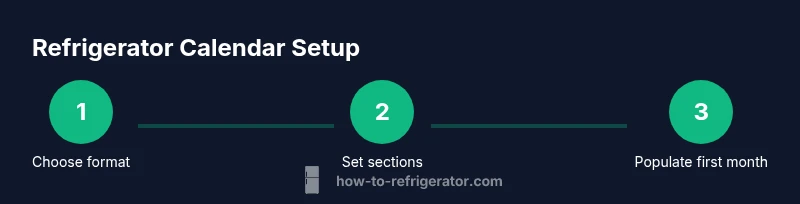
Begin with a clean slate by choosing your format (physical magnet board or digital tile) and prep your materials. Create a grid or calendar placeholder for the current month. Label each section clearly: Groceries, Expiry Dates, Maintenance, and Meal Plan. Populate the first week with essential items and any upcoming tasks (e.g., “defrost on Sunday,” “check milk expiry on Tuesday”). Add color codes and a small legend. Next, draft a few routine reminders, such as “weekly inventory” and “rotate produce” to establish a rhythm. Finally, display the calendar in a highly visible fridge location and confirm that all household members know how to update it. If you’re using magnetic magnets, choose magnets with distinct colors or textures to stand out. For digital users, set up recurring reminders and ensure devices are shared among household members. The aim is a calendar that’s easy to read, quick to update, and aligned with weekly routines. How To Refrigerator recommends testing your system for a week and then adjusting for clarity and ease of use.
Templates and tools you can use
Templates are a great way to jump-start your refrigerator calendar journey. Start with a printable monthly calendar that includes sections for Groceries, Expiry Dates, and Maintenance. If you prefer a digital approach, use a shared calendar plus a printable weekly sheet that you can attach to the fridge. Tools you might use include magnetic dry-erase markers, color-coded sticky notes, and a laminator to create a reusable calendar surface. For households with kids, consider kid-friendly magnets that make updates a game and a learning moment. If you want to share responsibility, assign color codes or sections to different family members. Finally, keep a small set of replacement magnets and markers on hand in case you need to refresh the look. Templates reduce setup time and ensure you don’t miss critical sections, while the right tools keep the calendar legible and durable across weeks and seasons.
Expiry dates and rotation: preventing spoiled food
A refrigerator calendar shines when you actively track expiry dates and rotate perishables. Create a dedicated “Expiry” column where you list items and their expected spoilage window. For items with longer shelf lives, note the recommended rotation date and place to avoid forgotten leftovers. Implement a weekly “inventory check” task where you audit the contents of the fridge and update the calendar accordingly. This approach minimizes food waste, saves money, and reduces the stress of last-minute shopping. If you notice frequent spoilage for specific categories (dairy, greens, or leftovers), adjust storage practices or modify the calendar to add extra reminders. The goal is proactive management rather than reactive scrambles. With careful tracking, your refrigerator calendar becomes a powerful ally in reducing waste and keeping your kitchen running smoothly.
Maintenance reminders and upkeep
Maintenance reminders have a natural home on a refrigerator calendar because they are predictable and repeatable. Create a monthly maintenance block that includes tasks like cleaning shelves, checking door seals, and scheduling professional service if needed. Include a rotation note to remind you when to defrost or to replace filters. A visually distinct color for maintenance makes it easy to separate from groceries. If you rely on a digital calendar, set recurring reminders that align with your physical calendar. Regular upkeep helps you extend the life of your fridge and maintain efficient cooling. The How To Refrigerator team emphasizes that consistent, visible reminders reduce the risk of skipped tasks and ensure your appliance stays in good working order.
Authority sources and references
For further guidance on food safety, storage times, and general appliance care, consult reputable resources including government websites and accredited publications. These sources provide evidence-based recommendations that support practical calendar practices. CDC offers general household safety tips, while the USDA FSIS provides storage-time guidelines relevant to keeping perishables fresh. Energy.gov provides insights on energy-efficient kitchen practices that can complement a well-managed refrigerator calendar by reducing energy use while maintaining food safety and quality. For a detailed exploration of fridge maintenance, refer to How To Refrigerator Analysis, 2026, and adapt these lessons to your household workflow.
Getting buy-in and maintaining consistency
A refrigerator calendar works best when the whole household participates. Start with a simple, visually appealing layout and demonstrate how updates reduce waste and save time. Create a routine: quick check every evening, update on Saturdays, and a weekly review with the family. Encourage everyone to contribute by assigning sections or colors to different members. Celebrate small wins, like a week with no spoiled leftovers or fewer last-minute trips to the store. Remember that consistency beats perfection: start with one month, refine the process, and gradually expand. The goal is to develop a shared habit that keeps groceries affordable and the kitchen organized. The How To Refrigerator team notes that a collaborative approach yields lasting results.
Tools & Materials
- Printable calendar template (monthly view)(Print on standard 8.5x11 paper or use a dedicated fridge-mounted board)
- Printer(Ink enough for multiple prints; or use pre-printed magnetic calendar pages)
- Magnetic calendar page or magnetic tape(Ensure magnets are strong enough to hold pages without sliding)
- Dry-erase markers (assorted colors)(Bold colors improve readability from across the room)
- Color-coded sticky notes or magnets(Optional for quick additions or temporary reminders)
Steps
Estimated time: 30-45 minutes
- 1
Gather materials and decide format
Collect a printable calendar template, magnets or tape, and markers. Decide whether you’ll use a physical fridge calendar, a digital companion, or a hybrid system. This early decision sets the layout and workflow for updating the calendar.
Tip: Choose a format you and others will actually use; readability is more important than features. - 2
Create the calendar structure
Set up sections for Groceries, Expiry Dates, Maintenance, and Meal Plan. Add a simple legend for colors and symbols. A consistent structure makes updates quick and reduces confusion.
Tip: Use high-contrast colors and large fonts to improve legibility from a distance. - 3
Populate the current month
Enter upcoming grocery restocks, known expiry dates, and any maintenance tasks for the month. Include at least one rotation reminder for produce to reinforce fresh storage habits.
Tip: Start with the most time-sensitive items first to build momentum. - 4
Color-code and label
Assign colors to each category (e.g., blue for groceries, green for maintenance). Place a short legend on the calendar for quick reference.
Tip: Keep the legend visible and uncluttered; too many colors defeat readability. - 5
Test readability and accessibility
Stand back and verify that the calendar is legible from across the room. Adjust font sizes or color contrasts if needed. Ensure critical reminders are easily seen at a glance.
Tip: Ask a household member to read it aloud to confirm understanding. - 6
Set up recurring reminders
For digital calendars, enable recurring reminders for weekly inventory checks and monthly maintenance tasks. For physical calendars, place a recurring note at a fixed weekly slot.
Tip: Automation reduces the cognitive load of habit formation. - 7
Hang or assign a central location
Mount the calendar on the fridge at eye level. Ensure everyone has access to edit or add items as needed.
Tip: Position avoidably crowded areas away from heat sources or doors that slam open. - 8
Review and adjust weekly
Reserve 5–10 minutes each week to update the calendar, note changes, and refine categories based on what’s working or not.
Tip: Document a quick improvement note each week to track progress.
FAQ
What is the best format for a refrigerator calendar?
There isn’t one perfect format. Start with a simple monthly layout on the fridge and supplement with a shared digital calendar if your household uses multiple devices.
Start with a simple monthly fridge calendar and consider adding a digital calendar if your household uses multiple devices.
How often should I update the refrigerator calendar?
Aim for a quick update at least once per week, with a mid-week check for expirations or urgent groceries.
Update it weekly and check mid-week for expirations or urgent groceries.
Can kids participate in updating the calendar?
Yes. Give them color-coded tasks and simple prompts to update their sections. It teaches responsibility and reduces resistance to updates.
Absolutely—assign kids color-coded tasks to help with updates and teach responsibility.
What if the fridge is not central in the house?
If the fridge isn’t visible to everyone, add a shared digital calendar and place a mini-summary on a kitchen bulletin board.
If the fridge isn’t central, use a shared digital calendar and a small kitchen board with a quick summary.
Should I track non-food items on the calendar?
You can track items like cleaning supplies or medicine if that helps household planning, but keep it focused to avoid clutter.
You can include non-food items if it helps planning, but don’t over-clutter the calendar.
What is the best way to reset after a long break?
Start with a quick inventory, wipe old entries, and re-establish a weekly review to rebuild the habit.
When returning after a break, inventory, clear old entries, and re-establish a weekly review.
Watch Video
Top Takeaways
- Define a clear calendar layout before updating.
- Mix digital and physical calendars to suit your household.
- Use color-coding to distinguish groceries, expiry dates, and maintenance.
- Schedule regular weekly reviews for consistency.
- Keep a simple legend visible at all times.