LG Refrigerator Filter Change: A Complete Step-by-Step Guide (2026)
Learn how to correctly change your LG refrigerator filter with a detailed, safe, step-by-step process. Includes tools, timing, safety tips, troubleshooting, and maintenance to keep your water tasting great.


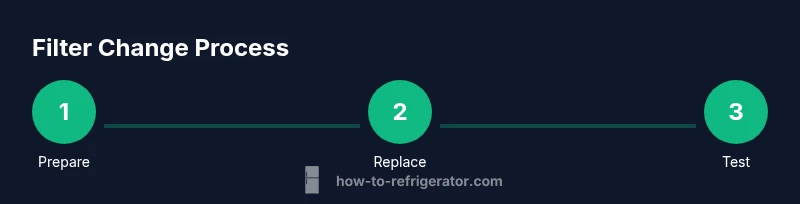
Goal: safely change your LG refrigerator water filter by following a simple, repeatable process. You’ll need the correct LG-compatible filter, basic tools, a towel, and access to the water shutoff. The guide covers preparation, removal of the old cartridge, installation of the new filter, purging the line, and resetting the indicator. Expect about 15–25 minutes for most models.
Why LG Refrigerator Filter Change Matters
Clean, cold water is a basic expectation from a modern fridge. When you delay changing the filter, taste, odor, and flow can deteriorate, and micro-particulates may remain in the dispensed water. Regular filter changes help protect the appliance’s ice and water systems, maintain optimal flow, and preserve the efficiency of the cooling circuit. According to How To Refrigerator, maintaining clean filters is a foundational maintenance habit for homeowners who want dependable performance from their kitchen appliances. By staying on track with filter changes, you also reduce the risk of mineral buildup within the filter housing, which can lead to leaks or blocked circulation. For families relying on filtered water daily, a timely replacement is a small investment with big payoff in taste and peace of mind.
Understanding Filter Types and Replacement Intervals
Most LG refrigerators use a replaceable cartridge filter housed behind a grille or inside the fresh-food compartment. In general, filters are designed to capture chlorine, sediment, and minerals that affect taste and clarity. The exact replacement interval depends on water quality, usage, and the model’s water flow. As a rule of thumb, plan to inspect or replace the filter about every 6 to 12 months, or sooner if the dispenser shows reduced flow, a change in taste, or an alert. The goal is consistent performance rather than chasing a calendar. How To Refrigerator analysis shows that many homeowners underestimate the impact of a clogged filter on water quality and dispenser performance, so setting a proactive replacement schedule can prevent surprises during holidays or gatherings.
Tools, Safety, and Preparation
Before you begin, gather the essentials: a new LG-compatible water filter, a clean towel, and a shallow tray or bowl to catch drips. If you want extra assurance, wear gloves and keep a cloth handy for wiping the housing and surrounding surfaces. Turn off the water supply to the fridge and empty the chosen water line area so you won’t spill when you reset the filter. Reading your owner’s manual or model guide helps you locate the exact filter location and the correct orientation. How To Refrigerator emphasizes starting with a controlled workspace to prevent leaks and spills, which saves cleanup time and minimizes water damage. Make sure the kitchen area is dry and stable before you begin.
Step-by-Step: Replacement Procedure (Narrative Overview)
The replacement begins with shutting off the water supply to avoid leaks during the swap. Open the filter cover or grille to access the cartridge; gently twist or pull the old filter straight out, supporting the housing to prevent damage. Remove the protective cap from the new filter, and rinse it briefly under cold water to remove any loose molding residues. Align the new cartridge with the housing’s arrows or marks, then firmly seat it until it stops. Restore the cover and twist it securely. Reconnect the water line and wipe away any drips. Finally, run water through the dispenser for a few minutes to purge air and check for leaks. If your model has a filter indicator, reset it according to the manual; this helps you track when the next change is due. The key is steady, deliberate action to avoid twisting the housing or forcing the cartridge.
Purging Air, Testing, and Indicator Reset
Air in the line can cause sputtering and irregular flow when you first use the dispenser after a change. Run the water for 2–3 minutes or as recommended by the manufacturer to clear air pockets. Watch for any leaks around the filter housing; a loose cap or misaligned O-ring is a common source of drips. After you confirm a steady stream, test both the door dispenser and ice maker if present, since some units use the same line. If the water quality feels unusual, give the system a couple of minutes and then recheck. Not all LG models require a full reset, but many do; consult your manual or How To Refrigerator’s guidance to ensure the indicator is properly reset.
Common Mistakes and Troubleshooting
Common mistakes include overtightening the filter housing, failing to shut off the water supply, and neglecting to purge air before use. A tight seal prevents leaks but excessive force can crack the housing; loosen slightly and reseat. If leaks persist, inspect the O-ring for damage or misalignment and replace it if necessary. If water flow remains weak after replacement, ensure the cartridge is fully seated and oriented correctly. When in doubt, contact a professional or refer to the model-specific instructions in the LG manual.
Maintenance Schedule and Long-Term Care
Keeping track of filter replacement reduces risk of stale water and service interruptions. Create a simple calendar reminder for a filter change every 6 to 12 months, and adjust according to usage and taste. Store replacement filters in a cool, dry place and check the manufacture date upon purchase. Record the replacement date on your household maintenance log so you can monitor the interval over time. Regular maintenance also helps your ice maker function more predictably and can extend the life of the dispenser mechanism.
Tools & Materials
- New LG-compatible water filter cartridge(Ensure model compatibility with your LG refrigerator)
- Soft cloth or microfiber towel(For wiping spills and housing exterior)
- Shallow tray or container(Catches drips during filter removal)
- Gloves(Protect hands during replacement)
- Owner's manual / model guide(Locate exact filter location and orientation)
Steps
Estimated time: 15-25 minutes
- 1
Turn off the water supply
Locate the shut-off valve on the water line feeding the fridge and turn it clockwise to close. Open the dispenser briefly to relieve pressure and verify no drip remains before you start.
Tip: Have a towel ready to catch any residual water and avoid slipping on wet surfaces. - 2
Open the filter housing
Access the filter by opening the grille or cartridge housing. If it’s a twist-lock style, rotate counterclockwise; if it’s a snap-in, gently pull the cartridge straight out while supporting the housing.
Tip: Support the housing with one hand to prevent strain on the seal. - 3
Remove the old filter
Carefully remove the old filter cartridge from the housing. Inspect the O-ring for damage and set aside the old cartridge for proper disposal.
Tip: Take a quick look at the orientation marks to ensure correct reinstallation. - 4
Prepare the new filter
Remove protective caps and rinse the new filter under cold water for 5–10 seconds to wash away loose particles. Check orientation arrows on the filter against the housing.
Tip: Do not use soap on the filter; water rinse is enough to prep it. - 5
Install the new filter
Insert the new cartridge firmly into the housing until it seats fully. If it’s a twist-lock, turn until it stops; if snap-in, click into place.
Tip: Avoid forcing; if it feels tight, recheck alignment rather than forcing the fit. - 6
Reconnect and wipe
Close the housing cover securely and wipe away any water or spills around the housing area.
Tip: A dry seal helps prevent leaks from the outset. - 7
Restore water supply and purge
Turn the water valve back on and run water through the dispenser for 2–3 minutes to purge air. Watch for leaks during this purge.
Tip: Keep a towel handy in case drips occur during initial use. - 8
Reset indicator and test
If your LG model has a filter indicator, reset it according to the manual. Test the dispenser and ice maker (if applicable) to confirm steady flow and water quality.
Tip: Document the replacement date for future maintenance.
FAQ
How often should I change my LG refrigerator filter?
Typically every 6 to 12 months, but adjust based on water quality, usage, and any dispenser alert. Always follow your LG model’s guidance for best results.
Most people replace their LG fridge filter about every six to twelve months, depending on usage and taste. Follow your model’s guidance for the exact interval.
What are the signs that the filter needs replacement?
Weak water flow, off taste or odor, cloudy water, or a filter indicator alert suggest it’s time to change the cartridge.
If the water flow slows down or the taste changes, consider replacing the filter. Look for any indicator warning as well.
Do I need to shut off the water before changing the filter?
Yes. Shut off the water supply to avoid leaks during replacement. This reduces mess and potential water damage.
Yes. Turn off the water supply first to prevent leaks while you replace the filter.
Can I reuse the filter housing after removing the old cartridge?
No, use a new cartridge that seats correctly to ensure a proper seal and filtration.
No. Always install a new cartridge to ensure a proper seal and effective filtration.
What if I notice a leak after replacement?
Check that the filter is fully seated and the O-ring is intact and properly aligned. Tighten gently if needed and wipe any drips.
If you see a leak after replacement, reseat the filter and check the O-ring for damage or misalignment.
How do I reset the LG filter indicator after changing the filter?
Refer to your LG model manual for the exact reset steps; many models require holding a button or navigating the display settings.
Reset instructions vary by model; check your manual for the exact steps to reset the indicator.
Watch Video
Top Takeaways
- Choose the correct LG filter for your model.
- Shut off water and purge air before use.
- Reset the filter indicator after replacement.
- Test water flow and check for leaks.
- Maintain a regular replacement schedule.