Sears Refrigerator Freezers Troubleshooting Guide
A comprehensive, safe step-by-step guide to diagnose and fix common problems with Sears refrigerator freezers, including not cooling, leaks, and ice-maker issues.


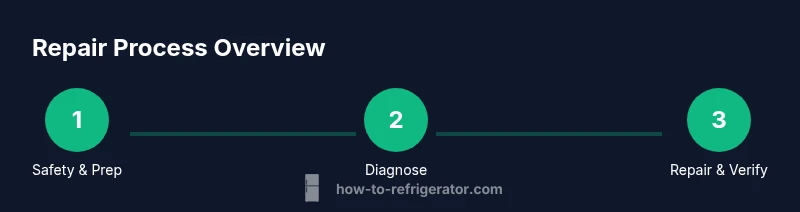
By following this step-by-step guide, you will diagnose and fix common issues with Sears refrigerator freezers. Start by confirming power, then inspect cooling components, door seals, and drainage. Use basic tools to test the thermostat, defrost drain, and condenser coils, and apply safe, practical repairs. The goal is to restore cooling, prevent leaks, and extend the appliance’s life without premature replacement.
Understanding Sears Refrigerator Freezers: Key Components
Sears refrigerator freezers combine several critical systems that work together to keep groceries cold and safe. At the core is the refrigeration cycle, which moves heat from inside the compartments to the condenser coils outside. The evaporator absorbs heat, while the compressor pressurizes refrigerant. Fans, sensor thermostats, door seals, and defrost components all play supporting roles. For homeowners, recognizing these parts helps you diagnose problems without guessing. When you hear unfamiliar noises, feel warm air near the vents, or notice frost building up, you now know which subsystem to inspect first. You also gain insight into whether airflow, temperature control, or drainage is the root cause, enabling targeted fixes for Sears refrigerator freezers. Keep the model number handy; Sears models vary in layout and component placement, especially across different sizes and configurations like top-freezer, bottom-freezer, or French-door designs.
Safety-first guidelines when working on appliances
Before you touch any mechanical parts, unplug the refrigerator and move it away from walls to access vents and condenser areas. Wear gloves to guard against sharp metal edges and avoid contact with damp surfaces that could cause shocks. Keep a clear workspace and have a rule for kids and pets: do not operate or lean on the unit while you’re troubleshooting. Never attempt refrigerant work or component replacement without proper training; this can be dangerous and illegal in some jurisdictions. If you must lift the unit, use the correct dolly and two-person lift technique to prevent injury. Finally, don't bypass safety devices or unplugging rituals in an attempt to speed up testing—these steps protect you and the appliance from harm during diagnostics.
Quick diagnostic indicators: what to listen for and observe
Start by listening for the compressor cycling on and off, a sign the unit is trying to regulate temperature. A steady, gentle hum indicates normal operation, while rattles or buzzing can signal loose components or a fan issue. Look for frost or ice buildup inside the freezer that shouldn't be there, as this points to defrost or airflow problems. Check the exterior temperatures by verifying that the fridge interior remains at a cool, stable level after a 15-20 minute test. Note any unusual odors or moisture around the door gasket, which can indicate leaks. These signals guide your next checks and help prioritize steps without unnecessary disassembly.
Not cooling? Start with the basics: power, settings, and airflow
If Sears refrigerator freezers aren’t cooling properly, begin with the simplest checks. Confirm the appliance is plugged in and the outlet is live by testing with a lamp or a known-good device. Set freezer to 0°F (-18°C) and fridge to 37°F (3°C) and observe for 15-20 minutes. Ensure the doors seal shut and aren’t blocked by food packages. Vacuum around the condenser coils or remove the rear grille to check for dust and debris that impede airflow. If the compressor runs continuously without reaching target temperatures, record the time to reach a stable state. These steps identify whether the problem is a heat rejection issue, a thermostat miscalibration, or restricted airflow.
Defrost drain basics: avoid ice buildup and leaks
A blocked defrost drain can cause water to back up into the fridge or freezer, creating puddles and increased frost. Inspect the drain line from the evaporator to the drain pan—look for kinks, ice, or debris. If you see a clog, flush with warm water or gently use a flexible pipe cleaner. Do not spill water into electrical compartments. While you wait for defrost to clear, avoid using heated tools or solvents around the freezer, which can damage plastic components. Regular drain maintenance prevents large-scale leaks and frost formation, preserving cooling efficiency in Sears refrigerator freezers.
Condenser coils and airflow: keeping heat rejection efficient
Dusty condenser coils reduce cooling capacity and increase energy use. Locate the coils (usually on the back, bottom, or underneath) and inspect for visible dust or lint. Use a vacuum with a brush attachment or a coil cleaning brush to remove debris. After cleaning, confirm the fan is free to rotate and there are no obstructions near the coils. Reconnect power and listen for smooth operation. Efficient airflow helps the compressor maintain the correct temperatures and reduces wear over time for Sears refrigerator freezers.
Door seals and gaskets: damage, wear, and energy loss
A damaged door seal allows warm room air to enter, forcing the compressor to work harder. Inspect gaskets for cracks, tears, or gaps and replace them if needed. Clean the seals with mild soap and water to remove grime that can prevent a tight seal. After replacement, re-check with the lid test (a dollar bill or piece of paper) to ensure the seal holds firmly. A good seal improves energy efficiency and keeps temperatures stable in Sears refrigerator freezers.
Ice maker and water dispenser: common failure points
If the ice maker is producing small or cloudy ice, check the water line for kinks and ensure the valve is fully open. Inspect the fill tube for frost that can block flow. If water leaks around fittings, tighten connections and replace worn hoses. For noisy water valves, you may have a sticking solenoid. In many cases, these adjustments fix the issue without replacing major components. Sears refrigerator freezers often share water line issues with the door assembly, so verify alignment and seals.
Temperature control and calibration tips
Temperature control is a balance between the thermostat, airflow, and door openings. If temperatures drift, calibrate by adjusting thermostat setpoints in small increments (2-3 degrees) and measuring after a few hours. Keep a thermometer inside the freezer and fridge to track accuracy. If you notice persistent drift, the thermostat or control board could be failing and may need replacement or professional service. Document readings to help you and a technician.
When to repair vs replace and warranty considerations
Some issues are easier to fix than others, and costs matter. If the repair involves major components like the compressor or sealed refrigerant system, or if the unit is older than 10-12 years, replacement may be more economical. Check the warranty status and available service plans for Sears refrigerator freezers; many issues get covered for a period after purchase, which can make repairs more attractive. Always obtain a written estimate before any major service and compare it to the cost of a comparable replacement.
Preventive maintenance routine you can perform monthly
Create a simple monthly routine to extend life and efficiency. Wipe door seals, vacuum coils, and clear the area behind the appliance of dust. Inspect the drip pan and drain for standing water, and ensure the fan blades spin freely. Check for unusual frost buildup along the back panel and vents. Finally, keep the interior clean and organized to minimize door openings, which helps maintain stable temperatures and reduces energy use in Sears refrigerator freezers.
Quick-start checklist for homeowners
- Ensure power and correct thermostat settings.
- Inspect door seals for damage and clean them.
- Check condenser coils for dust and clean if needed.
- Look for frost buildup and drain obstructions.
- Test ice maker lines and water connections.
- Monitor temperatures for 2-4 hours and record results.
- Decide whether to call a pro or replace if issues persist.
Tools & Materials
- Screwdriver set (Phillips and flathead)(Flathead and Phillips #2; include magnetized bits)
- Multimeter(To test electrical circuits and thermostat wiring)
- Flashlight(Bright, with spare batteries)
- Towels and absorbent cloths(For spills and moisture control)
- Bucket or tray(Catch water during defrosting or burst line)
- Gloves (rubber or cotton)(Protect hands; keep grip dry)
- Owner’s manual or model number info(Helpful for model-specific steps)
- Mild cleaning solution and sponge(For coil and tray cleaning)
Steps
Estimated time: 60-90 minutes
- 1
Power down and prep
Unplug the unit and move it away from walls to access vents and the condenser area. This prevents shock and gives you a safe workspace. Gather tools and remove any obstructing items.
Tip: Always start with safety; ensure the area is dry. - 2
Verify the basics
Check that the outlet is supplying 120V, the circuit isn’t tripped, and the freezer is plugged in properly. Confirm doors are fully closed and not blocked.
Tip: If the outlet tests low voltage, reset the breaker or call an electrician. - 3
Test temperature settings
Set freezer to 0°F (-18°C) and refrigerator to 37°F (3°C). Wait 15-20 minutes and observe stabilization. Note any fluctuations.
Tip: If the display shows an error or temps drift, refer to the model manual. - 4
Inspect door seals
Close the door on a dollar bill test; if you can pull it out easily, seals may be worn. Replace or reseal to restore cooling efficiency.
Tip: Clean seals with mild soap and water; avoid solvents. - 5
Check condenser coils and fan
Dust and lint reduce airflow. Vacuum coils or remove the rear grille to check for dust. Ensure the fan spins freely and there are no obstructions.
Tip: Do not bend fins; use a coil brush or soft attachment. - 6
Inspect defrost drain and ice maker
Look for a blocked defrost drain or frost buildup; clear clogs with warm water or a pipe cleaner. Inspect water line connections if issues involve ice maker.
Tip: Avoid sharp objects that could puncture tubing. - 7
Test thermostat wiring
With power removed, probe thermostat terminals and compare readings to specs. Replace damaged wires or components as needed.
Tip: Only test continuity with power off to avoid shocks. - 8
Reconnect and test final function
Plug back in, restore airflow, and monitor temperatures for 2-4 hours. Listen for unusual noises indicating a failing fan or compressor.
Tip: Keep a log of readings to spot drifting patterns.
FAQ
What are common signs that Sears refrigerator freezers need repair?
Not cooling, frost buildup, unusual noises, leaks, or a malfunctioning ice maker are typical repair indicators. If these persist after basic checks, a professional evaluation is advised.
Common signs include not cooling, leaks, or ice maker failure. If these persist, consult a repair guide or technician.
Can I repair Sears refrigerator freezers myself?
Many minor issues can be addressed with basic tools and safety precautions. For power components or refrigerant concerns, consider professional service.
DIY fixes are possible for simple problems if you follow safety steps and model guidelines.
Is it safe to operate a unit that isn't cooling properly?
Operating a non-cooling unit can lead to spoiled food and further damage. Unplug and inspect or contact a pro if the issue persists.
Not safe to run when not cooling; unplug and troubleshoot or seek help.
When should I replace vs repair Sears refrigerator freezers?
If the repair cost nears or exceeds half the appliance value, or the unit is old, replacement may be more economical. Consider warranty status.
If repairs are costly or the unit is aging, replacement might be wiser.
Where can I find model-specific guidance for Sears refrigerator freezers?
Consult the owner manual and Sears support resources or contact a certified technician for model-specific parts and wiring diagrams.
Check the manual or Sears support for your exact model.
Watch Video
Top Takeaways
- Identify the most likely failure points early.
- Prioritize safety and basic electrical checks.
- Clean coils and seals to restore efficiency.
- Test temperatures after adjustments to verify results.
- Know when to call a pro or use warranty.