How to Stop Refrigerator from Buzzing: A Practical DIY Guide
A homeowner-friendly, step-by-step guide to quiet a buzzing refrigerator. Learn safe checks, common fixes, and when to call a pro. Clear, actionable steps from the How To Refrigerator team.


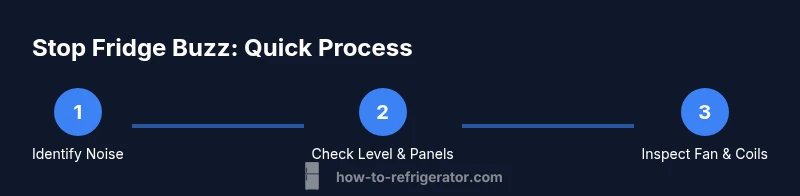
To stop a refrigerator from buzzing, start by identifying the source of the noise and ensuring the appliance is level. Many buzzing sounds come from a misaligned fan, vibrating shelves, or a loose compressor cover. This guide walks through safe, simplified checks you can perform, plus when professional help is advised.
Why refrigerators buzz and what it means
Buzzing from a refrigerator can be alarming, but it’s often not a catastrophic fault. According to How To Refrigerator, many buzzing noises come from everyday components that function during normal operation. The How To Refrigerator team found that root causes usually involve fans, mounting hardware, or vibration-causing panels rather than the compressor failing. Understanding the typical culprits helps you stop the sound quickly and safely, without unnecessary part replacements. In this guide we’ll explore how to stop refrigerator from buzzing by pinpointing whether the buzz is intermittent, persistent, or linked to a specific action (opening a door, running ice maker, or defrost cycle). With a methodical approach, you can narrow down the source and select the right fix. Keeping safety front-and-center protects both people and the appliance, while a calm, measured process minimizes the chance of introducing new issues.
Brand note: This practical approach aligns with How To Refrigerator’s guidance for homeowners seeking reliable, do-it-yourself fixes when possible.
Immediate checks you can safely perform
Before you reach for tools, unplug the fridge and move it away from walls to access back panels. Visual checks include listening for a fan while you gently press on shelves and panels to identify rattles. A level surface matters: if the fridge isn’t sitting evenly, the doors and panels can vibrate and create a buzzing or vibrating sound. These steps are designed to be safe for homeowners and do not require opening sealed electronics. If any warning signs appear (smell of burned plastic, smoke, or warmth beyond normal operation), stop and unplug immediately and seek professional help. To keep the device protected, avoid placing heavy objects on top or near the vents, which can worsen vibration and acoustic output. The goal is to reduce movement that translates into buzz, without compromising cooling performance.
Inspect the fan and evaporator for obstructions
The evaporator fan in the freezer compartment is a common culprit for buzzing. After unplugging, remove the back panel or access cover, and spin the fan blade by hand to check for smooth rotation. Look for debris, ice buildup, or a loose fan blade. If the blade rubs against the housing, or if you hear the motor strain, replace or secure the fan and fan housing as needed. After reassembly, plug in and listen at the same distance to see if the buzzing remains. Ensure any wiring near the fan is intact and not rubbing on moving parts, which can create intermittent buzzing as the motor runs.
Tips: Do not force the fan if it’s stiff; apply light lubrication only if the manufacturer’s guidance allows it. If you hear grinding or the motor feels hot, stop and seek professional service.
Clean and inspect condenser coils and mounting hardware
Clogged condenser coils cause the compressor to work harder, which can generate a buzzing or clunking sound during the heat cycle. Inspect the coils behind the grille; vacuum or brush away dust and lint carefully. While you’re at it, check mounting screws and brackets for tightness; loose hardware can translate vibration into a buzz. Use vibration-dampening pads or rubber grommets under the compressor mount if you notice any movement. Clean coils regularly—dusty coils force longer run times and can produce audible noise as components strain to shed heat. A quick check now can prevent future buzzing.
Inspect the compressor mounting and vibration dampers
If the buzzing seems tied to compressor activity, inspect the mounting bolts and vibration dampers. Tighten loose bolts to spec without over-tightening. If you feel the compressor moving or hear a hollow sound when you tap the cabinet, the dampers may be worn and need replacement. Replacing worn dampers or installing new pads can dramatically reduce vibration and sound transmission. If you’re uncomfortable with checks near the electrical compressor, skip the internal inspection and focus on external mounts and pads, which often resolves most buzz issues without specialist tools.
When to escalate: safety, warranties, and professional help
If basic checks don’t quiet the buzz, or you suspect a faulty compressor, motor, or electrical component, it’s time to call a pro. Opening sealed electrical parts can be dangerous or void a warranty. Before contacting service, document the symptoms, the sounds, and the steps you tried. The How To Refrigerator team recommends prioritizing safety and warranty terms; many manufacturers offer guidance or authorized service networks. If the fridge is under warranty, contact the manufacturer first to avoid invalidating coverage, and only proceed with non-warranty work if you’re confident in your safety practices and the appliance’s design.
Recap: Quieting a buzzing fridge is usually a layered process
Most buzzes come from simple, addressable sources like loose panels, fan obstructions, or coil dust. Start with the easiest fixes—leveling, cleaning, tightening—before moving to more involved steps like damper or compressor work. This staged approach saves time, money, and potential risk while delivering a calmer kitchen environment.
Tools & Materials
- Screwdriver set (PH2 and flathead)(For access panels and trim screws on interior surfaces)
- Nut driver or adjustable wrench(To secure or adjust mounting hardware)
- Multimeter(Optional, used to verify electrical continuity safely)
- Level(Ensures fridge is perfectly level to minimize vibration)
- Vibration-dampening pads or rubber feet(Slip-resistant pads under mounting hardware)
- Soft brush and vacuum(Clean condenser coils and vents without damaging fins)
- Flashlight(Illuminates back panel and coils for visibility)
- Replacement fan blade(Only if the evaporator fan is damaged or unbalanced)
- Coil cleaning brush(Gently remove dust from condenser coils)
- Masking tape(Mark screw locations or temporary fixes)
Steps
Estimated time: 45-60 minutes
- 1
Unplug the Refrigerator
Power down the unit and unplug the power cord. Move objects away from the back to access panels safely. Confirm the area is dry and free of any liquids before touching electrical components.
Tip: Label the cord and keep a small note of any steps you take for reference. - 2
Check Level and Adjust Front Feet
Place a level on the top face and adjust the front feet until the unit is perfectly level. A tilted fridge can cause doors to rub and create buzzing from misalignment over time.
Tip: Make tiny adjustments and re-check level after each change. - 3
Inspect Door Seals and Shelves
Inspect door gaskets for loose fit and ensure shelves aren’t rattling against each other. Tighten or reposition as needed to avoid intermittent contact that can mimic buzzing.
Tip: Use a soft pad under rattling shelves to dampen contact. - 4
Inspect Evaporator Fan
Access the evaporator area and gently spin the fan blade to verify it turns freely. Remove any debris or ice buildup that binds the blade, and replace if it’s damaged.
Tip: Do not apply oil to the fan; use manufacturer-approved guidance. - 5
Clean Condenser Coils and Verify Mounting
Vacuum dust from condenser coils and ensure the coil cover is properly attached. Tighten loose mounting screws and confirm the compressor is securely fastened with minimal movement.
Tip: Always use a brush designed for coil surfaces to prevent damage. - 6
Check Compressor Mounting and Dampers
Inspect the dampers for wear and replace if necessary; ensure bolts are tightened evenly. If you notice excessive movement or a hollow sound when tapping the cabinet, dampers may be degraded.
Tip: If you’re unsure about damper replacement, consult a pro to avoid compressor damage. - 7
Reassemble Panels and Test Run
Secure all panels, reconnect power, and run the fridge for 15-30 minutes in a normal load condition to observe the noise level.
Tip: Stand back during the test to observe any vibration transfer to surrounding furniture. - 8
Evaluate and Decide on Next Steps
If buzzing persists, document sounds, positions, and time stamps before calling a professional. Higher-risk components like compressors may require service.
Tip: Keeping a log speeds up diagnosis with a technician.
FAQ
What are common causes of a buzzing refrigerator?
Buzzing can stem from the evaporator or condenser fans, loose panels, or vibration from mounting hardware. Start by isolating the source with simple checks before assuming a major fault.
Buzzing usually comes from fans or vibration in the mounting hardware. Start with basic checks to locate the source.
Is it safe to unplug and inspect a buzzing fridge?
Yes. Always unplug before inspecting internal components. Avoid touching sealed electrical parts unless you are trained to do so.
Yes—unplug first. Avoid touching sealed electrical parts unless you're trained.
When should I call a professional for buzzing noises?
If the buzz persists after basic checks or you suspect issues with the compressor, motor, or electrical system, contact a licensed technician.
If the buzz stays after basic checks, or you suspect the compressor, call a pro.
Can I prevent buzzing with routine maintenance?
Yes. Regularly cleaning condenser coils, tightening screws, and using vibration-dampening pads reduces noise and improves efficiency.
Regular maintenance helps reduce buzzing and keeps the fridge efficient.
Is buzzing always a sign of a safety hazard?
Buzzing can indicate a potential safety issue if accompanied by burning smells, warmth, or sparks. Stop and unplug if you notice any of these signs and seek professional help.
Buzzing can be a safety issue if paired with burning smells or heat. Unplug and seek help.
Watch Video
Top Takeaways
- Identify the noise source to act quickly.
- Unplug before any internal inspection and follow safety steps.
- Start with level, panel, and coil cleaning before replacing parts.
- Escalate to a professional for compressor or electrical faults.