When Refrigerator Makes Noise: A Homeowner's Troubleshooting Guide
Urgent, step-by-step guide to diagnose and fix common fridge noises. Learn what to check, how to isolate sounds, and when to call a pro for safe, effective repairs.


The most common culprits for a noisy fridge are the evaporator or condenser fans, a buzzing compressor, or an ice-maker. For a quick check, unplug the unit, remove items near the back, and listen for which part is making noise; then tighten loose panels and clean dust from the condenser coils. If the noise persists, it may require professional service.
Immediate checks you can do before you call a pro
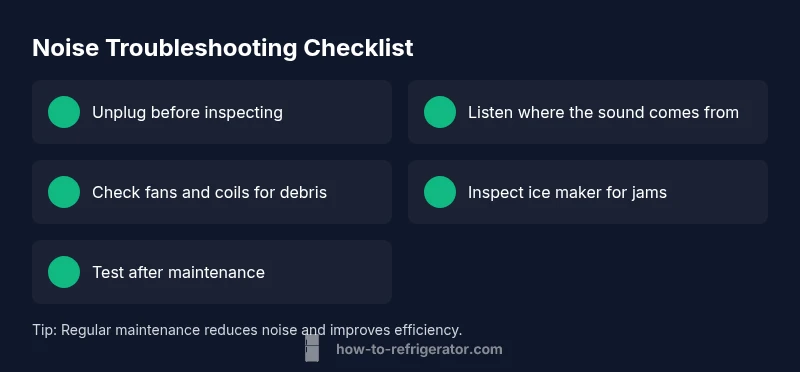
If your refrigerator is emitting unexpected noises, you may be able to stop them with a quick inspection. When refrigerator makes noise, many sounds come from simple causes you can handle safely. According to How To Refrigerator, start with the basics: power, placement, and airflow. First, unplug the unit before touching any internal parts to avoid shocks or capacitor burns. Move items away from the back and remove any loose kitchen tools that could vibrate against metal panels. Listen carefully as you replug and power on to identify the sound source. Check that the fridge is level; even a slight tilt can cause vibration on startup. Clean dust from the condenser coils with a soft brush or vacuum attachment; restricted airflow makes the compressor work harder and can amplify noise. Finally, inspect door seals and interior shelves for rattling objects. If you notice a buzzing, grinding, or clicking that persists after these checks, proceed to a deeper diagnostic.
Common noise sources explained
Refrigerators produce several common noises, and identifying the source helps you decide on the right fix. A short buzzing or hum is usually the compressor when it starts up or cycles. A rattling or tapping sound often comes from loose shelves, wiring, or drip pan vibrations. A high-pitched whine may indicate a faulty evaporator or condenser fan blades rubbing dust or ice. Ice makers can produce clicking noises as cubes are produced and released. In some models, a defrost timer can create intermittent ticking. Lastly, hums or grinding noises near the rear are sometimes caused by dirty condenser coils or a loose fan housing. Knowing these patterns empowers you to map the sound to a probable cause without pricey diagnostic tools.
How to isolate the sound: a quick test plan
To pinpoint the source, you need a controlled approach. Start with power-down steps, then re-energize and listen carefully. First, unplug the fridge and remove items blocking the back or grille area. Plug in briefly and listen near the back while the compressor runs to see if the noise persists. Open the freezer and listen for noises from the evaporator fan, which is often the inside culprit. If the noise seems louder when the door is closed, focus on door seals and interior components. If the noise occurs only during the defrost cycle, the defrost timer or heater could be involved. Document the timing of noises so you can compare patterns over several cycles. If the source remains unclear, it's time to move to diagnostic mapping.
Diagnostic flow: mapping sound to cause
Symptom: Fridge makes unexpected noises (buzzing, rattling, ticking). Causes include evaporator fan obstructions (high), condenser fan debris or rubbing (high), compressor hum (medium), ice maker motor (medium), defrost timer (low). Fixes include: clear ice or obstructions from fans (easy), clean condenser coils (easy), verify compressor is operating normally or call tech (medium), inspect and reseat ice maker (easy), reset/defrost cycle or service as needed (medium). This flow helps you organize a smart path to repair without guessing. If at any point you feel unsafe, stop and contact a professional.
Step-by-step diagnosis for the most common culprits
To address evaporator or condenser fan issues, follow these checks: 1) unplug, 2) locate back panel, 3) remove cover, 4) inspect blades for chips, cracks, or ice; 5) ensure fan blades spin freely, not obstructed; 6) verify that the motor bearings are not worn; 7) reassemble and test. If you hear rubbing or grinding, the fan might need replacement. For ice-maker-related noise: check that the ice-maker arm is properly seated, the ice cube mold isn't jammed, and water line is connected properly. When in doubt, postpone heavy disassembly and call a professional.
Safety and maintenance basics you should follow
Safety comes first. Always unplug the fridge before inspecting electrical components or touching any refrigerant lines. Use insulated gloves if you handle metal parts and avoid using tools that could spark. Maintenance-wise, keep condenser coils clean and clear of dust, ensure at least 2-3 inches of clearance around the back and sides for airflow, and avoid overloading shelves which can amplify vibrations. Proper door seals help prevent air leaks that force the compressor to work harder and louder.
Maintenance habits to reduce future noise
Create a simple maintenance routine to keep noise down. Schedule coil cleaning every 6-12 months, check level installation, and ensure the unit is not touching walls or cabinets. Use anti-vibration pads under the fridge if the floor is hard and uneven. Keep the area around the refrigerator free from clutter that could trap heat or vibrate against panels. These habits not only cut noise but also improve energy efficiency.
Noise scenarios by fridge type and configuration
Top-freezer, bottom-freezer, and French-door configurations each present different noise profiles. A top-freezer often has noise from the evaporator fan inside the freezer; bottom-freezer models may have quieter operation at the expense of more accessible condenser components. French-door models frequently incorporate multiple evaporator fans and larger coils, which can introduce more potential vibration points. Understanding your model helps you target the right parts to inspect and the right maintenance to perform.
When to call a professional and what to expect
If basic checks don’t eliminate the noise, if you hear grinding or you suspect a refrigerant issue, it’s time to call a pro. A technician will likely perform a diagnostic visit, test electrical components, inspect fans and motors, and check refrigerant levels. Expect a written estimate and note that compressor or refrigerant repairs may be costly. Acting early can prevent additional damage and ensure your fridge stays safe and functional.
Steps
Estimated time: 60-75 minutes
- 1
Power down safely
Unplug the refrigerator and move any nearby items away from vents and the back of the unit. Wait a few minutes to ensure capacitors discharge before inspection.
Tip: Always cut power before touching electrical components. - 2
Identify the source
Plug back in and listen closely to determine whether the noise comes from the back, top, or inside the freezer. Use a flashlight to peek around fan blades.
Tip: Keep hands clear of moving parts while power is on. - 3
Check evaporator fan
Open the freezer and feel for vibration near the evaporator fan. If accessible, inspect for ice buildup or loose blades and rotate the fan manually to confirm smooth movement.
Tip: A slight resistance is normal; grinding is not. - 4
Inspect condenser fan and coils
With the panel off, check the condenser fan for debris and the coils for dust. Clean thoroughly and reassemble to test changes in noise.
Tip: Always unplug before touching the cooling fins. - 5
Ice maker inspection
If the noise seems linked to ice production, check the ice mold and arm position. Ensure water lines are unobstructed and the mold isn’t cracked.
Tip: An overfilled mold often causes jams. - 6
Defrost cycle checks
During defrost cycles, a ticking or buzzing can occur. Observe whether noises disappear after defrost completes, indicating a timer/heater issue.
Tip: If you hear stuttering during defrost, call a tech. - 7
Test and monitor
Reassemble everything, plug in, and observe for a full cycle. If noises persist or worsen, document symptoms for the technician.
Tip: Take notes on timing and patterns to speed diagnosis.
Diagnosis: Fridge makes unusual noises (buzzing, rattling, ticking, or grinding).
Possible Causes
- highEvaporator fan obstruction or ice buildup
- highCondenser fan rubbing dust or debris
- mediumCompressor operating abnormally or failing
- mediumIce maker motor or mechanism jam
- lowDefrost timer or heater cycling irregularly
Fixes
- easyClear obstructions or ice from fans; reseat blades if needed
- easyVacuum or brush condenser coils and ensure proper airflow
- mediumVerify compressor operation; if abnormal, arrange professional service
- easyInspect ice maker assemblies for jams and reseat components
- mediumReset defrost timer or service if noise recurs during defrost cycle
FAQ
What is the most common reason a refrigerator makes a loud buzzing sound?
The most common cause is the compressor or condenser fan; inspect for obstructions and keep coils clean. If the noise persists, professional service may be needed.
Most buzzing is usually the compressor or condenser fan. Check for obstructions and clean the coils; if it continues, contact a pro.
Why does my fridge hum loudly when it cycles on?
A startup hum can be normal, but an unusually loud sound often points to a fan or compressor issue. Ensure the unit is level and free of debris before calling a tech.
A loud startup hum can be normal; if it's loud, it could be a fan or compressor issue. Check level and debris first.
Is it safe to unplug the fridge to stop the noise?
Yes, unplugging temporarily is safe and can help you perform basic checks. Do not run without food stored properly; replug after inspection and test.
Yes, you can unplug it to stop the noise while you inspect. Just be careful with food storage.
Can ice maker noises indicate a problem?
Yes. Clicking or buzzing can mean cubes are sticking or the mechanism is misaligned. Check the mold, arm, and water line for jams or leaks.
Ice maker noises can mean a jam or misalignment. Check the mold, arm, and water line.
When should I call a professional for fridge noise?
If basic checks don’t fix the noise, you hear grinding, or you suspect a refrigerant issue, schedule a professional diagnostic.
If basic checks fail or you hear grinding, call a professional for a diagnostic.
What maintenance helps reduce fridge noise long-term?
Keep coils clean, ensure proper airflow and leveling, avoid overloading shelves, and perform regular defrost checks to minimize noise.
Keep coils clean, level the fridge, and perform regular defrost checks to cut noise.
Watch Video
Top Takeaways
- Identify the sound source before acting.
- Regular coil cleaning reduces noise and extends life.
- Unplug before any internal inspection to stay safe.
- If in doubt, call a professional—compressor or refrigerant work requires expertise.
- Maintain the fridge to prevent future noise.